

sanyun_di
Silver ⭐️⭐️
February 19, 2019
Solved

Ambari 2.7.3 daskboard metrics keep loading

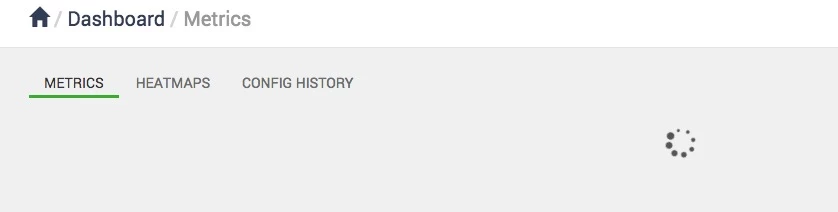
We upgrade our Ambari from 2.6 to 2.7.3, after the upgrading, our dashboard metrics keep showing the loading animation without any data. However, Ambari metrics service is ok and metrics page on each components also works.

I have checked log file on host of Ambari server, but no exception found. And i also tried to clear Hbase root and tmp dir, not work neither.

Any suggestion is appreciate, thanks in advance!
106447-976ec664-9dfe-4e37-a8f3-ca5d9b0bad50.png

jsensharma
Platinum ⭐️⭐️
February 20, 2019

@sanyun di

For testing purpose can you please try this:

1. In Ambari UI

"admin" --> "Manage Ambari" --> Users --> "Add User"

2. Add a new User and give that user the following access:

User Access: Cluster Administrator
Is this user an Ambari Admin?  :  Yes
User Status : Active

3. Now logout from the Browser and then login with this new user credentials and then check if youa re able to see the "Metrics" dashboard?

5 replies

jsensharma
Platinum ⭐️⭐️
Platinum ⭐️⭐️
February 19, 2019

@sanyun di

Have you tried clearing your browser cache?

Or may be you can try opening the ambari UI in "Incognito Mode" (in google chrome) Or in "Private Mode" (In Firefox) to see if that works.
Also in your ambari-server.log do you see any AMS connectivity related error?

Translate
sanyun_di
sanyun_diAuthor
Silver ⭐️⭐️
February 19, 2019

Thanks for the reply. I just open the ambari UI in incognito mode, but no luck.

And there is no error from ambari server log.

Translate
jsensharma
Platinum ⭐️⭐️
Platinum ⭐️⭐️
February 20, 2019

@sanyun di

For testing purpose can you please try this:

1. In Ambari UI

"admin" --> "Manage Ambari" --> Users --> "Add User"

2. Add a new User and give that user the following access:

User Access: Cluster Administrator
Is this user an Ambari Admin?  :  Yes
User Status : Active

3. Now logout from the Browser and then login with this new user credentials and then check if youa re able to see the "Metrics" dashboard?

Translate
sanyun_di
sanyun_diAuthor
Silver ⭐️⭐️
February 28, 2019

It works, thanks so much!

Translate
jsensharma
Platinum ⭐️⭐️
Platinum ⭐️⭐️
February 22, 2019

@sanyun di

I could reproduce this issue.

This issue can happen when you login to Ambari UI with a username which contains DOT in the username.

Example: if username is "test.user" as it has a DOT in the name so you might see this issue.

There is an issue reported to the JIRA recently and fixed in later version of ambari.
https://issues.apache.org/jira/browse/AMBARI-25102


However the Fix is easy and you ca just update the "app.js" as mentioned in the pull request and your UI will start working fine.


Step-1). On Ambari Server host take a backup of the file "/usr/lib/ambari-server/web/javascripts/app.js" to some safe directory.

# cp -f /usr/lib/ambari-server/web/javascripts/app.js    /tmp/app.js

Step-2). Refer to the Pull Request: https://github.com/apache/ambari/pull/2764/files

and make the changes in the "app.js" file.

Step-3). Just do a Hard refresh of the browser.

.

Translate


