@Yee Zee
Test Scenario (i used Ambari 2.6.1.7 for testing)
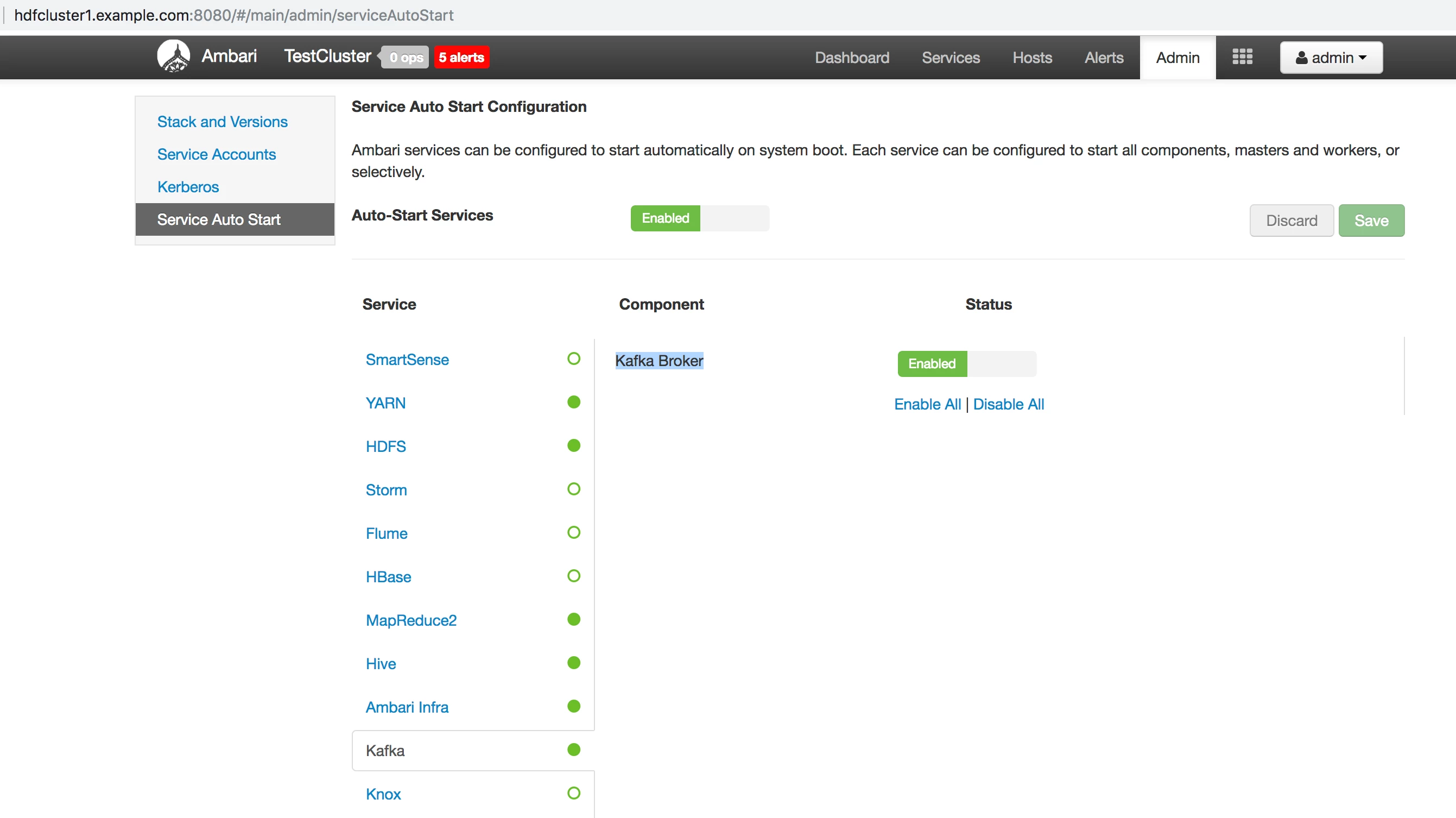
1. Make sure that the Kafka Broker process is Up and running and Autostart is configured properly for Kafka broker in Ambari UI.
2. Make Sure that the ambari-agent process is running fine on the broker host and sending Heartbeat request properly to ambari server and getting response back. By Looking at the ambari-agent log
INFO 2019-01-30 09:12:15,798 Controller.py:333 - Heartbeat response received (id = 2199203)
INFO 2019-01-30 09:12:15,799 Controller.py:342 - Heartbeat interval is 1 seconds
.
3. Put the ambari-agent log in tail mode.
# tail -f /var/log/ambari-agent/ambari-agent.log
.
4. Put the ambari-server.log in tail mode.
# tail -f /var/log/ambari-server/ambari-server.log
.
5. Now kill the Kafka broker abruptly using the "kill" command like
# kill -9 `cat /var/run/kafka/kafka.pid`
.
6. On the ambari agent log you will notice some entries like this:
INFO 2019-01-30 09:12:15,890 RecoveryManager.py:185 - current status is set to INSTALLED for KAFKA_BROKER
INFO 2019-01-30 09:12:15,890 RecoveryManager.py:255 - KAFKA_BROKER needs recovery, desired = STARTED, and current = INSTALLED.
INFO 2019-01-30 09:12:16,703 Controller.py:482 - Wait for next heartbeat over
INFO 2019-01-30 09:12:19,907 RecoveryManager.py:255 - KAFKA_BROKER needs recovery, desired = STARTED, and current = INSTALLED.
INFO 2019-01-30 09:12:19,908 RecoveryManager.py:834 - START command cannot be computed as details are not received from Server.
INFO 2019-01-30 09:12:29,082 RecoveryManager.py:255 - KAFKA_BROKER needs recovery, desired = STARTED, and current = INSTALLED.
INFO 2019-01-30 09:12:29,083 RecoveryManager.py:834 - START command cannot be computed as details are not received from Server.
.
.
INFO 2019-01-30 09:13:16,753 RecoveryManager.py:255 - KAFKA_BROKER needs recovery, desired = STARTED, and current = INSTALLED.
INFO 2019-01-30 09:13:20,018 ActionQueue.py:238 - Executing command with id = 1-0, taskId = 1542362191 for role = KAFKA_BROKER of cluster TestCluster.
INFO 2019-01-30 09:13:20,018 ActionQueue.py:279 - Command execution metadata - taskId = 1542362191, retry enabled = False, max retry duration (sec) = 0, log_output = True
INFO 2019-01-30 09:13:23,130 ActionQueue.py:324 - Quit retrying for command with taskId = 1542362191. Status: COMPLETED, retryAble: False, retryDuration (sec): -1, last delay (sec): 1
INFO 2019-01-30 09:13:23,131 ActionQueue.py:339 - Command with taskId = 1542362191 completed successfully!
INFO 2019-01-30 09:13:23,131 RecoveryManager.py:185 - current status is set to STARTED for KAFKA_BROKER
INFO 2019-01-30 09:13:23,135 ActionQueue.py:390 - After EXECUTION_COMMAND (START), with taskId=1542362191, current state of KAFKA_BROKER to STARTED
.
7. On Ambari-Server.log you will find the entries like following, once the "Kafka Broker" process is killed.
30 Jan 2019 09:12:18,443  INFO [ambari-heartbeat-processor-0] HeartbeatProcessor:607 - State of service component KAFKA_BROKER of service KAFKA of cluster TestCluster has changed from STARTED to INSTALLED at host hdfcluster1.example.com according to STATUS_COMMAND report
30 Jan 2019 09:12:18,444  INFO [ambari-heartbeat-processor-0] HeartbeatMonitor:50 - Setting need for exec command to True for KAFKA_BROKER
30 Jan 2019 09:13:10,503  INFO [ambari-hearbeat-monitor] HeartbeatMonitor:318 - KAFKA_BROKER is at INSTALLED adding more payload per agent ask
30 Jan 2019 09:14:20,424  INFO [ambari-heartbeat-processor-0] HeartbeatProcessor:607 - State of service component KAFKA_BROKER of service KAFKA of cluster TestCluster has changed from INSTALLED to STARTED at host hdfcluster1.example.com according to STATUS_COMMAND report
.
8. After this logging status you will find that the kafka broker process is started fine.
.