

muslihuddin
Gold ⭐️
June 5, 2020
Solved

Cloudera Data Platform - 7.1.1 Trial

Hi 

I'm currently deploying  CDP-DC trial version on my dev enviroment using the latest Cloudera Manager 7.1.1

But at Add Cluster-Installation --> 4. Select repository, why do runtime version that i can select is only CDH 6.3.2 & CDH 5.16. Should't i be able to select cloudera runtime 7.1.1?
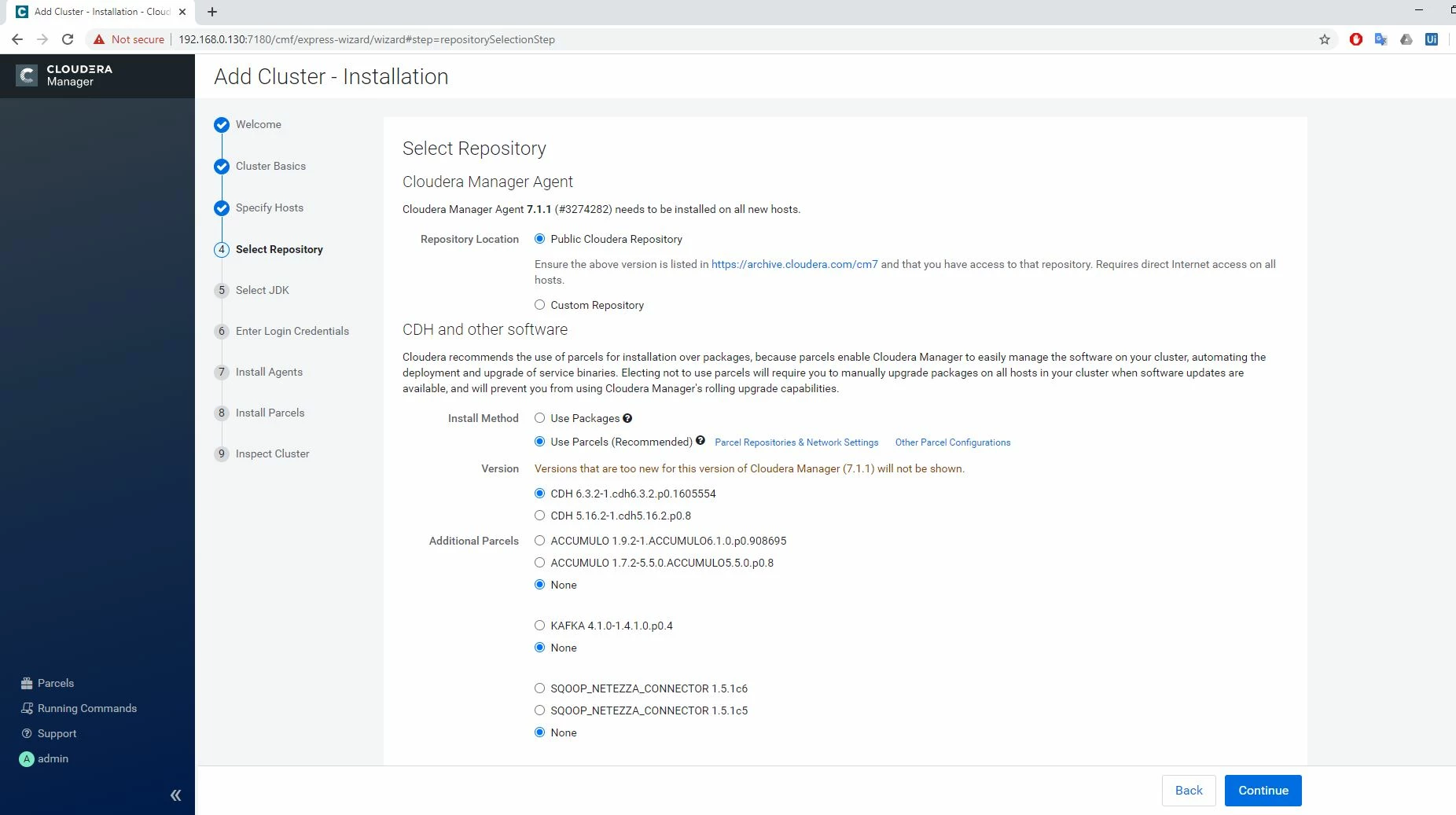
Cloudera Manager 7.1.1 got only CDH 6.3 anf 5.16Cloudera Manager 7.1.1 got only CDH 6.3 anf 5.16


I've tried 7.0.3 installation, and i got the option for Cloudera runtime 7.0.3.
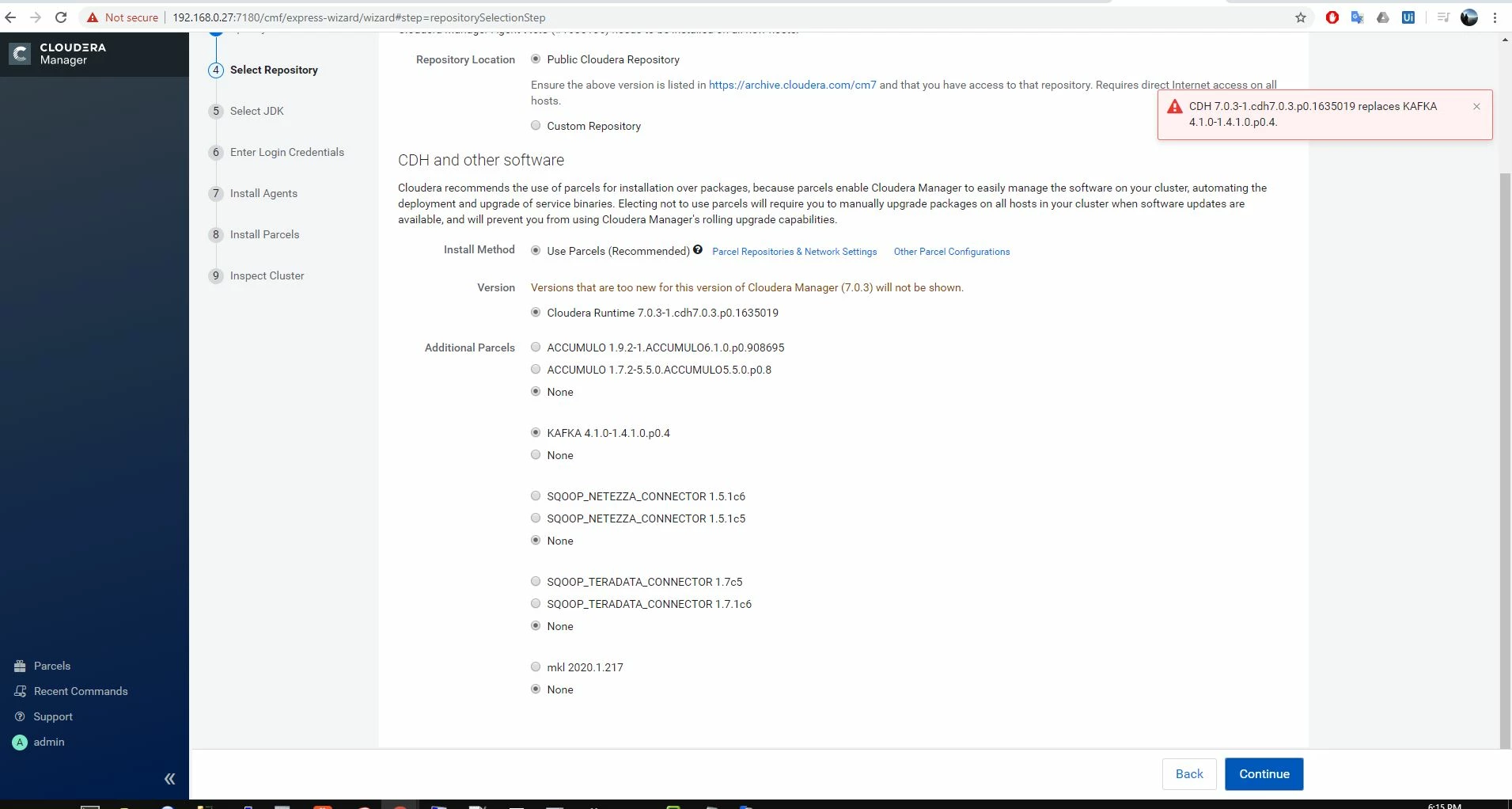
Cloiudera Manager 7.0.3 got runtime 7.0.3Cloiudera Manager 7.0.3 got runtime 7.0.3


it shouldn't be like this right?


Thanks

muslihuddin
Gold ⭐️
June 11, 2020

Hi @Bender 

Thank you very much your reply. 


But I tried CDP7.0.3 and I can select the 7.0.3 runtime tfor the deployment, not the legacy CDH as on my 1st picture. 


"Upgrades from CDH to higher versions of CDH" explains that "Upgrades to Cloudera Manager 6.3.3 or higher now require a Cloudera Enterprise license file and a username and password."


So is this means that if i want to try version 7.1.1, i would not get to try the runtime 7.1.1 if I dont have the Enterprice license?


*I'm not upgrading from existing cluster. I'm currently just trying to deploy the Trial version of Cloudera Data Platform version 7.1.1 to test all the function. 

5 replies

Bender
Gold ⭐️⭐️⭐️
Gold ⭐️⭐️⭐️
June 8, 2020

Hello @muslihuddin ,


Thank you for raising your concern about the CDP7.1.1 trial version allowing you only select CDH 6.3. and CDH 5.16 versions. The [1] documentation under "Upgrades from CDH to higher versions of CDH" explains that "Upgrades to Cloudera Manager 6.3.3 or higher now require a Cloudera Enterprise license file and a username and password." I believe this is the explanation why you only have these versions listed.


We appreciate your feedback on the product, as it allows us to improve our documentation. Raising a request internally on adding this limitation under the Trial Installation section [2].


Kind regards:

Ferenc


[1] https://docs.cloudera.com/cdp/latest/upgrade/topics/cdpdc-upgrade-paths.html

[2] https://docs.cloudera.com/cdpdc/7.0/installation/topics/cdpdc-install-runtime-using-wizard.html

Translate
Ferenc Erdelyi, Technical Solutions Manager Was your question answered? Make sure to mark the answer as the accepted solution. If you find a reply useful, say thanks by clicking on the thumbs up button. Learn more about the Cloudera Community: - Community Guidelines (https://community.cloudera.com/t5/custom/page/page-id/Community_Guidelines) - How to use the forum (/t5/help/faqpage)
meridee
Silver ⭐️
June 11, 2020

Exactly how is this a trial if it requires a license?  The whole point of installing a trial is to conduct an evaluation to help decide whether or not to purchase a license.

Translate
muslihuddin
Gold ⭐️
June 11, 2020

@meridee yeah, this is what I meant. Thanks


I actually just got a confirmation on this from another Cloudera representative and he is saying the same thing as Bender said ,where the cloudera runtime 7.1.1 will be hidden during the Cloudera Manger 7.1.1 installation  unless you have the license. Thats why I'm only seeing legacy CDH version for my trial installation. 


So sad. Thanks anyway.@Bender 

Translate
