
m4x1m1li4n
Silver ⭐️⭐️⭐️
Oct 30, 2019 5:28 PM UTC
Solved

Could not generate CSR

Hello everyone, 


I have a question about enabling the TLS communication between the hosts in my cluster.

The installation procedure recommends to enable the TLS over the cluster, but when I try to run the following command: 


sudo JAVA_HOME=/usr/java/jdk1.8.0_181-cloudera /opt/cloudera/cm-agent/bin/certmanager setup --configure-services


I receive the following errors:
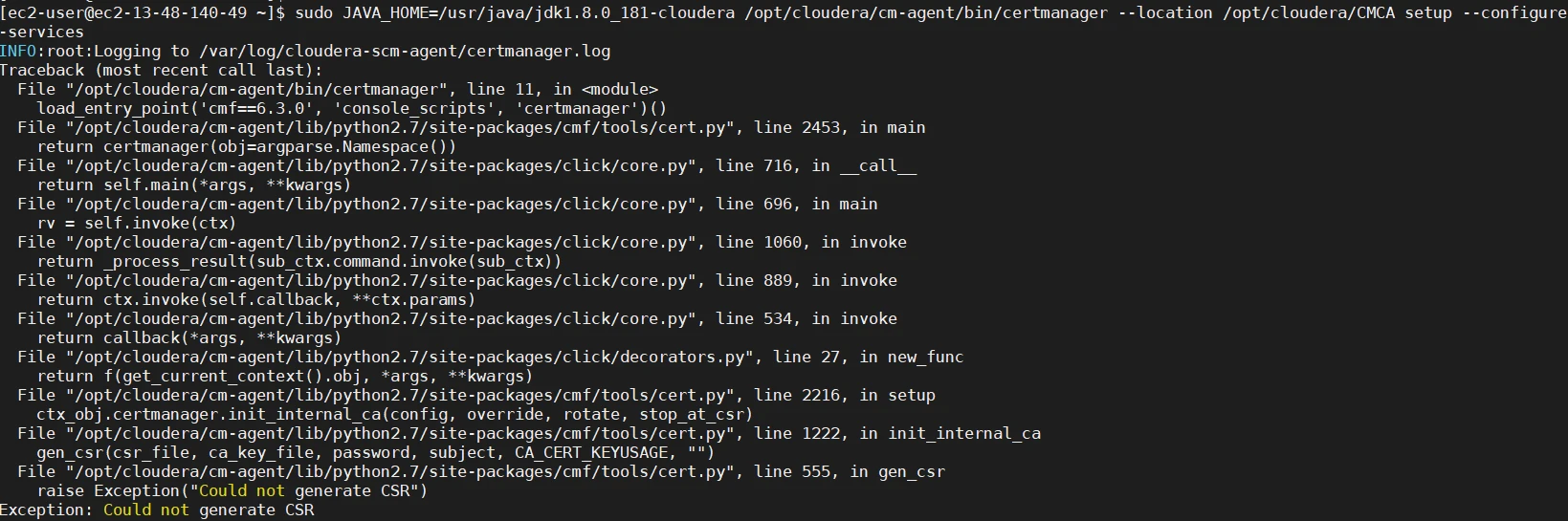
 

image.png

The first warning is: 


could not generate CSR
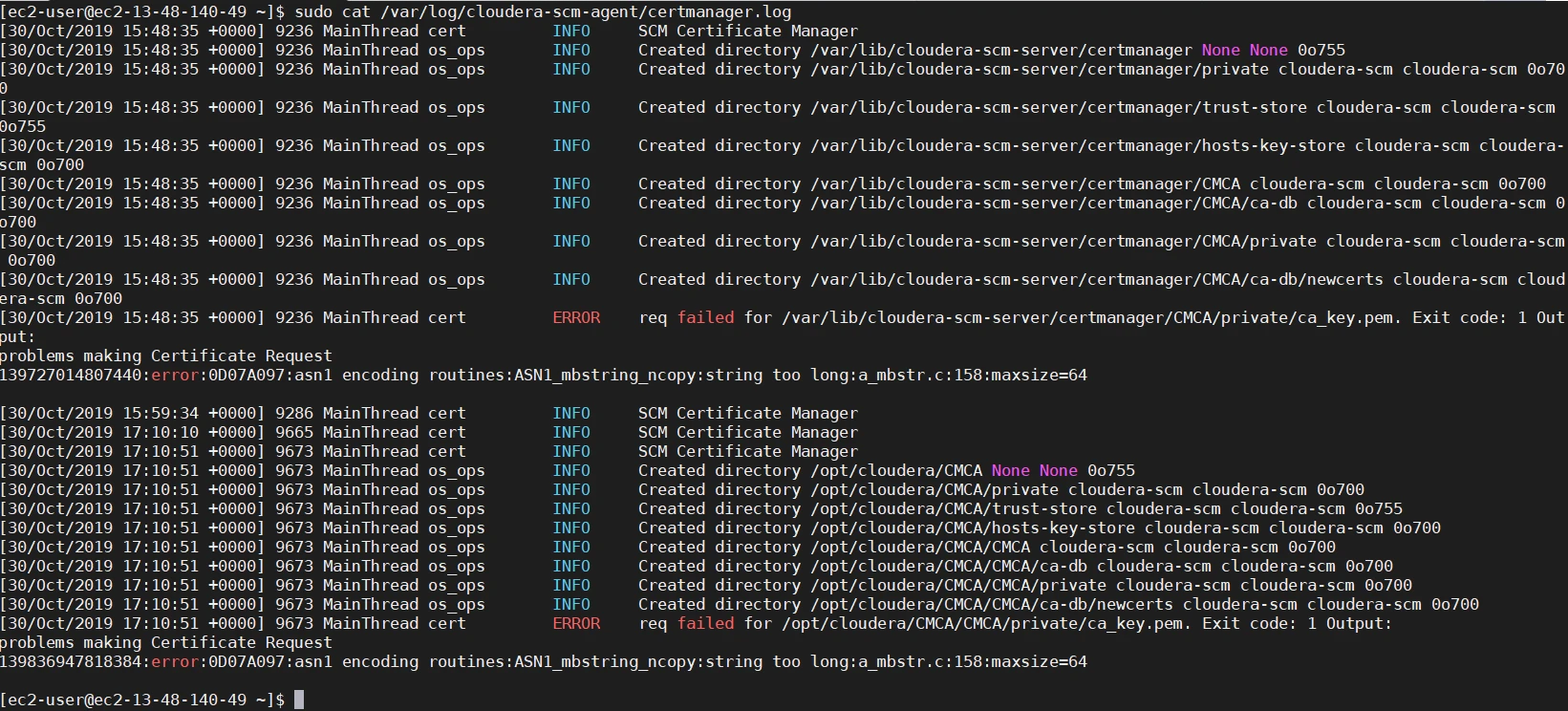
 

image.png


When I check the log I got two errors:


req failed for /var/lib/cloudera-scm-server/certmanager/CMCA/private/ca_key.pem. Exit code: 1 Output:
problems making Certificate Request
139727014807440:error:0D07A097:asn1 encoding routines:ASN1_mbstring_ncopy:string too long:a_mbstr.c:158:maxsize=64


Does anyone have the same problem? I am struggling to figure out this issue and after having googled it I have not found much...


If I skip this step, unfortunately, I will not be able to pass the Inspect Network Performance.

I already tried to skip this step, but when I was ending the installation, the file "cert.py" is used to test the connection between the nodes, and it wouldn't work (I already tried) giving me the error: unable to reach the hosts".


Any case, I am able to connect through ssh command from the master to the other nodes, here an example:

 

image.png


Thanks,

M

lwang
lwangAnswer
Platinum ⭐️
Oct 30, 2019 7:24 PM UTC

Hi @m4x1m1li4n ,


The error message below seems to indicate some data for generating the certificate is exceeding the 64 characters limit.

139727014807440:error:0D07A097:asn1 encoding routines:ASN1_mbstring_ncopy:string too long:a_mbstr.c:158:maxsize=64

CN in a certificate may not exceed 64 characters. I wonder if your host name is too long which make it exceed the limit of 64 characters?


Thanks,

Li


Li Wang, Technical Solution Manager

3 replies

lwang
Platinum ⭐️
lwangAnswer
Platinum ⭐️
Oct 30, 2019 7:24 PM UTC

Hi @m4x1m1li4n ,


The error message below seems to indicate some data for generating the certificate is exceeding the 64 characters limit.

139727014807440:error:0D07A097:asn1 encoding routines:ASN1_mbstring_ncopy:string too long:a_mbstr.c:158:maxsize=64

CN in a certificate may not exceed 64 characters. I wonder if your host name is too long which make it exceed the limit of 64 characters?


Thanks,

Li


Translate
Li Wang, Technical Solution Manager
m4x1m1li4n
Silver ⭐️⭐️⭐️
Oct 31, 2019 9:16 AM UTC

Hi Li, 


first, thank you so much for your answer! Very appreciated!


Good spot! I registered a subdomain in my Amazon VPC and the etc/host looks like this:

image.png

Therefore, my hostname for the master is the following:

image.png

However, when I re-run the following command:

sudo JAVA_HOME=/usr/java/jdk1.8.0_181-cloudera /opt/cloudera/cm-agent/bin/certmanager --location /opt/cloudera/CMCA setup --configure-services

I receive the following:

image.png

I guess I should remove the key generated and re-do the command.

Do you know how can I do that?


Many thanks,

M


Translate
lwang
Platinum ⭐️
Platinum ⭐️
Nov 1, 2019 6:02 PM UTC

Hi @m4x1m1li4n ,


Looks like you used custom location. You may want to take a look at the location: 

/opt/cloudera/CMCA

and see if there are some data inside. Try to move those files to different location and see if that helps.


Thanks,

Li

Translate
Li Wang, Technical Solution Manager