
shofialau
Silver ⭐️⭐️
May 3, 2024 4:05 AM UTC
Solved

Deleting hive service on CDP Private Base and no clues for username and password

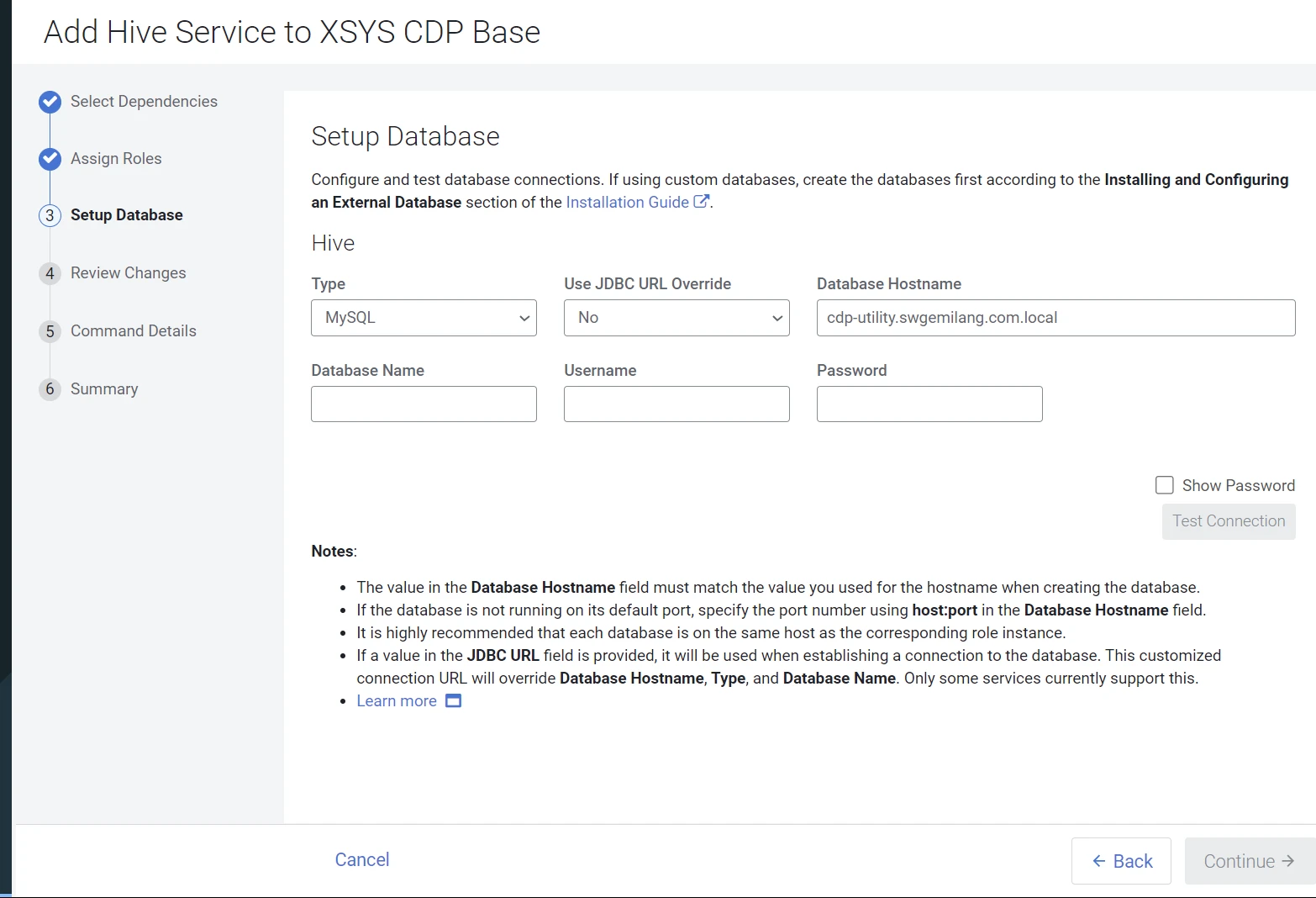
I was deleted hive services with some tools (livy, hue, kudu, oozie, hive on tez) because I forgot to keep All of the password. Now I want to re-add services that I deleted. but I have no clue for this. I don't know username and password.
shofialau_0-1714708652442.png

Please help

smruti
smrutiAnswer
Gold ⭐️⭐️⭐️
May 5, 2024 8:27 PM UTC

@shofialau First of all, you could always create a new database and user for Hive, and all other services.

Refer to step 7 of https://docs.cloudera.com/cdp-private-cloud-base/7.1.8/hive-metastore/topics/hive-mysql_.html

If you want to reuse the existing DB and user, you should be able to reset the user password in mysql.

Connect to mysql as root user, and run the command as follows:

UPDATE mysql.user SET authentication_string = PASSWORD('new_password') WHERE User = 'hive' AND Host = 'metastorehost';

In case you are not sure, or you do not have root privileges, this can be reset as well:

ref: https://dev.mysql.com/doc/refman/8.0/en/resetting-permissions.html

5 replies

smruti
Gold ⭐️⭐️⭐️
smrutiAnswer
Gold ⭐️⭐️⭐️
May 5, 2024 8:27 PM UTC

@shofialau First of all, you could always create a new database and user for Hive, and all other services.

Refer to step 7 of https://docs.cloudera.com/cdp-private-cloud-base/7.1.8/hive-metastore/topics/hive-mysql_.html

If you want to reuse the existing DB and user, you should be able to reset the user password in mysql.

Connect to mysql as root user, and run the command as follows:

UPDATE mysql.user SET authentication_string = PASSWORD('new_password') WHERE User = 'hive' AND Host = 'metastorehost';

In case you are not sure, or you do not have root privileges, this can be reset as well:

ref: https://dev.mysql.com/doc/refman/8.0/en/resetting-permissions.html

Translate
shofialau
shofialauAuthor
Silver ⭐️⭐️
May 7, 2024 4:32 AM UTC

Hi thanks for answering.
But i still get stuck.
How do I install JDBC driver? should I install from Cloudera Documentation?

shofialau_0-1715056335387.png


Translate
smruti
Gold ⭐️⭐️⭐️
Gold ⭐️⭐️⭐️
May 7, 2024 2:55 PM UTC

@shofialau Let's not get confused with that JDBC driver mentioned in the doc. We can ignore that for now.

We have two options relating to the metastore DB situation.

  1. Recover the password of the hive metastore DB user.
  2. Create a new database and user.

I had shared the command to reset the DB user password(Option - 1) , or if you plan to create a new database(option -2), try the following commands:

mysql> CREATE DATABASE hmsdb;
mysql> CREATE USER 'hiveuser'@'metastorehost' IDENTIFIED BY 'mypassword';
mysql> REVOKE ALL PRIVILEGES, GRANT OPTION FROM 'hiveuser'@'metastorehost';
mysql> GRANT ALL PRIVILEGES ON hmsdb.* TO 'hiveuser'@'metastorehost';
mysql> FLUSH PRIVILEGES;
mysql> quit;

Replace the "metastorehost" with the Hive metastore node hostname.


Translate
shofialau
shofialauAuthor
Silver ⭐️⭐️
May 8, 2024 6:23 AM UTC

I already create this:

mysql> create database hmsdb;
Query OK, 1 row affected (0.01 sec)

mysql> CREATE USER 'swg_mysql'@'cdp-utility.swgemilang.com.local' IDENTIFIED BY 'xxxxx';
Query OK, 0 rows affected (0.01 sec)

mysql> REVOKE ALL PRIVILEGES, GRANT OPTION FROM 'swg_mysql'@'cdp-utility.swgemilang.com.local';
Query OK, 0 rows affected (0.00 sec)

mysql> GRANT ALL PRIVILEGES ON hmsdb.* TO 'swg_mysql'@'cdp-utility.swgemilang.com.local';
Query OK, 0 rows affected (0.01 sec)

mysql> FLUSH PRIVILEGES;
Query OK, 0 rows affected (0.00 sec)

but it still like this:
shofialau_0-1715149252844.png


Translate
smruti
Gold ⭐️⭐️⭐️
Gold ⭐️⭐️⭐️
May 8, 2024 1:03 PM UTC

@shofialau great! Now we can download mysql jdbc connector and place in the HMS node under the location /usr/share/java

Detailed information can be found here - https://docs.cloudera.com/cdp-private-cloud-upgrade/latest/upgrade-hdp/topics/amb-install-mysql-jdbc.html#pnavId2

Translate