Fayza
Silver ⭐️⭐️⭐️
December 6, 2023
Solved

Difficulty Sending GraphQL POST Requests Using InvokeHTTP Processor

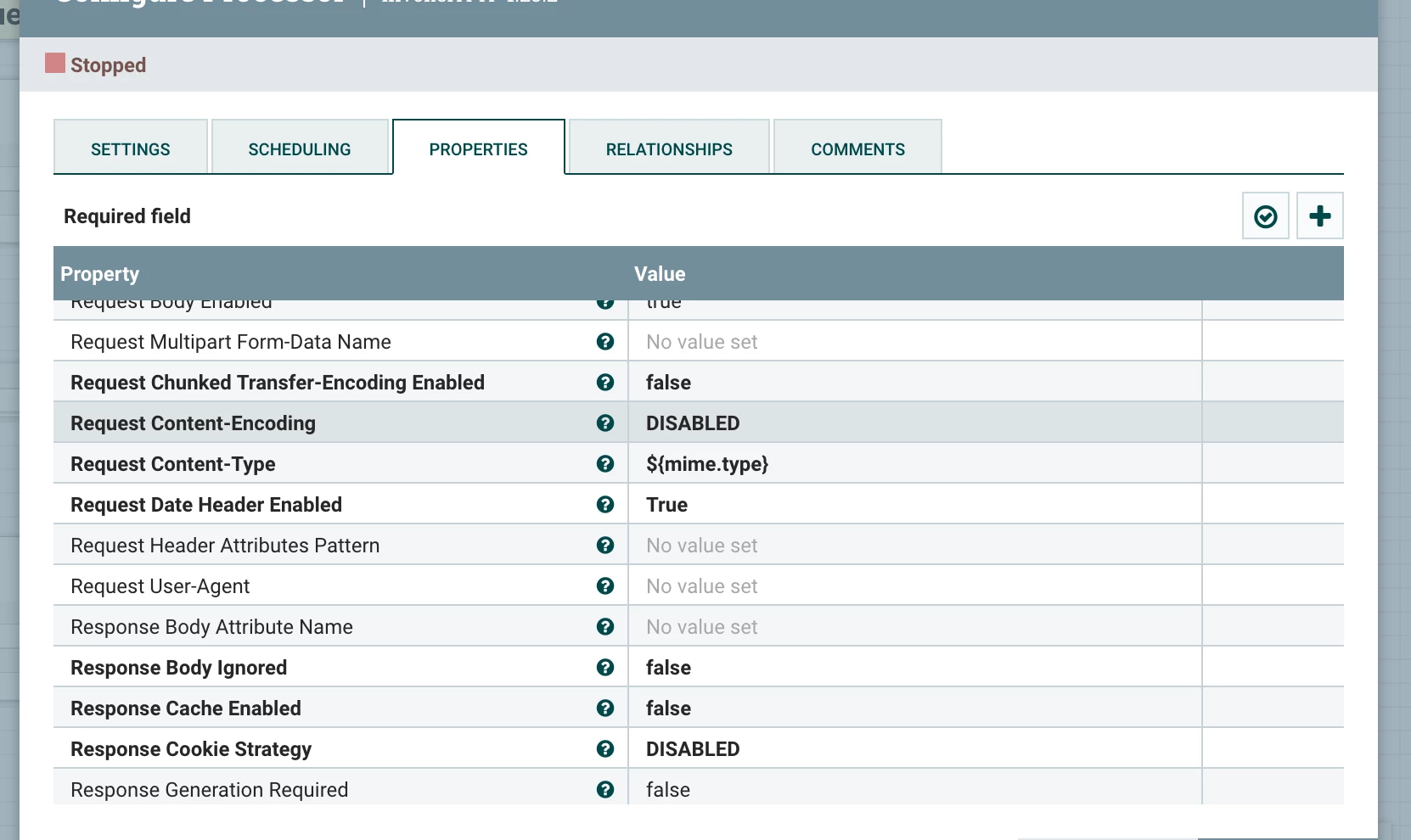
I'm encountering challenges when using the InvokeHTTP processor in Apache NiFi to send GraphQL POST requests. Specifically, I'm trying to execute GraphQL mutations via POST but facing difficulties in configuring the InvokeHTTP processor to handle these requests properly.

Problem:

I've set up an InvokeHTTP processor to send GraphQL mutation requests via POST to a specific endpoint. However, the requests don't seem to be reaching the GraphQL server as expected.


Details:

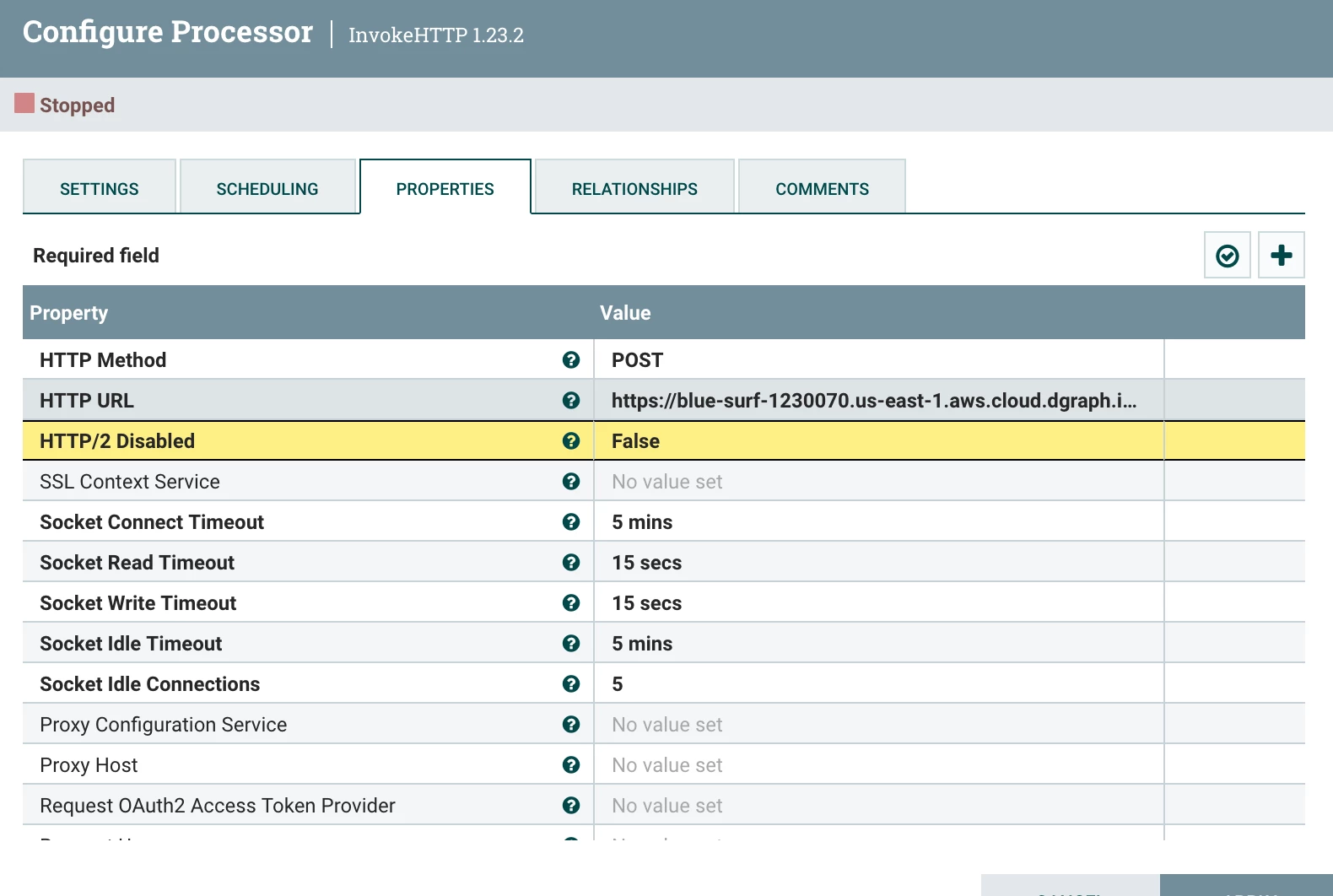
  • The InvokeHTTP processor is configured with the following properties:

    • HTTP Method: POST
    • Remote URL: myURL...!
    • Headers: Content-Type: application/json, Accept: application/json
    • Send Parameters in: Body
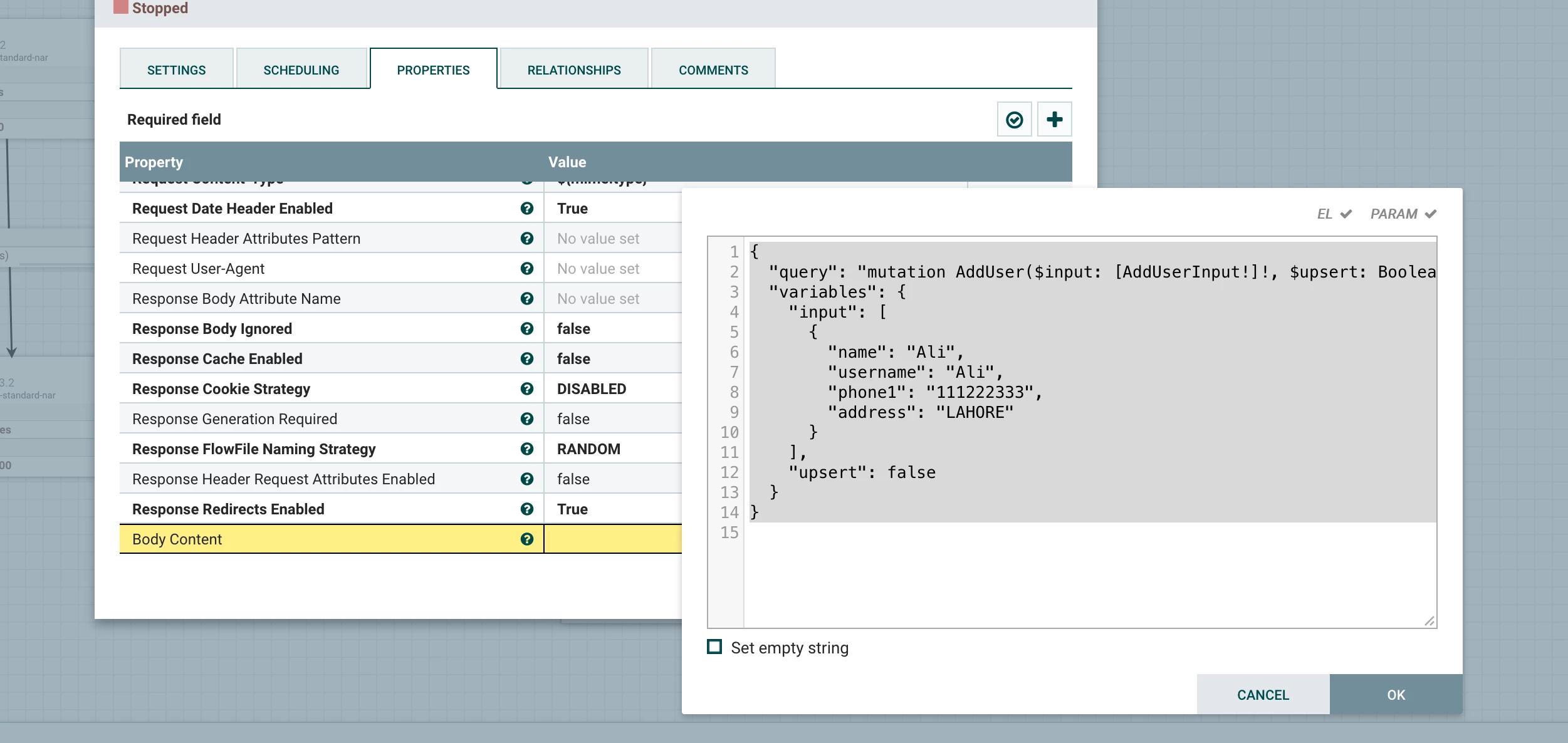
  • The body content is constructed in JSON format as required by the GraphQL server. It includes the mutation query and variables.


Request for Help:

I'm seeking guidance on how to properly configure the InvokeHTTP processor in NiFi to successfully send GraphQL POST requests. If anyone has experience using InvokeHTTP for GraphQL mutations or suggestions for troubleshooting this issue, I would greatly appreciate your insights.
 

Fayza_0-1701866239577.png


Fayza_1-1701866259190.png


Fayza_2-1701866279654.png


Fayza_3-1701866307117.png


QUERY: {
"query": "mutation AddUser($input: [AddUserInput!]!, $upsert: Boolean) { addUser(input: $input, upsert: $upsert) { user { name } } }",
"variables": {
"input": [
{
"name": "Ali",
"username": "Ali",
"phone1": "111222333",
"address": "LAHORE"
}
],
"upsert": false
}
}



steven-matison
Platinum ⭐️⭐️
December 7, 2023

@Fayza Nice work.  If you can, you should try to remove ReplaceText.  You should be able to get the payload exactly how you want it in text input box for GenerateFlowFile.   

7 replies

steven-matison
Platinum ⭐️⭐️
Platinum ⭐️⭐️
December 6, 2023

@Fayza  Without seeing any error it is impossible for us to solve a specific problem.   That said, I have some suggestions.

1.  Always make sure you have a working api call. For example: Use Postman.  You need to 100% know the call is working, auth, headers, proper format, proper payload, etc.  This also makes sure the receiving end is open (networking, firewall, etc).

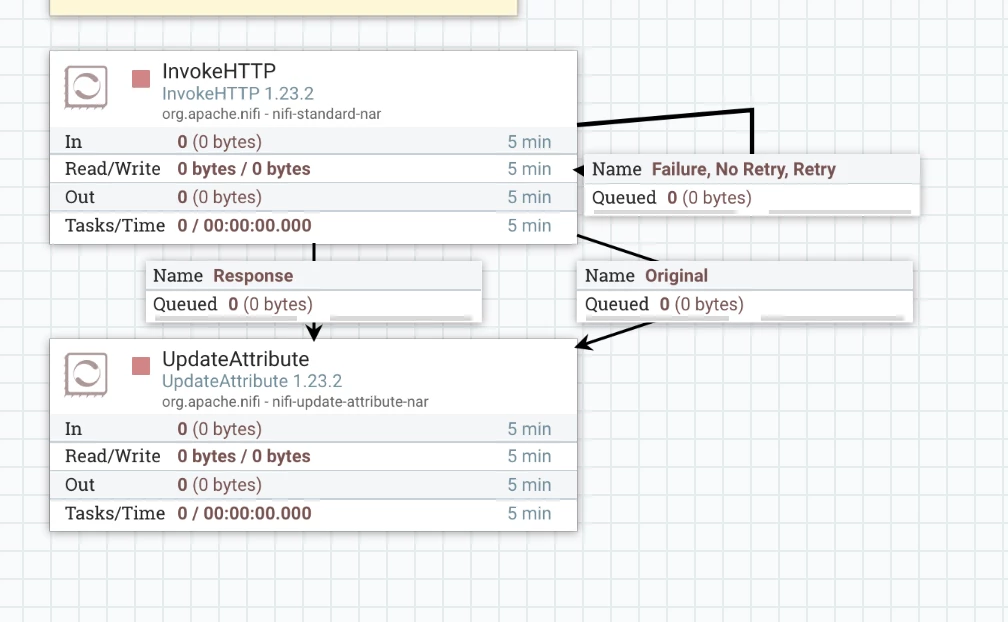
2.  Test invokteHTTP without routing fail,retry,no-retry back to the processor.  I use an output port for everything other than response.  In testing, you need to know what happened.  Inspect flowfile attributes inside of fail,retry, no-retry, to get more details. When i know my flow works, i may auto terminate, or re-route failure back to processor again, but NOT during testing/creation of the flow.

3.  Last but not least, make sure that nifi host(s) are able to reach the endpoint.  I suspect this is the issue you are bumping into.  


If you get invokeHttp talking to the endpoint, you should be seeing more details as to what if any errors are in the mutation payload.   

Translate
Fayza
FayzaAuthor
Silver ⭐️⭐️⭐️
December 6, 2023

Hey @steven-matison  Thank you for responding.

I have defined the Body Content:

Fayza_0-1701869240768.png

Can you provide me any information in the form of article of any other sources  where I can find the POST data of GraphQL. So, that It will help full for me.

Actually, I have CURL command which is in working state. I try it too. Data from POSTMAN has been sending but as I define the Method and URL in the InvokedHTTP processor. Can you tell me where I can manage my post request data???


Thank you again 

Translate
Fayza
FayzaAuthor
Silver ⭐️⭐️⭐️
December 6, 2023

@steven-matison 

I want to POST the data by using Apache NiFi?

I have CURL Command of GraphQL only


Translate
steven-matison
Platinum ⭐️⭐️
Platinum ⭐️⭐️
December 6, 2023

You need to send a flowfile to InvokeHttp that has the content you want.   Make this flow to test:  GenerateFlowfile (body of flowfile is the JSON payload), route to InvokeHttp.  Your post headers are added to InvokeHttp in similar manner as to how you did "Body Content".

Translate
Fayza
FayzaAuthor
Silver ⭐️⭐️⭐️
December 7, 2023

@steven-matison  Thank you for responding..!

By using

HTTP Method: POST
HTTP URL: MyURL
Request Content-Type: application/json
 
and all other parms are sending through the "GenerateFlowFile" and then remove whitespaces by "ReplaceText" processor.
 
This flow will send the data to the GraphQL database.
Translate
steven-matison
Platinum ⭐️⭐️
Platinum ⭐️⭐️
December 7, 2023

@Fayza Nice work.  If you can, you should try to remove ReplaceText.  You should be able to get the payload exactly how you want it in text input box for GenerateFlowFile.   

Translate
Jasondeveloper
Silver ⭐️
February 20, 2025

I have solved this problem.

Jasondeveloper_0-1740049227302.png

Jasondeveloper_3-1740049348297.png


Jasondeveloper_1-1740049289660.pngJasondeveloper_2-1740049316550.png

Jasondeveloper_4-1740049398680.png


Translate