muslihuddin
Gold ⭐️
October 20, 2020
Solved

Documentation Screenshot Issue

Hi,

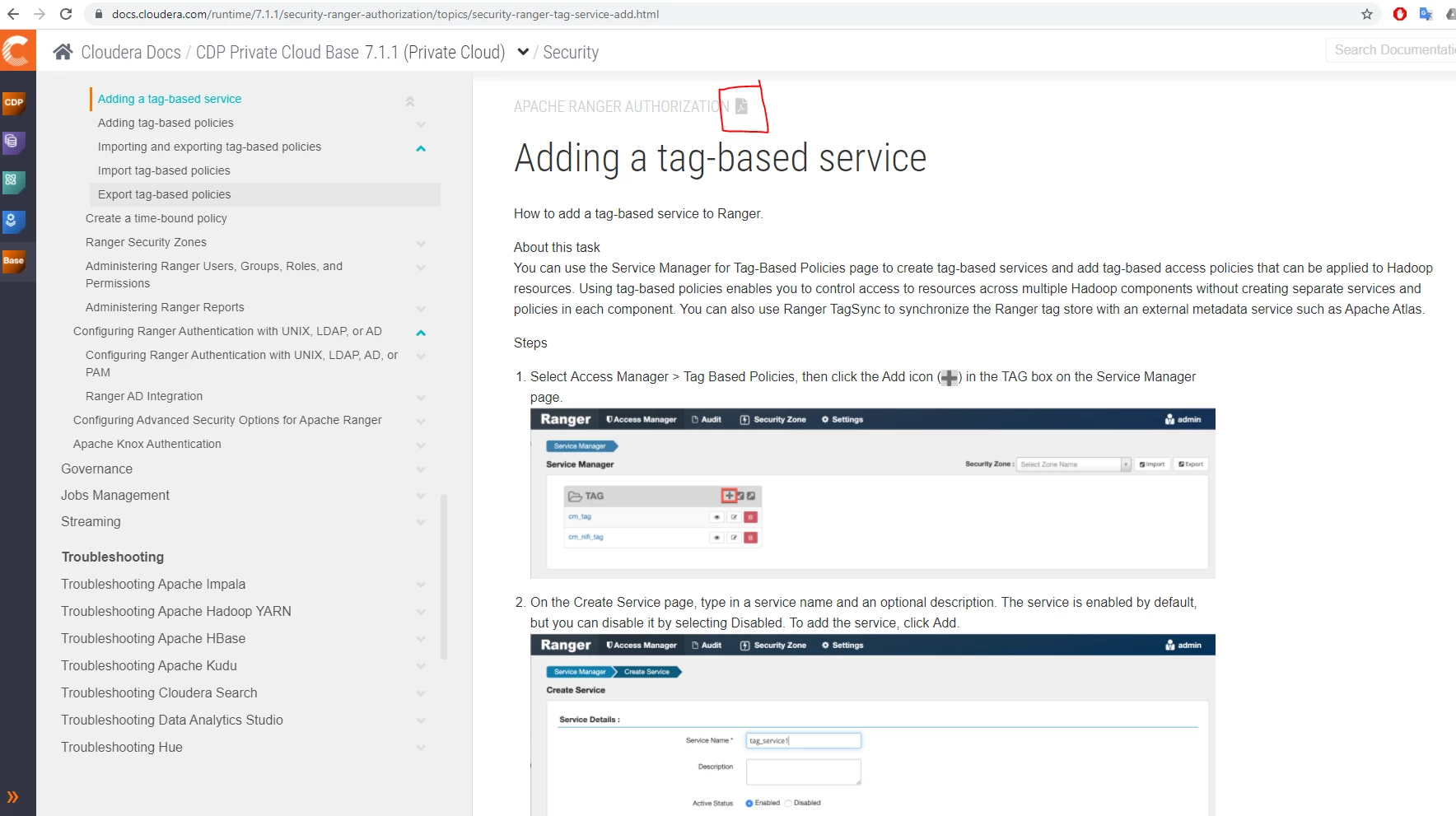
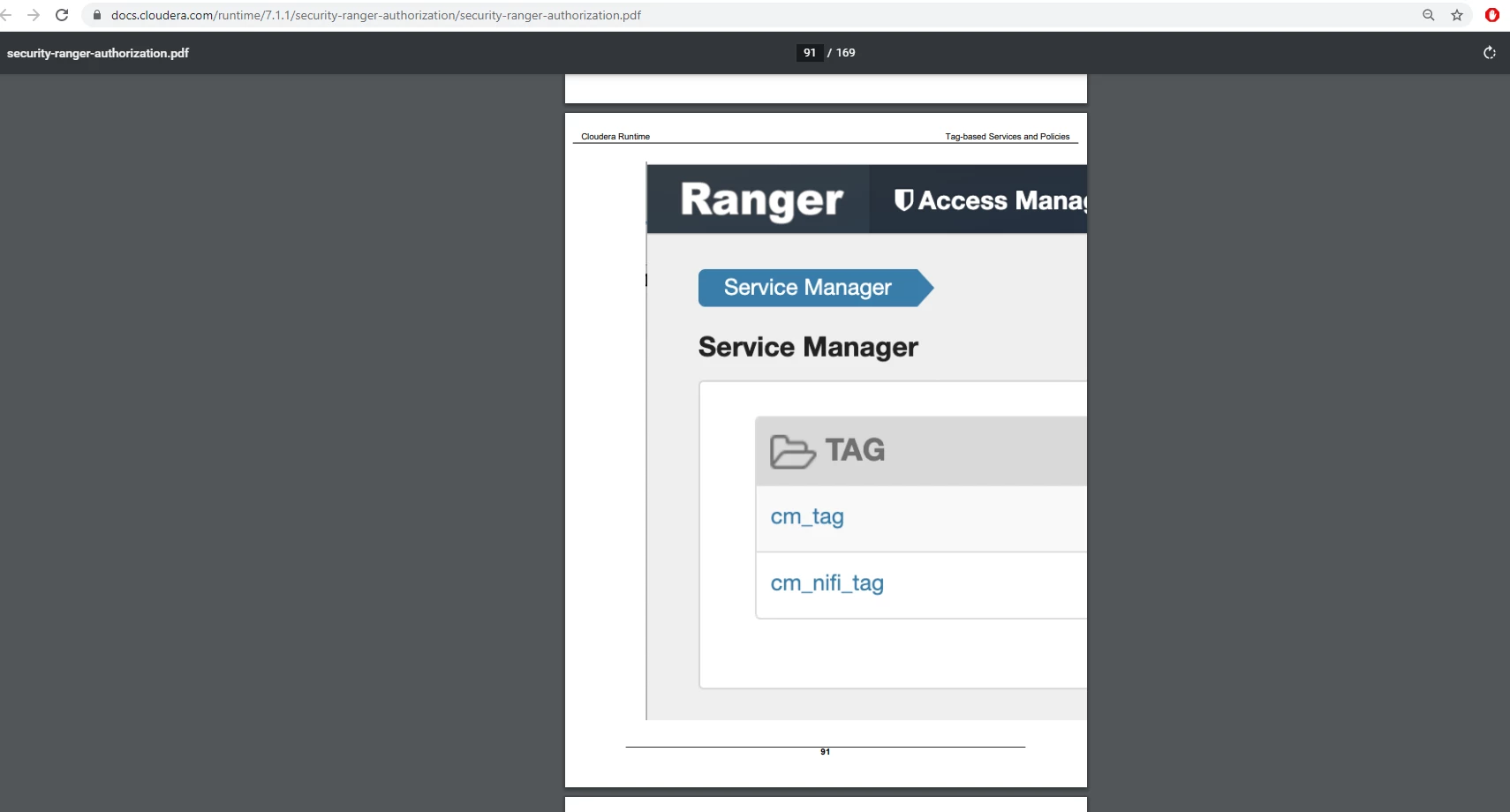
I tried to get the CDP documentation in pdf using the pdf button on the online document. Its good, but I found out that some of the screenshot image became lot bigger and does not fit within the document(Some is perfectly fine). Is this can be repaired or I'm asking a bit too much. 


In this example i used 

https://docs.cloudera.com/runtime/7.1.1/security-ranger-authorization/security-ranger-authorization.pdf


Thank you very much. 


the pdf button that i usedthe pdf button that i used


this is the same page as the 1st picturethis is the same page as the 1st picture

 

GangWar
GangWarAnswer
Platinum ⭐️⭐️
October 21, 2020

@muslihuddin  I would encourage you to use the live doc version:

https://docs.cloudera.com/runtime/7.2.1/security-ranger-authorization/topics/security-ranger-tag-service-add.html


However that's been fixed in recent releases, but not back-ported to 7.1.1 yet: https://docs.cloudera.com/cdp-private-cloud-base/7.1.4/security-ranger-authorization/security-ranger-authorization.pdf


Thanks for the feedback. 

Cheers! Was your question answered? Make sure to mark the answer as the accepted solution. If you find a reply useful, say thanks by clicking on the thumbs up button.

1 reply

GangWar
Platinum ⭐️⭐️
GangWarAnswer
Platinum ⭐️⭐️
October 21, 2020

@muslihuddin  I would encourage you to use the live doc version:

https://docs.cloudera.com/runtime/7.2.1/security-ranger-authorization/topics/security-ranger-tag-service-add.html


However that's been fixed in recent releases, but not back-ported to 7.1.1 yet: https://docs.cloudera.com/cdp-private-cloud-base/7.1.4/security-ranger-authorization/security-ranger-authorization.pdf


Thanks for the feedback. 

Translate
Cheers! Was your question answered? Make sure to mark the answer as the accepted solution. If you find a reply useful, say thanks by clicking on the thumbs up button.