

quangbilly79
Gold ⭐️
December 7, 2022
Solved

How to schedule a job inside Cloudera WebUI (no local console management)?

I read a Document guide of Cloudera on this Schedule Job link. The problem is I don't have access to "Cloudera Data Platform (CDP) management console" (which looks like below):2.png
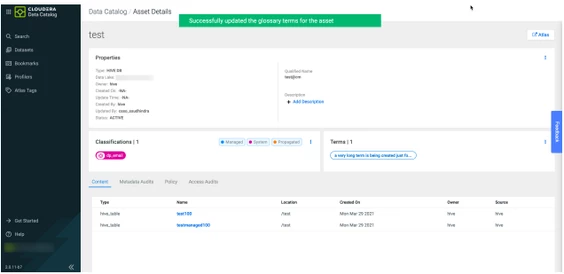
. I only have access to Cloudera Web server UI on xxx.xxx.xxx.xxx:7180, which looks like this:
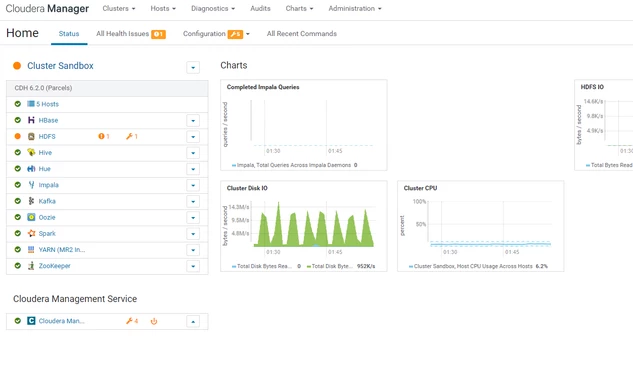
3.png

Please note that we run Cloudera on a host machine that runs centos, and I have to ssh to that machine there isn't any UI like the first picture, there is only a black window with line commands. I only have the webserver.


Same problem for many other guides on the website, they're always require you have access to CDP management console UI


smdas
smdasAnswer
Gold ⭐️⭐️
December 9, 2022

Hello @quangbilly79 


Thanks for using Cloudera Community. The Link [1] applies to CDE Service, which is available on Private Cloud & Public Cloud. In CDP Public Cloud, Your Team need to connect to the CDP Management Console & access the CDE Service as documented in [1]. In CDP Private Cloud, You need to install Data Service [2] to access CDE Service, upon which your Team can Schedule Job. The Cloudera Manager of CDP Private Cloud is used to install Data Service [2] & CDE is available after successful installation on Data Service. Without Data Service, Oozie can be used by your Team as shared above by Steven. 


Kindly review & let us know if you have any queries.


Regards, Smarak


[1] Scheduling jobs in Cloudera Data Engineering

[2] CDP Private Cloud Data Services: Documentation | CDP Private Cloud (cloudera.com)


2 replies

steven-matison
Platinum ⭐️⭐️
Platinum ⭐️⭐️
December 9, 2022

@quangbilly79 The top screen shot is for CDP Public Cloud and the bottom screen shot is for CDP Private Cloud Base.  As such, the CDE (Cloudera Data Engineering) "Schedule Job" is not available in the Cloudera Manager UI.    You could use something like Oozie:


https://docs.cloudera.com/cdp-private-cloud-base/7.1.6/configuring-oozie/topics/oozie-introduction.html


Translate
smdas
Gold ⭐️⭐️
smdasAnswer
Gold ⭐️⭐️
December 9, 2022

Hello @quangbilly79 


Thanks for using Cloudera Community. The Link [1] applies to CDE Service, which is available on Private Cloud & Public Cloud. In CDP Public Cloud, Your Team need to connect to the CDP Management Console & access the CDE Service as documented in [1]. In CDP Private Cloud, You need to install Data Service [2] to access CDE Service, upon which your Team can Schedule Job. The Cloudera Manager of CDP Private Cloud is used to install Data Service [2] & CDE is available after successful installation on Data Service. Without Data Service, Oozie can be used by your Team as shared above by Steven. 


Kindly review & let us know if you have any queries.


Regards, Smarak


[1] Scheduling jobs in Cloudera Data Engineering

[2] CDP Private Cloud Data Services: Documentation | CDP Private Cloud (cloudera.com)


Translate
