saikrishnamante
Silver ⭐️⭐️⭐️
May 20, 2019
Solved

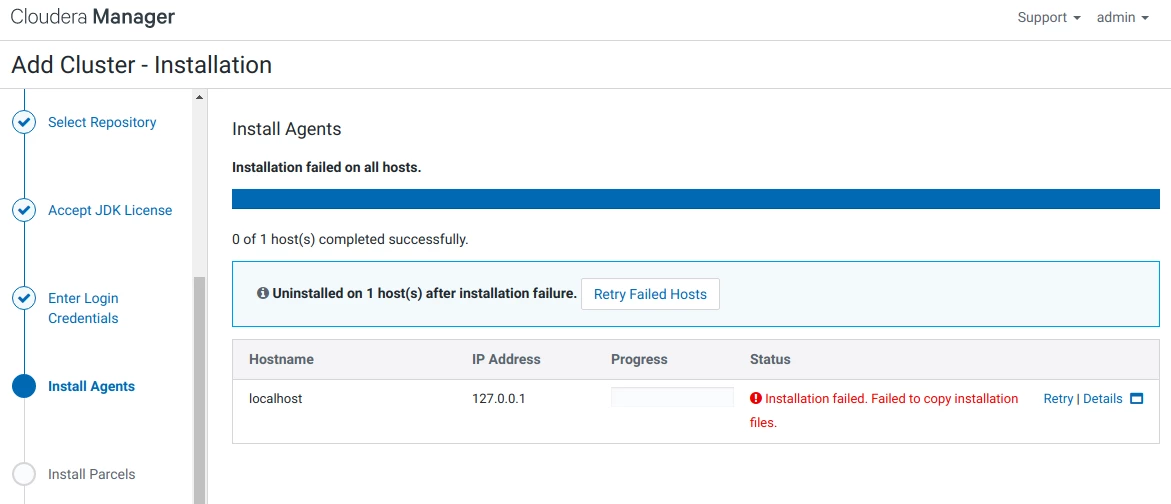
Installation failed. Failed to copy installation files.

I'm running Ubuntu 18.04 LTS in my machine.I'm trying to install CDH 6.1.While installing agents I got error 

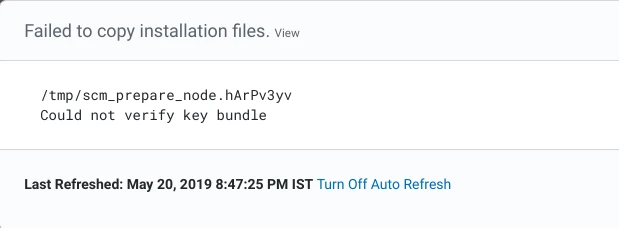
message like this below


Screenshot from 2019-05-20 20-19-52.png


Screenshot from 2019-05-20 20-47-20.png


Please help give soliution.


Thank you


Regard,

solomonchinni

mvenkataraman
Gold ⭐️
July 17, 2020

When you add the node, there is a script called allkeys.sh will generate a key bundle, it contains the GPG key info and key bundle is called allkeys.asc

DEFAULT_CLOUDERA_KEY_BUNDLE_NAME = "allkeys.asc"

The key bundle will get the key for each of the flavor, so in your case it is archive.key which is located here : https://archive.cloudera.com/cdh5/ubuntu/lucid/amd64/cdh/archive.key

If it is RHEL, then it uses this: https://archive.cloudera.com/cdh5/redhat/7/x86_64/cdh/RPM-GPG-KEY-cloudera

Once all these keys are downloaded, it will be signed by the master key. Finally gpg command is used to export the keys to bundle called allkeys

gpg --export -a > allkeys

So I would check what is the repo that is being used 

 

4 replies

csguna
Platinum ⭐️
May 21, 2019

What repository have you put it ? Did you chose the cloudera archive one ? 

Translate
Fadi
Silver ⭐️⭐️
July 15, 2020

i have the same issue,any help please

Translate
Govins28
Gold ⭐️
July 15, 2020

The error seems to be relevant with the bundle. Did you choose wise repo while installing? 


If so can you give here, so that I could verify and let you know. 

Translate
mvenkataraman
Gold ⭐️
Gold ⭐️
July 17, 2020

When you add the node, there is a script called allkeys.sh will generate a key bundle, it contains the GPG key info and key bundle is called allkeys.asc

DEFAULT_CLOUDERA_KEY_BUNDLE_NAME = "allkeys.asc"

The key bundle will get the key for each of the flavor, so in your case it is archive.key which is located here : https://archive.cloudera.com/cdh5/ubuntu/lucid/amd64/cdh/archive.key

If it is RHEL, then it uses this: https://archive.cloudera.com/cdh5/redhat/7/x86_64/cdh/RPM-GPG-KEY-cloudera

Once all these keys are downloaded, it will be signed by the master key. Finally gpg command is used to export the keys to bundle called allkeys

gpg --export -a > allkeys

So I would check what is the repo that is being used 

 

Translate