@mike_bronson7
In addition to my previous comment:
Ambari provides option to "Rolling Restart Kafka Brokers" (one by one). In the ambari UI when you click on
Ambari UI --> Kafka --> Service Actions (drop down) --> "Restart Kafka Brokers"
Then it basically shows the Rolling restart Settings like. You can decide how much time in your env one Kafka Broker full restart taks and then after how much time do you want other Kafka broker restart will be scheduled by Ambari.
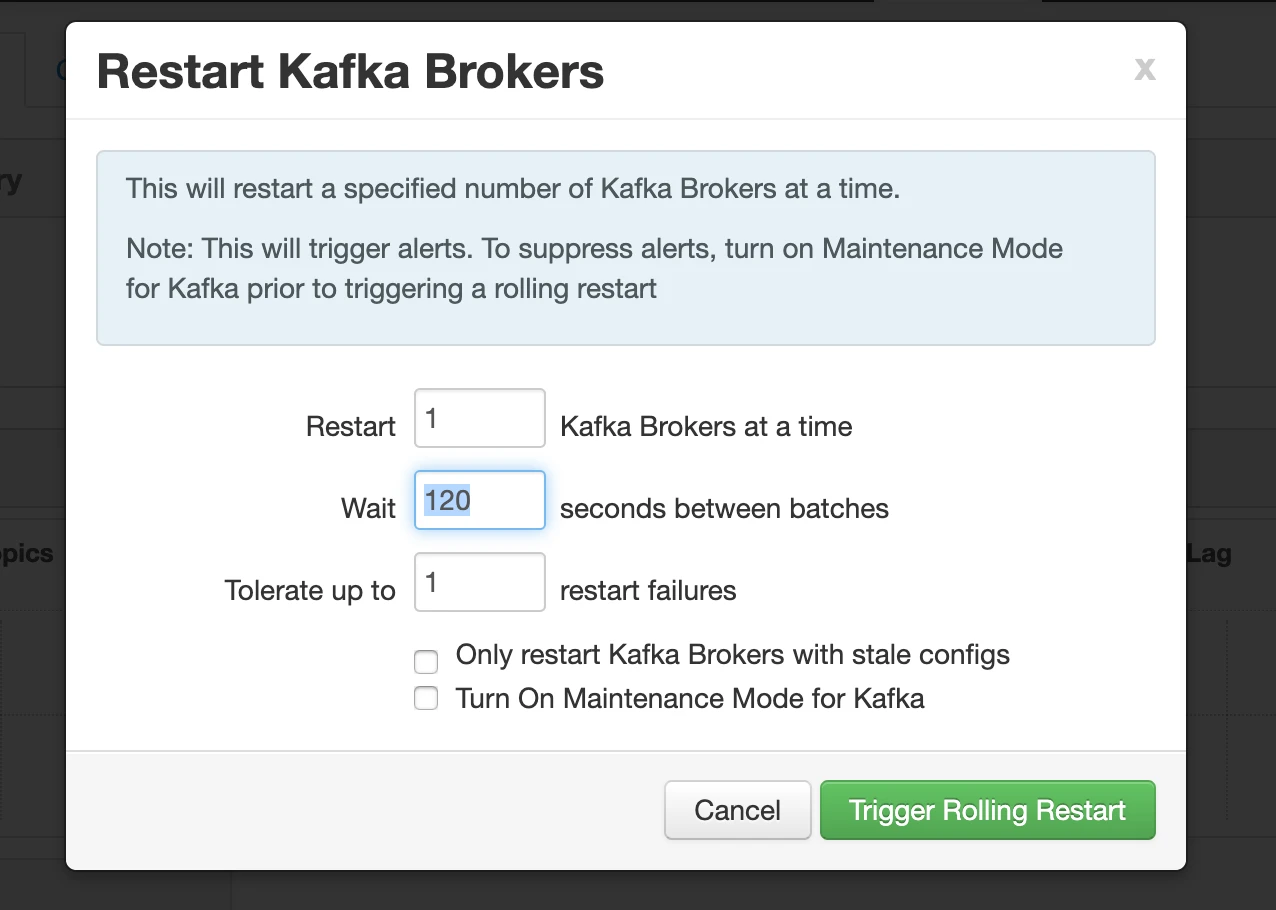
It can also be achieved using the API call as following:
# curl -iskH "X-Requested-By: ambari" -u admin:admin -X POST -d '[{"RequestSchedule":{"batch":[{"requests":[{"order_id":1,"type":"POST","uri":"/clusters/NewCluster/requests","RequestBodyInfo":{"RequestInfo":{"context":"_PARSE_.ROLLING-RESTART.KAFKA_BROKER.1.3","command":"RESTART"},"Requests/resource_filters":[{"service_name":"KAFKA","component_name":"KAFKA_BROKER","hosts":"testnode2.example.com"}]}},{"order_id":2,"type":"POST","uri":"/clusters/NewCluster/requests","RequestBodyInfo":{"RequestInfo":{"context":"_PARSE_.ROLLING-RESTART.KAFKA_BROKER.2.3","command":"RESTART"},"Requests/resource_filters":[{"service_name":"KAFKA","component_name":"KAFKA_BROKER","hosts":"testnode3.example.com"}]}},{"order_id":3,"type":"POST","uri":"/clusters/NewCluster/requests","RequestBodyInfo":{"RequestInfo":{"context":"_PARSE_.ROLLING-RESTART.KAFKA_BROKER.3.3","command":"RESTART"},"Requests/resource_filters":[{"service_name":"KAFKA","component_name":"KAFKA_BROKER","hosts":"testnode5.example.com"}]}}]},{"batch_settings":{"batch_separation_in_seconds":"121","task_failure_tolerance":1}}]}}]' ttp://testnode1.example.com:8080/api/v1/clusters/NewCluster/request_schedules
.