@Arash
The "nifi.remote.input.socket.port" property is used so that the receiving NiFi can support the RAW transport protocol. This port has nothing to do with where within your dataflows the transferred data is being ingested.
The Remote Process Group (RPG) that exists within your MiNiFi dataflow acts as a client. It will execute a background thread every 30 seconds that connects to the target NiFi URL configured in the RPG that fetches NiFi Site-To-Site (S2S) details from the target NiFi. These S2S details include details about the target. This information includes but is not limited to the following:
1. Hostnames of all nodes in target NiFi cluster
2. Remote (RAW) input socket port if configured
3. FlowFile load on each cluster node
4. Remote input and output ports this client is authorized access to.
There is no option to configure multiple remote input socket port values. RPG would not know how to use them even if there was. In your case each unique MiNiFi should have be pushing to a different Remote input port on the canvas instead of all of them sending to same input port.
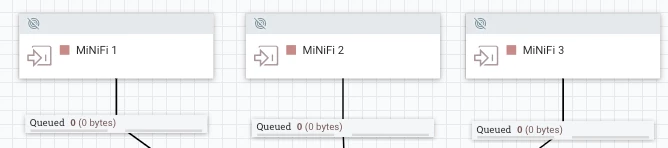
Second option is to use a RouteOnAttribute processor after your single Remote input port that routes data based on the "s2s.host" attribute value set on the received FlowFiles. This attribute is set by the sending RPG on each MiNiFi to the hostname of that MiNiFi. You could of course also set a unique attribute on each FlowFile via na UpdateAttribute processor on each MiNiFi also before sending through the RPG.
If you found this addressed your query, please take a moment to login and click "Accept" on solutions that helped you.
Thank you,
Matt




