@sgk
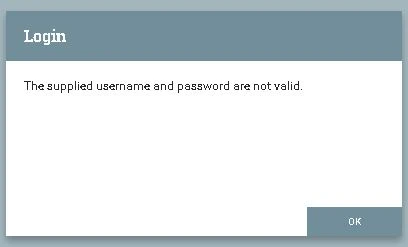
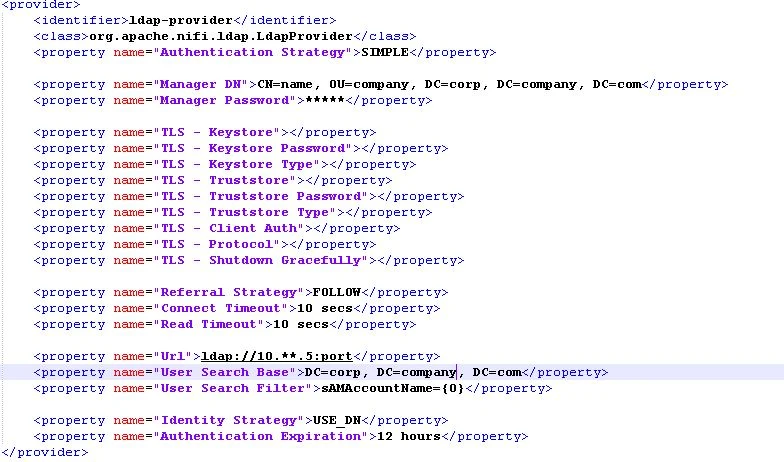
The error you are seeing has nothing to do with authorization at this point. It is throwing an error during authentication of your user. So your focus at this point is on your ldap-provider configuration since it is handling the authentication of your user.
"The Supplied Username or Password are not valid" indicates that the LDAP search resulted in no returns or the password used was wrong.
Observations:
1. Are you using ldap or Active Directory (AD). I see you have set "User Search Filter" to "sAMAccountName={0}". sAMAccountName is more commonly seen in AD and not LDAP. Did you try using the ldapsearch command from a terminal window on your NiFI server to make sure you can return a listing for your user using this search filter?
ldapsearch -x -H ldap://<ldap-hostname/IP>:<ldap-port> -D "<Manager DN>" -w "<Manager password>" -b "<user search base>" "sAMAccountName=<username>"
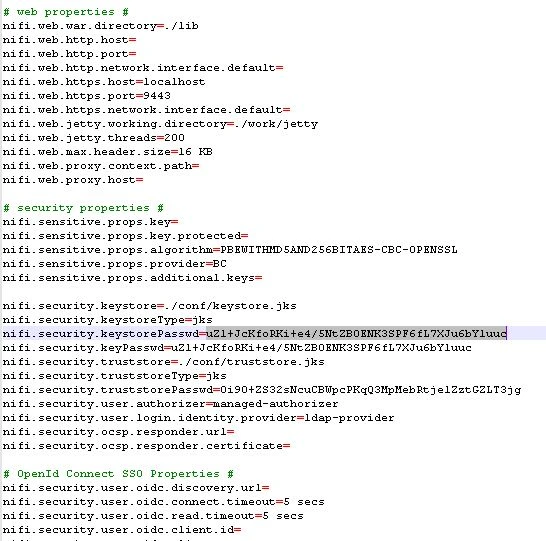
2. Not that this has anything to do with successful authentication, but I see you have set "Identity Strategy" to "USE_DN" which then uses the users full DN from ldap to identify that user during authorization actions following successful authorization. If you set this to "USE_USERNAME", the user string type at login will be used.
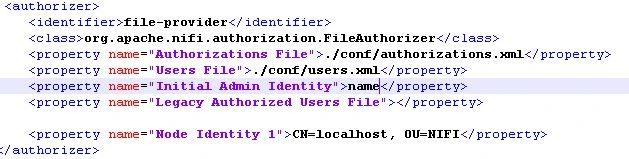
3. Also has nothing to do with authentication, but I see you are using "CN=localhost, OU=NiFi" as your "node identity 1" value. Using localhost in your node certificates is not advisable. This should be set to unique value. Also keep in mind that the keystore used by NiFi must meet the following minimum requirements:
- Contain only 1 "PrivateKeyEntry"
- The "PrivateKeyEntry" must support both clientAuth and serverAuth ExtendedKeyUsage (EKU).
- The "PrivateKeyEntry" must contain at least 1 SubjectAlternativeName (SAN) that matches the hostname of the server on which the certificate is being used.
Hope this information helps you progress with your authentication and then authorization setup in NiFi.
Matt


 authorizers.xml: