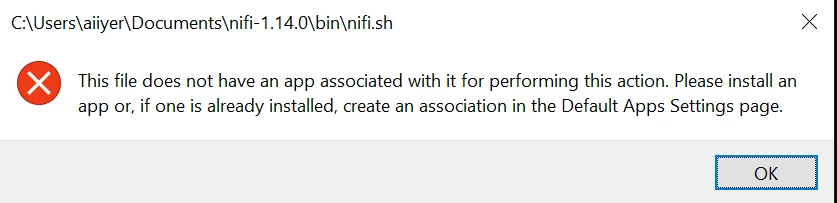
@AiiyerThe more detail you provide in your post the better community members can assist with your question. You didn't indicate from what distribution you installed NiFi, or on what operating system you installed it.
The absolute file path shown in the dialog box you provided a screen capture of indicates that you are running some version of MS Windows and the text of the error message itself would support that conclusion. If that's the case, you can't generally run a shell script like nifi.sh without ancillary software installed because the command interpreter for that script is not available on your chosen operating system.
According to the Getting Started with Apache NiFi documentation (scroll down to the section Starting NiFi), the command bin/nifi.sh status is only appropriate for Linux/macOS users. The solution would be to avoid attempting to run that shell script on MS Windows. Follow the instructions in the section For Windows Users instead.
Bill Brooks, Community Moderator Was your question answered? Make sure to mark the answer as the accepted solution. If you find a reply useful, say thanks by clicking on the thumbs up button.