

ashishtiw26
Silver ⭐️⭐️⭐️
December 30, 2019
Solved

Nifi || Mail || Display csv files content in tabular format.

Hi All,


I have to display the records of csv file over mail body in tabular format using Putmail.


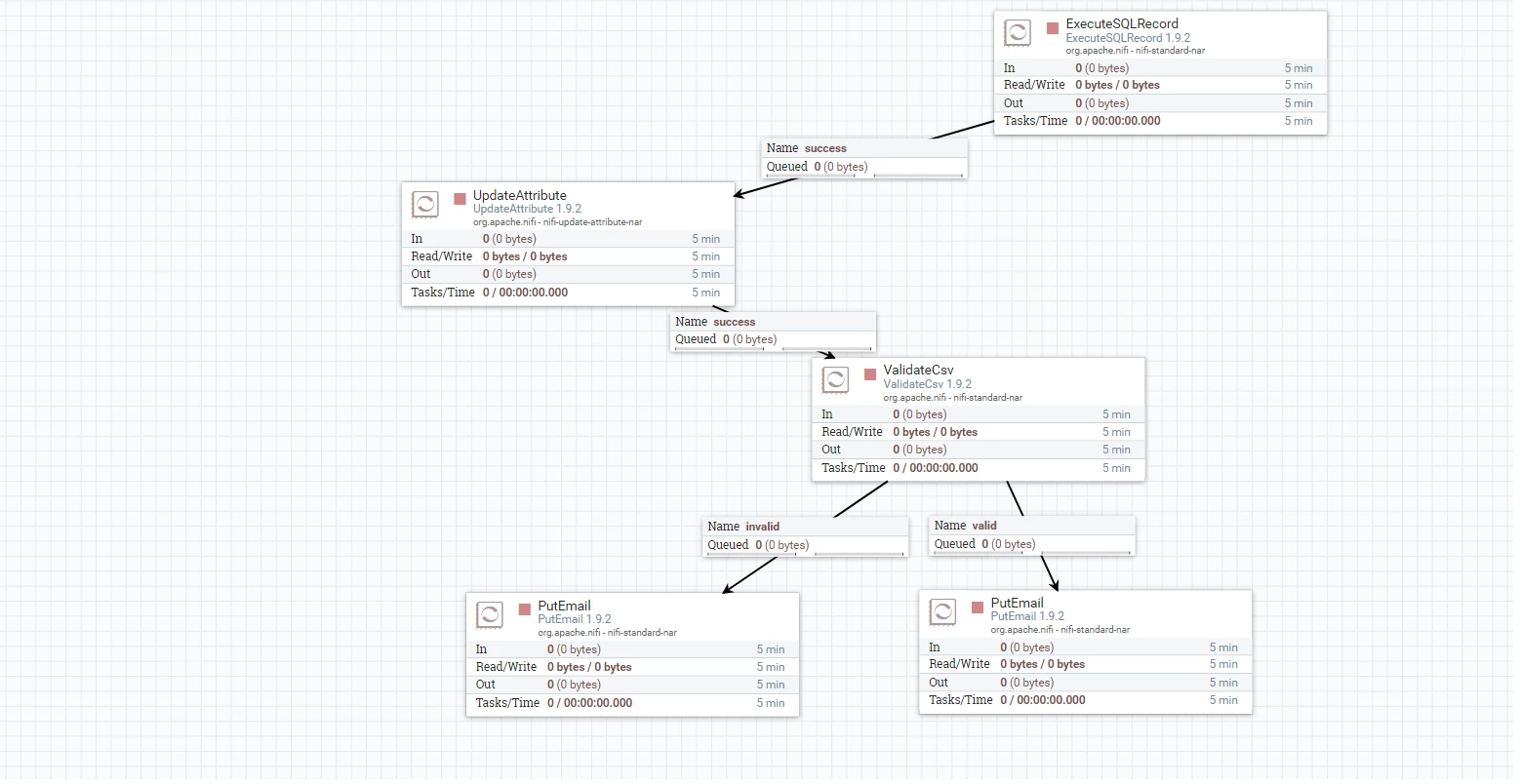
I am extracting records by executing sql which is scheduled at some duration and than forwarding the same using putmail to some specific users.


Can someone please tell me how to display the data of generated csv file in tabular format.current_flow_1.png


stevenmatison
Platinum ⭐️⭐️
December 30, 2019

To get it into a table, you need something like this:


<table><tr><td>
${'$1':replace(',','</td><td>'):replace('\n','</td></tr>\n<tr><td>')}
</td></tr></table>


and it should output an HTML Table like this:


<table><tr><td>
Release Cause</td><td>Previous Count</td><td>Current Count</td><td>Change_Ratio</td><td>SEVERITY</td>
</tr><tr><td>SIP: [487] Request Terminated</td><td>173</td><td>393</td><td>1.271676300578034682</td><td>Critical
</td></tr></table>


You may have to play with the last </td></tr> depending on if you have an empty line on bottom or not.

You may also have to adjust \n to \r\n again depending on the source file actual return chars (not seen they are hidden).


10 replies

stevenmatison
Platinum ⭐️⭐️
December 30, 2019

A replaceText processor can change from Comma Separated to Tab Separated.  This would be the easiest option.   Configured with [tab] in Search Value, and [,] in Replacement Value:


Screen Shot 2019-12-30 at 9.29.24 AM.png


Translate
ashishtiw26
Silver ⭐️⭐️⭐️
December 30, 2019

Hi,


I tried doing the same by replacetext but I am getting the output as:


Release Cause,Previous Count,Current Count,Change_Ratio,SEVERITY

test_data,276,730,1.644927536231884058,Critical


but i want the same output in tabular format:

Release CausePrevious CountCurrent CountChange_RatioSEVERITY
test_data2767301.644927536231884058Critical


Please help for the same.

Translate
stevenmatison
Platinum ⭐️⭐️
December 30, 2019

If the output is still comma separated, then replace text did not work.  The solution above is how you do it.  You may need to experiment with other replacements. For example maybe \t instead of [tab].  Again, the method above is what you need.


Here is a similar post that includes some of the other forms of "tab"... 


https://community.cloudera.com/t5/Support-Questions/How-best-to-replace-all-TABs-t-by-COMMAs-in-the-content-of-a/m-p/225115

Translate


