
Axmediko
Bronze ⭐️⭐️⭐️
October 3, 2024
Question

NiFi pass dynamic values to InvokeHTTP processor from a local nifi file

Hi,
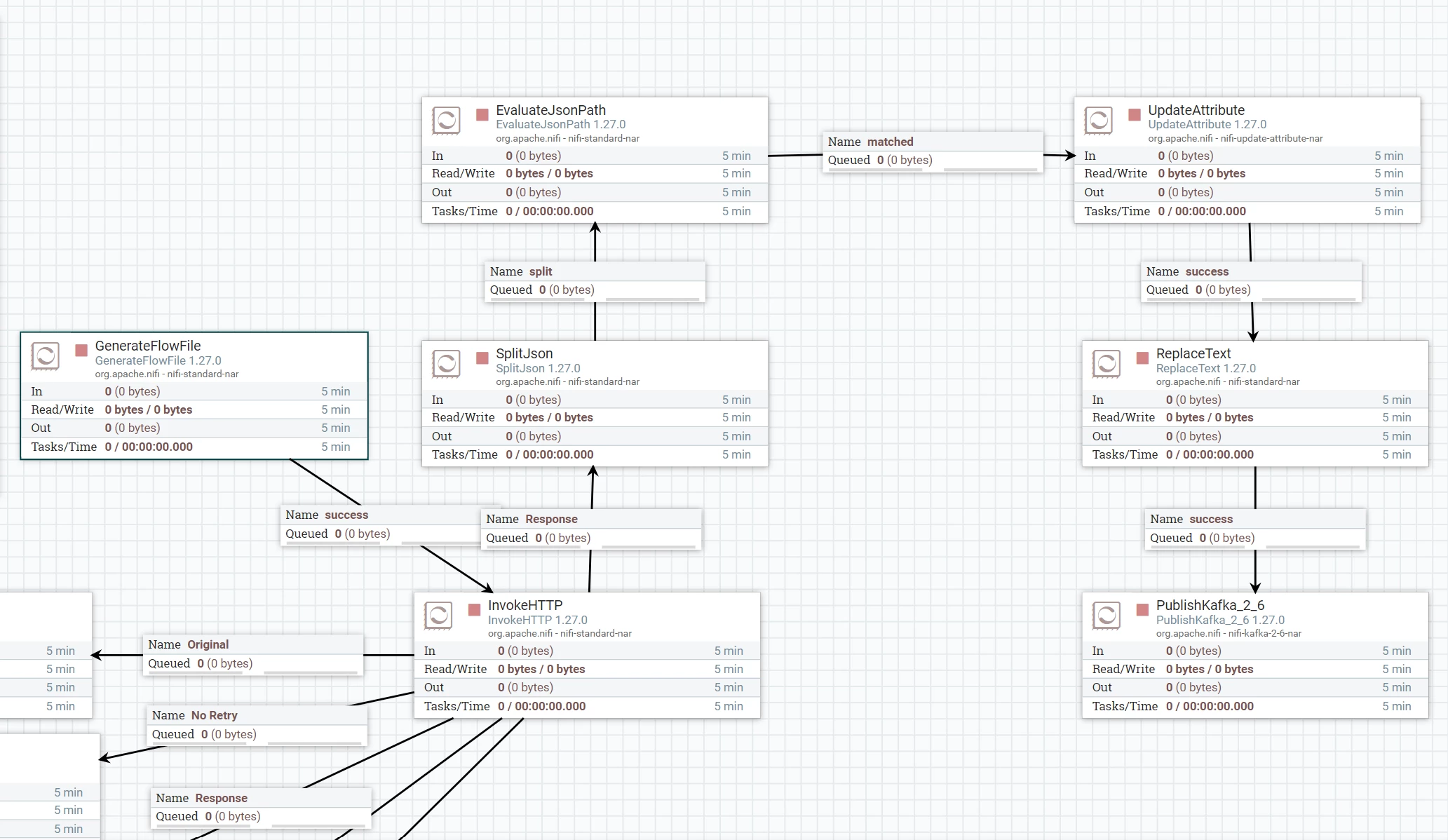
I want pass from csv file to InvokeHTTP processor for changing begin and end timestamp of URL.

This is my flow and how to do update this flow?Screenshot 2024-10-02 164513.png
2 replies

MattWho
Titanium ⭐️⭐️⭐️
Titanium ⭐️⭐️⭐️
October 3, 2024

@Axmediko 

You'll need to provide more detail around your use case.
What is contained in your CSV? (sample CSV).
What does the URL format look like? (Sample URL showing what portions need to be dynamically set using content from the CSV.

The solution here is that you'll need to extract necessary values form the CSV into Attributes on the FlowFile. You can then use those FlowFile attributes to dynamically set the HTTP URL in the invokeHTTP at scheduled execution. 

Please help our community thrive. If you found any of the suggestions/solutions provided helped you with solving your issue or answering your question, please take a moment to login and click "Accept as Solution" on one or more of them that helped.

Thank you,
Matt

Translate
DianaTorres
Community Manager
Community Manager
October 7, 2024

@Axmediko Has the reply helped resolve your issue? If so, please mark the appropriate reply as the solution, as it will make it easier for others to find the answer in the future.  Thanks.

Translate
Regards, Diana Torres, Senior Community Moderator


