JasonD
Gold ⭐️
October 15, 2021
Solved

Nifi Process Groups and Processors not authorized after migrating flow.xml.gz

I installed and configured a fresh version of Apache Nifi 1.14.0 and configured security against my LDAP server. Everything looks fine.


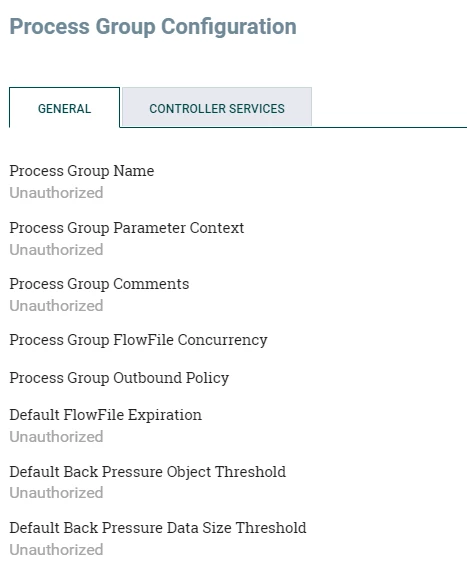
Now I copied my flow.xml.gz file from a different directory (also running 1.14) into the new directory. When I login, I can see the outline of all the process groups and processors, but all the names are missing, and I see that all my users are unauthorized to view anything or make any changes.


Even my admin cannot do anything.


What am I missing here?
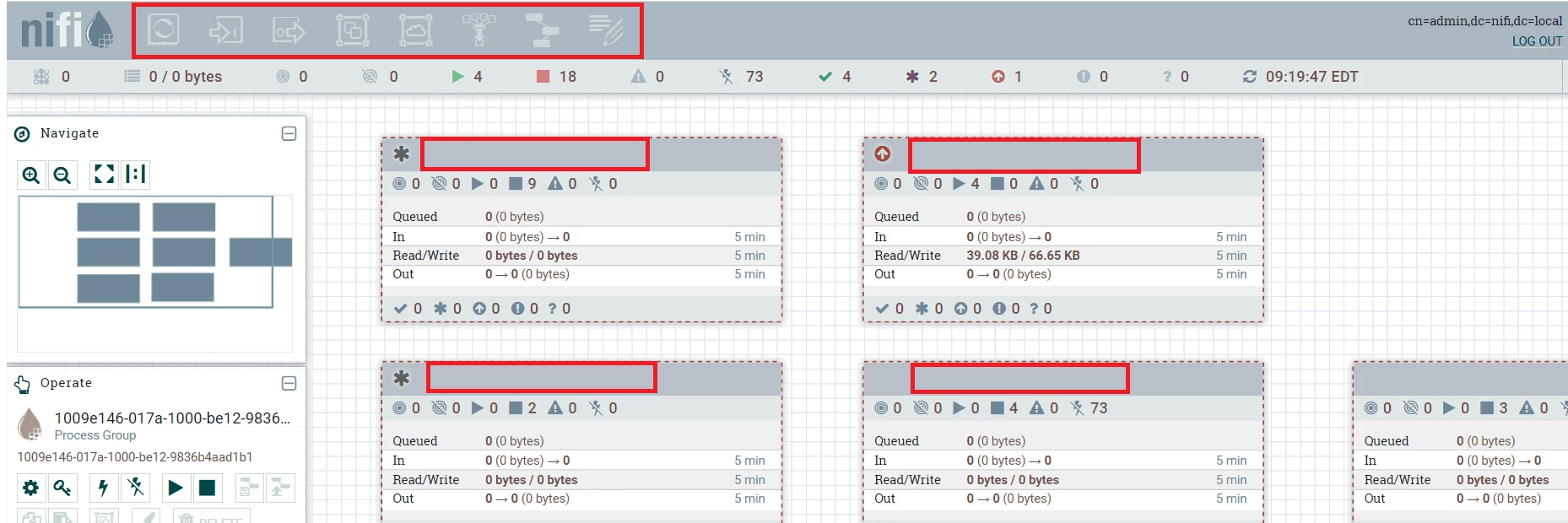
 

Missing NiFi names.png

Unauthorized.png

JasonD
JasonDAnswer
Gold ⭐️
October 15, 2021

I found the solution to my problem. After migrating flow.xml.gz, I needed to add a policy to my root component.


This could be accomplished by right-clicking in the Nifi canvas and select 'Manage Access Policies'. Then add one or more users to View the component.


Apparently the admin can login and then grant himself access to view the main Nifi component (process group).


2 replies

JasonD
JasonDAuthorAnswer
Gold ⭐️
October 15, 2021

I found the solution to my problem. After migrating flow.xml.gz, I needed to add a policy to my root component.


This could be accomplished by right-clicking in the Nifi canvas and select 'Manage Access Policies'. Then add one or more users to View the component.


Apparently the admin can login and then grant himself access to view the main Nifi component (process group).


Translate
cjervis
Community Manager
Community Manager
October 15, 2021

Happy to see you resolved your issue @JasonD. Make sure to accept your reply as the solution so others can find it in the future.  

Translate
Keep the questions coming