

No functionality in top toolbar after logging into nifi UI
I have a nifi instance running in kubernetes, I used the cetic/helm-nifi as the foundation although I did change some things to minimize the number of mounts to the server container.
Anyways, I can view the UI using admin certificate created during setup, and when I visit the UI page I basically cannot use any of the buttons up top to create flows/etc. I have attached pictures of my user policies and a picture of the top toolbar I'm talking about. When I hover my mouse over any of the icons in the toolbar I get a circle with a line through it ('do not enter' sign).
I assume I need additional permissions, but I'm not sure what to add (I'm guessing it will be an addition to the authorizations.xml file).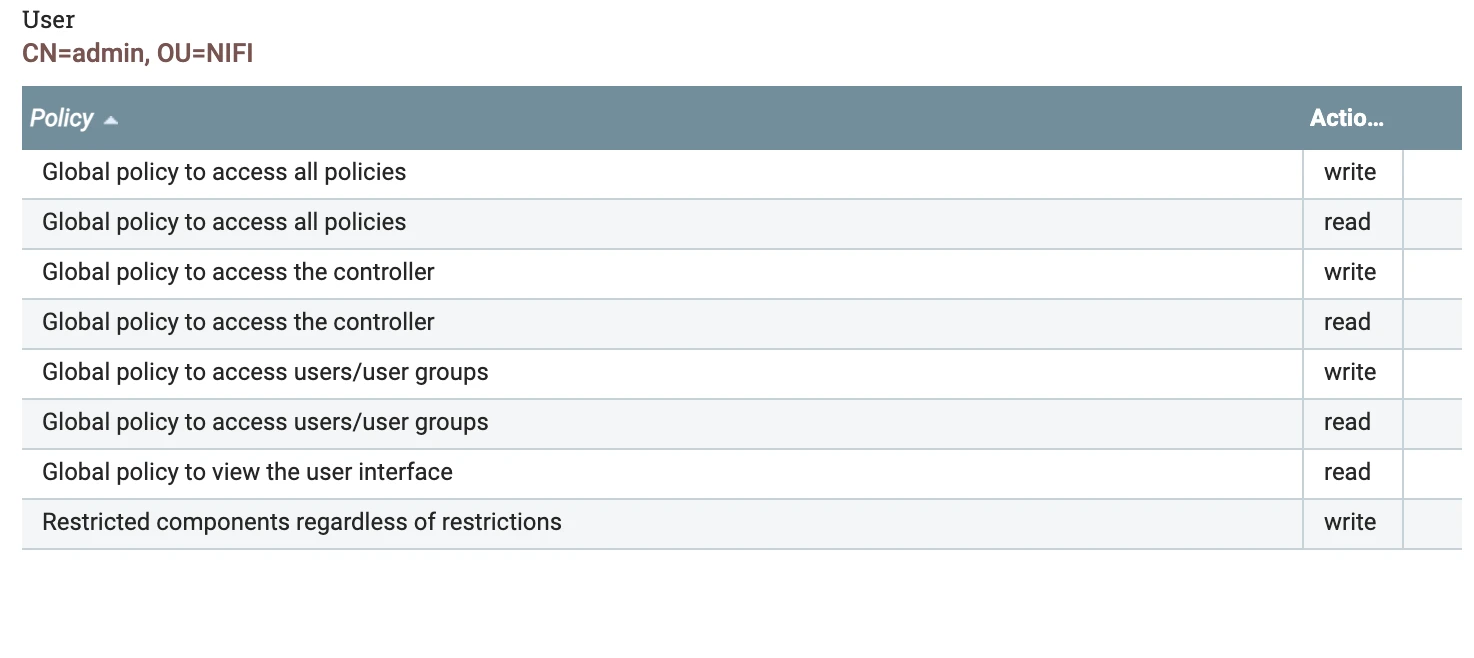 My admin user policies
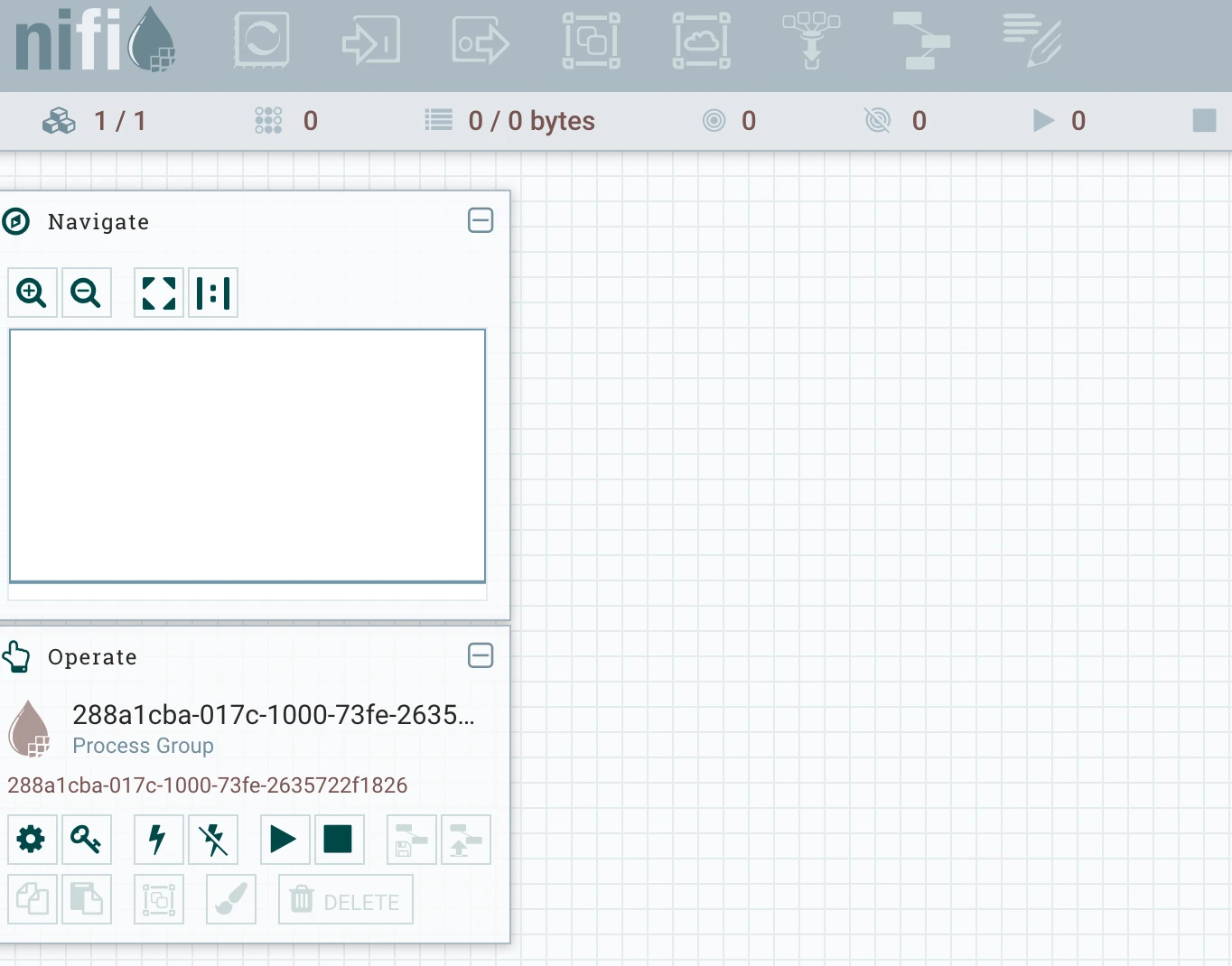 Buttons up top are all non-functional (ring with a line through it when hovering)


