@John T
-
Many factors go in to determining the correct hardware configuration. Most of which comes from the size or you data, amount of data, and specific processors used in your dataflow and how they are configured.
-
What I can tell you is running NiFi with a 300 GB configured heap is probably not the best idea. At a heap of that size, even partial garbage collection events could result in considerable stop-the-world times.
-
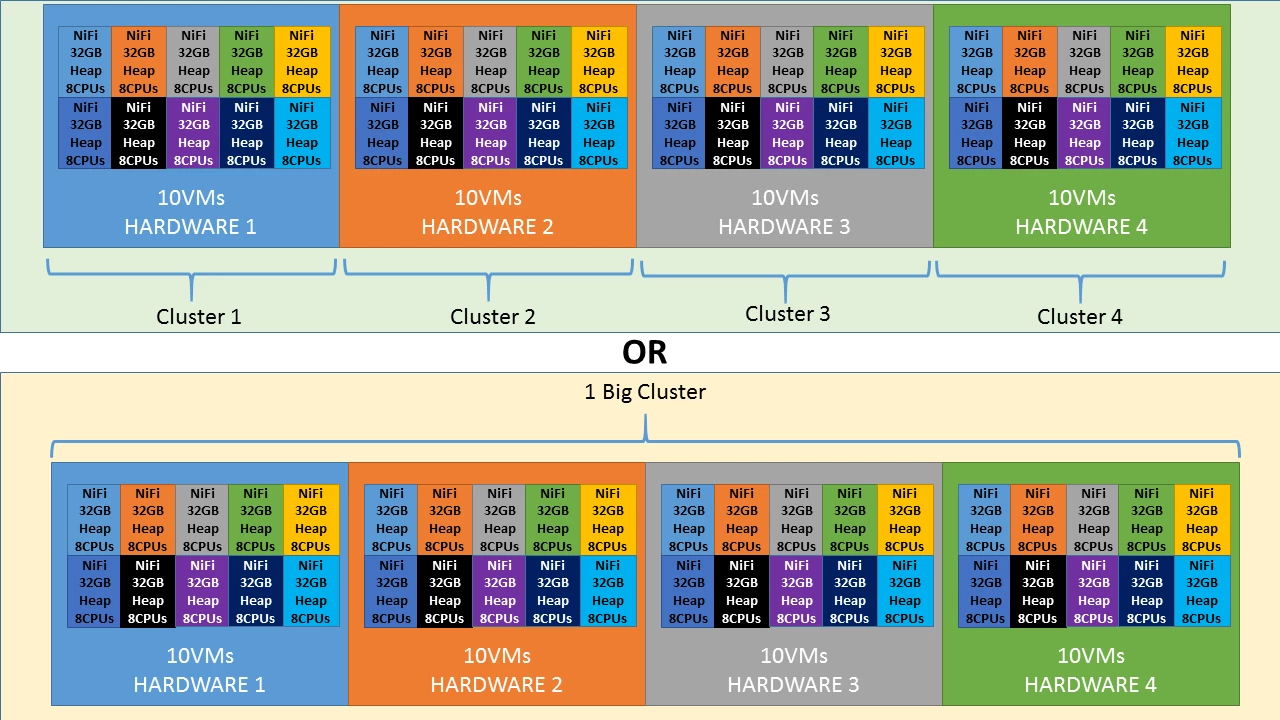
I would tend to lean more towards the smaller VMs to make better use of your hardware resources, but again that is based on very little knowledge of your specifics. Best to standup a small VM like you described and perform some load testing on your specific dataflows to determine how much data each VM could potentially process and scale from there on how many nodes you will actually need.
-
Also keep in mind that the memory used by NiFi's dataflows can and often does extend beyond just heap. Make sure you do not allocate to much memory to each VMs heap which may result in server issues due to insufficient memory for the OS and not heap related processing. (For example: think along the lines of OS level socket queues, externally issued commands and any scripting based processors you may use)
-
NiFi clusters in the range of 40 nodes is fairly uncommon; however, NiFi doe snot put a restriction on the number of nodes you can have in a cluster. Just make sure that as your increase the number of nodes you make adjustments to the Cluster node properties to maintain cluster stability. Most specifically nifi.cluster.node.connection.timeout (60 secs or higher), nifi.cluster.node.read.timeout (60 seconds or higher), and nifi.cluster.protocol.heartbeat.interval (20 seconds or higher).
-
As far as GC goes, the default G1GC has proven to be good performer. I have heard of some rare corner cases that can cause some stability issues and users have resolved that by commenting out the G1GC line in nifi bootstrap.conf file and just going with the default GC in the latest versions of Java.
-
Hope this information was useful for you,
Matt