kspyropoulos
Silver ⭐️⭐️
Apr 13, 2023 12:54 PM UTC
Solved

PutDatabaseRecord "bytes" avro data type fails with error "Cannot cast an instance of [Ljava.lang.Object; to type Types.ARRAY"

I am using ExecuteSQL Nifi processor to read from a Postgresql table defined as per below:

CREATE TABLE otherdatatype(

    column1 int,

    column2 varchar(255),

    column3 bytea

);

I get the values of that table successfully, as per below:

column1 : 1

column2 : "hello world"

column3 : 

\x4920616d206261636b20616761696e2e2e2e (converted to text "I am back again...")


and the AVRO schema automatically generated by ExecuteSQL Nifi processor is:

{
  "type": "record",
  "name": "otherdatatype",
  "namespace": "any.data",
  "fields": [{
    "name": "column1",
    "type": ["null", "int"]
  }, {
    "name": "column2",
    "type": ["null", "string"]
  }, {
    "name": "column3",
    "type": ["null", "bytes"]
  }]
}


Then I try to use PutDatabaseRecord Nifi processor to insert the values already read into another table, as per below:
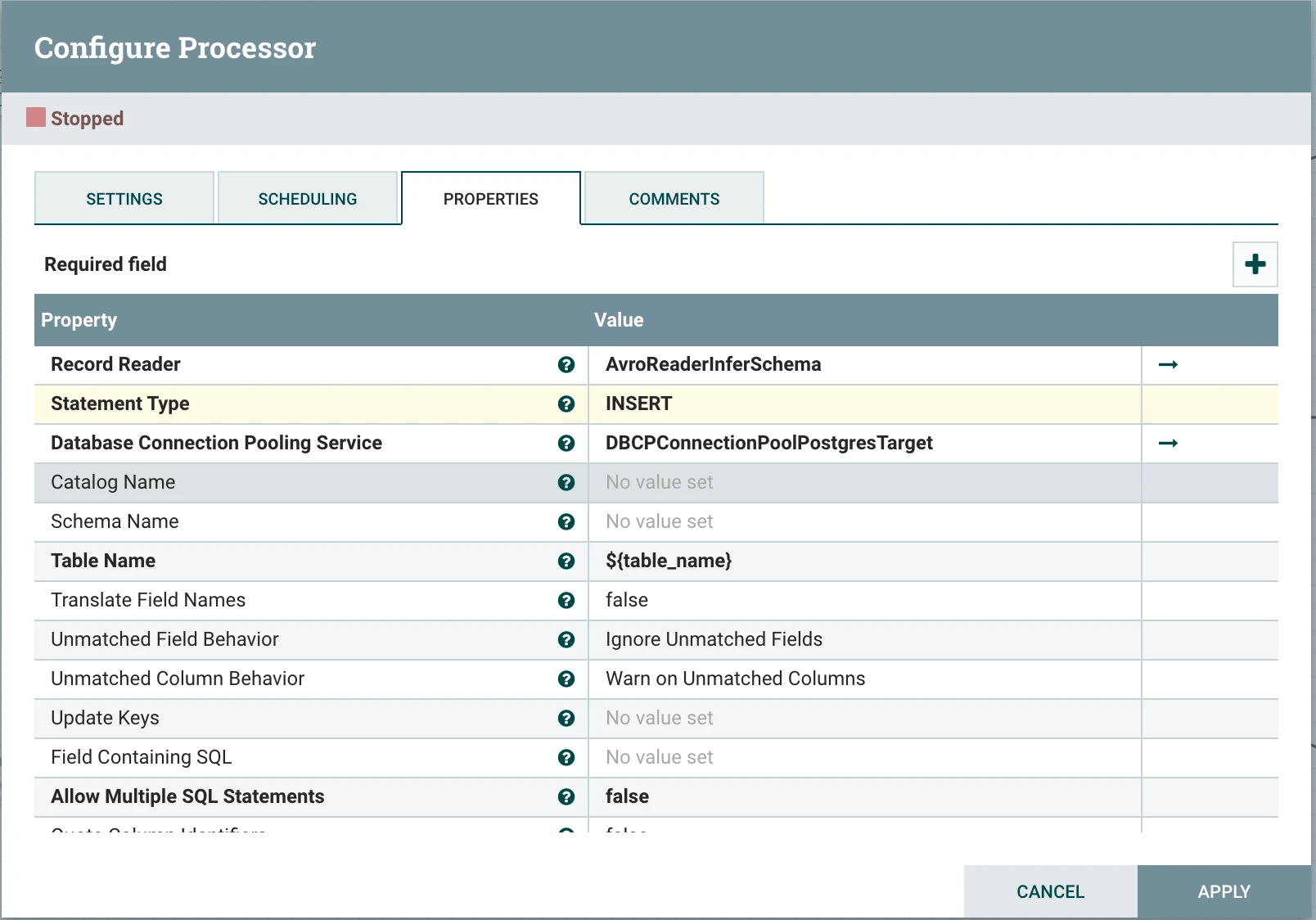
Screenshot 2023-04-13 at 13.41.18.png

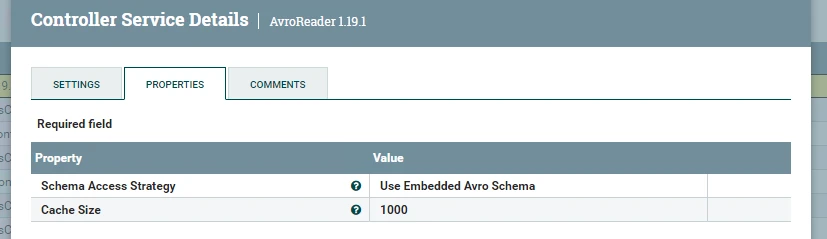
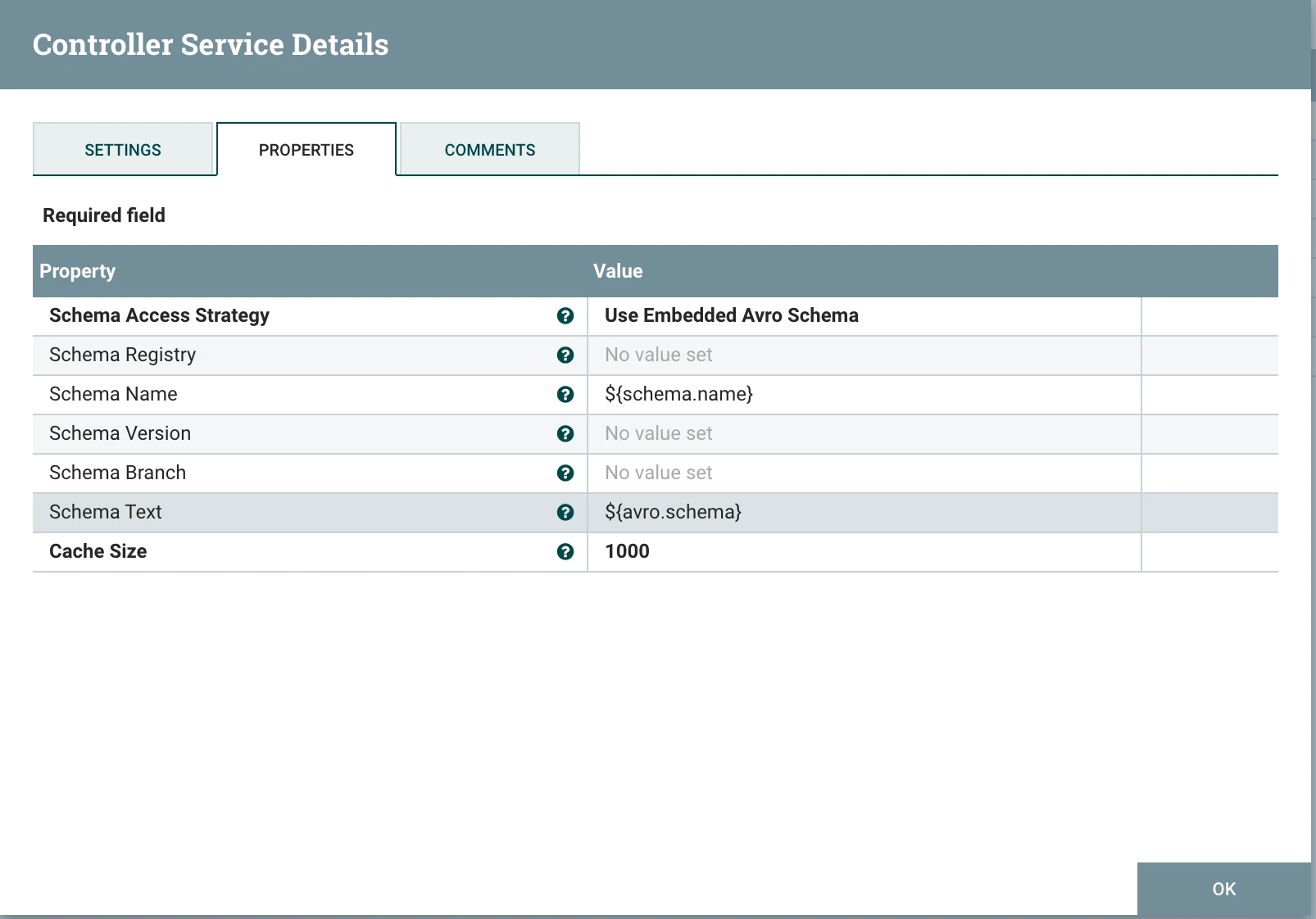
The AvroReaderInferSchema record reader property is set to an AvroReader controller that is using the embedded Avro Schema:

Screenshot 2023-04-13 at 13.50.41.png

 
Then execution fails, the flowfile is placed in the failure queue and the below value is provided in the relevant error attribute :
putdatabaserecord.error : Cannot cast an instance of [Ljava.lang.Object; to type Types.ARRAY


Any ideas what the issue here is? Am I doing something wrong? Is it a bug with PutDatabaseRecord processor? Is there any other alternative (other processor or other controller)?
cotopaul
cotopaulAnswer
Platinum ⭐️
Apr 13, 2023 4:01 PM UTC

Hi @kspyropoulos,

I would honestly start by asking what NiFi are you currently running (open source or cloudera)? In addition what is the version of your NiFi? I know that the questions might sound silly, but each version has (or does not have) some features.

Next, I would ask you if the table you are inserting to has the same table structure (same column type) and if you are using the correct avro schema? I reproduced your flow as follows:


CREATE TABLE test_voice (
column1 INT,
column2 varchar(255),
column3 bytea
);


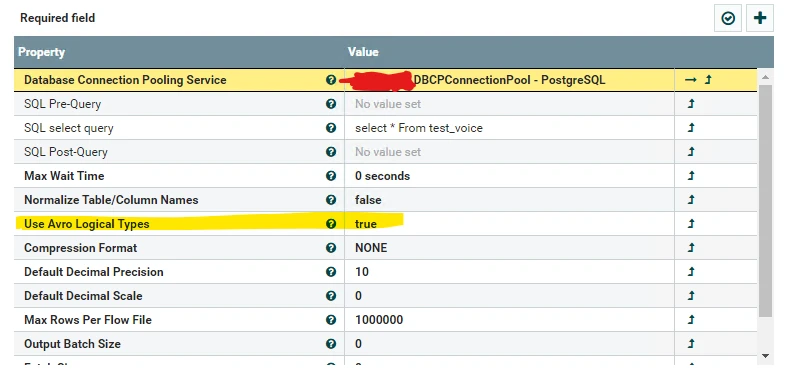
In NiFi (1.19.1) I set an ExecuteSQL processor, configured as follows: a simple DBCP Connection Pool pointing to my PostgreSQL Database, the simple select * from my_table as SQL select Query and !!! Use Avro Logical Types = true !!!

cotopaul_0-1681401118699.png

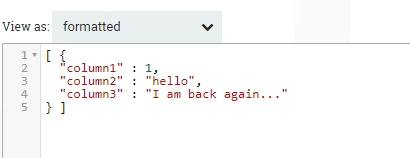
After executing the flow, in the success queue, I get a single flowfile with a single row (because I inserted only 1 row for my test)

insert into test_voice(column1,column2,column3) values(1,'hello','\x4920616d206261636b20616761696e2e2e2e')

cotopaul_1-1681401216777.png

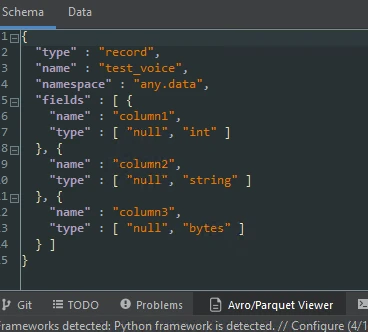
In terms of schema, we have:

cotopaul_2-1681401253457.png

So far so good. Now, we will update the current row in my PostgreSQL database, column1=1 to column1=2, so that we could check if the insert took place.


update test_voice set column1='2' where column1='1'; 


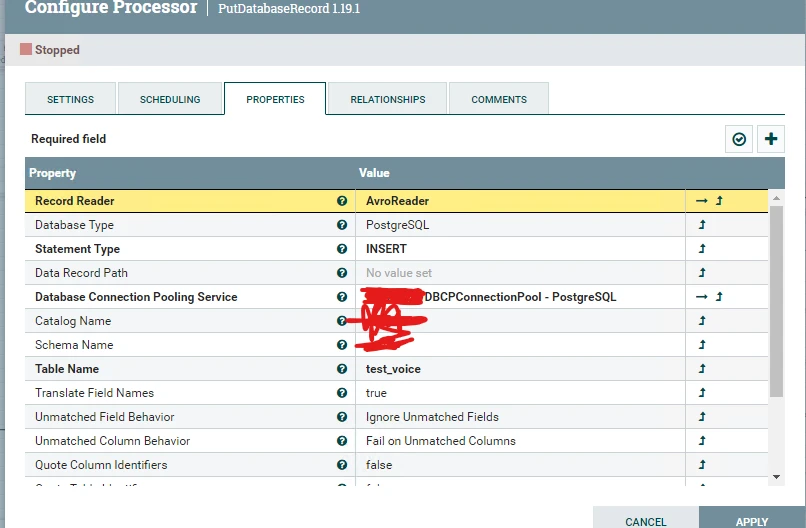
Next, using PutDatabaseRecord, we will insert the row in our database. For PutDatabaseRecord, I have configured the following: RecordReader = Avro Reader with Inherit Record Schema, Database Type = PostgreSQL, Statement Type = INSERT, Database Connection Pooling Service = The one used in ExecuteSQL, Catalog Name, Schema Name and Table Name taken out of PostgreSQL. Everything else left as default.

cotopaul_3-1681401481955.pngcotopaul_4-1681401510344.png


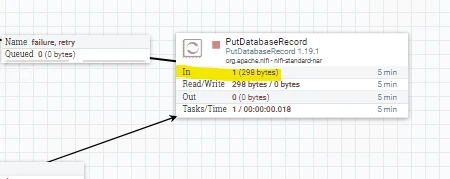
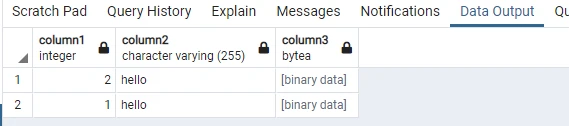
Once I executed the flow, the row was inserted within the DB.

cotopaul_5-1681401549011.pngcotopaul_6-1681401568814.png


So I can tell you that PutDatabaseRecord works just fine. Unfortunately for you, it seems that you problem is located somewhere else .... my points are on either the AVRO schema or the table you are trying to insert into 🙂

4 replies

DianaTorres
Community Manager
Community Manager
Apr 13, 2023 2:55 PM UTC

@kspyropoulos  Welcome to the Cloudera Community!

To help you get the best possible solution, I have tagged our NiFi experts @SAMSAL @cotopaul @MattWho  who may be able to assist you further.

Please keep us updated on your post, and we hope you find a satisfactory solution to your query.

Translate
Regards, Diana Torres, Senior Community Moderator
cotopaul
cotopaulAnswer
Platinum ⭐️
Apr 13, 2023 4:01 PM UTC

Hi @kspyropoulos,

I would honestly start by asking what NiFi are you currently running (open source or cloudera)? In addition what is the version of your NiFi? I know that the questions might sound silly, but each version has (or does not have) some features.

Next, I would ask you if the table you are inserting to has the same table structure (same column type) and if you are using the correct avro schema? I reproduced your flow as follows:


CREATE TABLE test_voice (
column1 INT,
column2 varchar(255),
column3 bytea
);


In NiFi (1.19.1) I set an ExecuteSQL processor, configured as follows: a simple DBCP Connection Pool pointing to my PostgreSQL Database, the simple select * from my_table as SQL select Query and !!! Use Avro Logical Types = true !!!

cotopaul_0-1681401118699.png

After executing the flow, in the success queue, I get a single flowfile with a single row (because I inserted only 1 row for my test)

insert into test_voice(column1,column2,column3) values(1,'hello','\x4920616d206261636b20616761696e2e2e2e')

cotopaul_1-1681401216777.png

In terms of schema, we have:

cotopaul_2-1681401253457.png

So far so good. Now, we will update the current row in my PostgreSQL database, column1=1 to column1=2, so that we could check if the insert took place.


update test_voice set column1='2' where column1='1'; 


Next, using PutDatabaseRecord, we will insert the row in our database. For PutDatabaseRecord, I have configured the following: RecordReader = Avro Reader with Inherit Record Schema, Database Type = PostgreSQL, Statement Type = INSERT, Database Connection Pooling Service = The one used in ExecuteSQL, Catalog Name, Schema Name and Table Name taken out of PostgreSQL. Everything else left as default.

cotopaul_3-1681401481955.pngcotopaul_4-1681401510344.png


Once I executed the flow, the row was inserted within the DB.

cotopaul_5-1681401549011.pngcotopaul_6-1681401568814.png


So I can tell you that PutDatabaseRecord works just fine. Unfortunately for you, it seems that you problem is located somewhere else .... my points are on either the AVRO schema or the table you are trying to insert into 🙂

Translate
kspyropoulos
Silver ⭐️⭐️
Apr 14, 2023 11:51 AM UTC

Hi @cotopaul,

Thanks for your prompt reply, it was clear and to the point. I have followed the same steps and it works for Apache Nifi 1.18.0 (open-source/community). 


The version I have observed the issue on is Apache Nifi 1.11.4 (open-source/community). 

Translate
kspyropoulos
Silver ⭐️⭐️
Apr 14, 2023 2:03 PM UTC

I have also tested the same with Apache Nifi 1.15.3 (open-source/community) and it works. It did not work though when testing with Apache Nifi 1.13.2 (open-source/community) it still fails with the same error message.

Translate