@Harshith VenkateshWhen performing Site-to-Site (S2S) between two Secured NiFi installs, server authentication and authorization will need to be successful. In your case it sounds like authentication was likely successful (You can confirm this by looking in the nifi-user.log of the target NiFi). What appears to be missing is source server(s) authorization.
To resolve the "forbidden" you are seeing on your RPG, you will need to go to the target NiFi and add a new user for the source NiFi server(s) running the RPG. Click on "Users" to add new
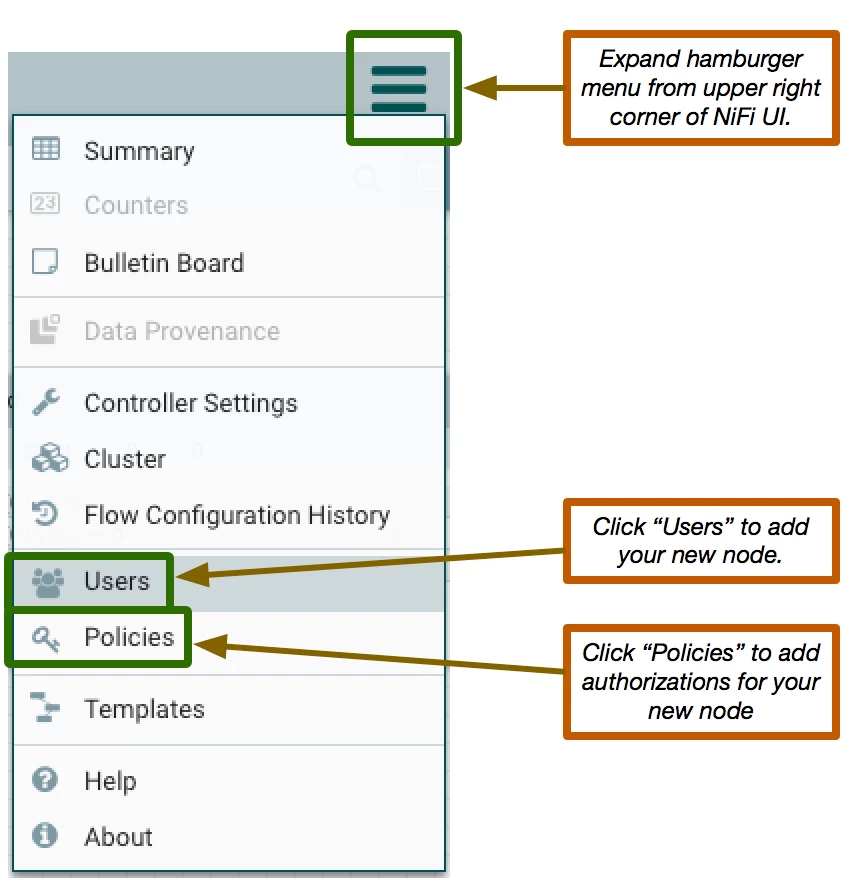
The user you are adding will need to be the full DN from the source NiFI's server certificate. (Case sensitive and white spaces count as valid characters). You can pull he DN out of the nifi-user.log or by doing a verbose listing source NiFi's keystore.
After you have added the server as a user, you will need to authorize that server by clicking on "Policies" and granting the server "retrieve site-to-site details" access policy. After doing the above the "forbidden" response on the RPG should go away on next sync.
What you still will not see is a list of available input and output ports on the target NiFi to which your source NiFi can connect with over S2S. Remote input and output ports can only be added to the root canvas level. After they have been added you will need to allow your source NiFi server user to access them as well before they will show up in the RPG.
This is done via the "Operate panel":
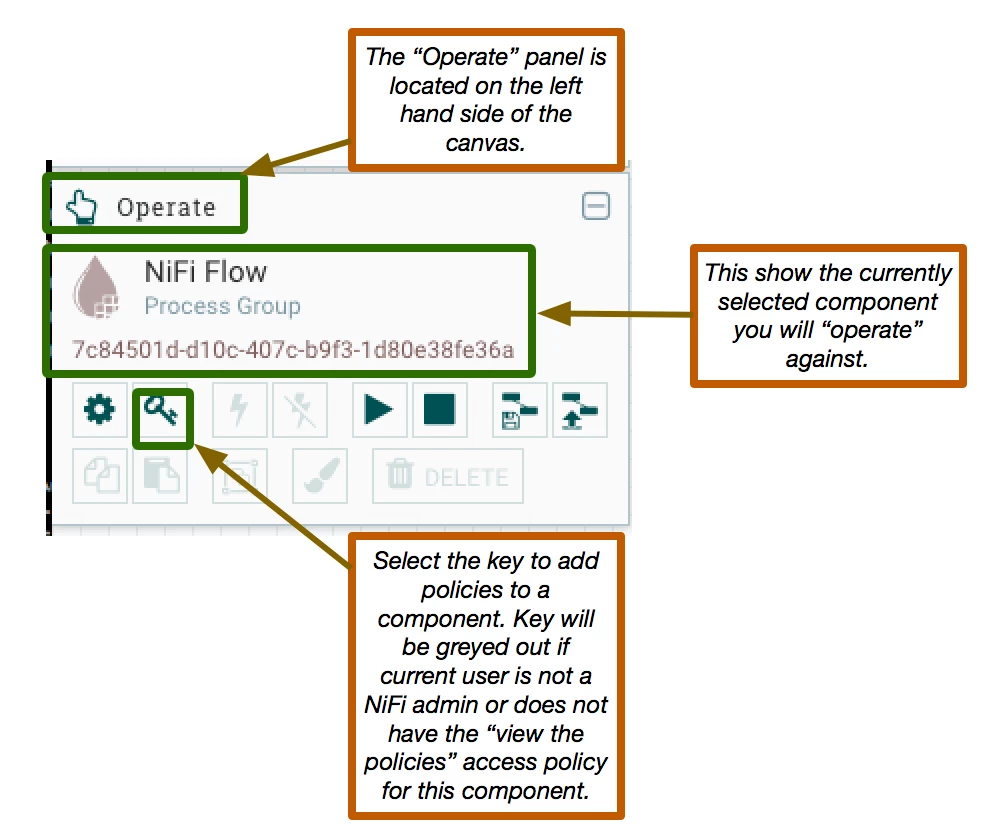
Selecting an input or output port on the canvas will show that component as the selected component in the operate panel. Select the key icon and grant your NiFi source Server the following policy:
For input ports --> "receive data via site-to-site" access policy
For output ports --> "send data via site-to-site" access policy
On next sync RPG should now show these ports as available to your source Nifi for connecting to over S2S.
Thanks,
Matt




