
saivenkatg55
Silver ⭐️⭐️⭐️
Dec 23, 2019 9:45 AM UTC
Solved

Unable to create the notebook in zeppelin .

I have created new notebook in zeppelin but unable to open it. can some one can help on this.

Attaching the screenshotzeep.PNG
Shelton
SheltonAnswer
Gold ⭐️⭐️⭐️
Jan 1, 2020 7:04 PM UTC

@saivenkatg55 

You didn't respond to this answer, do you still need help or it was resolved if so please do accept and close the thread.


3 replies

senthh
Gold ⭐️
Gold ⭐️
Dec 25, 2019 11:46 AM UTC

Hi


Are you not able to see note which you created in "NoteBook List Box"? If not please try creating new Note from "Notebook Listbox on top left-side screen"-->Create New note--Provide Name and Interpreter. Then you will be able to see the note which you created

Translate
Shelton
Gold ⭐️⭐️⭐️
Dec 25, 2019 8:38 PM UTC

@saivenkatg55 


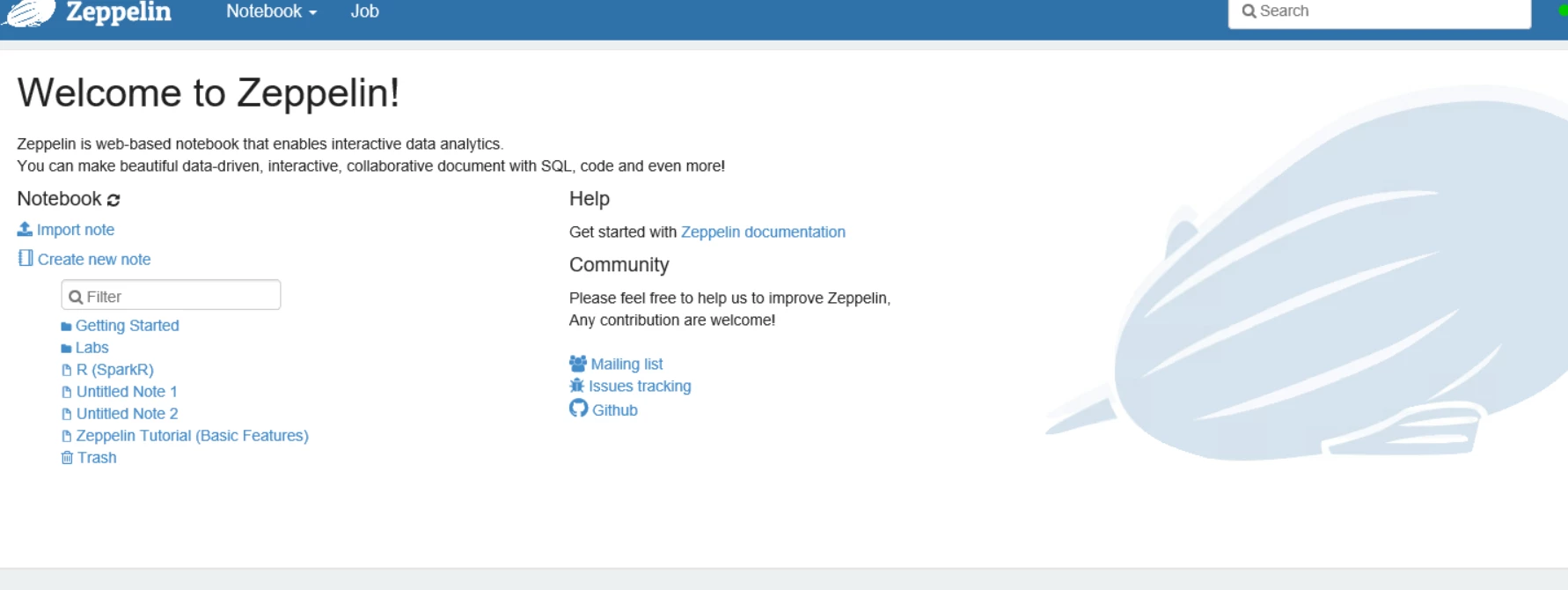
For the screenshots, the 2 notebooks you create are Untitled Note 1 and Untitled Note 2 

zep_notebook.PNG

which should appear in the drop-down list under Notebook on the top menu.

zep_notebook2.PNG

Below I will create a Spark interpreter notebook named saivenkatg55   from step 2 above
zep_notebook3.PNG

This should appear on the under the notebook
zep_notebook4.PNG

zep_notebook5.PNG

Launched a test


zep_notebook6.PNG


I can see the job was accepted and running in RM UI
zep_notebook7.PNG

So where exactly are you encountering issues?

Happy hadooping !


Translate
Shelton
SheltonAnswer
Gold ⭐️⭐️⭐️
Jan 1, 2020 7:04 PM UTC

@saivenkatg55 

You didn't respond to this answer, do you still need help or it was resolved if so please do accept and close the thread.


Translate