

Sayed016
Gold ⭐️
May 21, 2021
Question

User not authorized to view YARN logs from ResourceManager UI

Hello all,


We are facing an issue in viewing YARN logs from Resource Manager UI. We have two HDP clusters. Cluster1 and Cluster2 have similar configurations. Cluster1 has no problem but getting the unauthorized issue from Cluster2 for viewing the YARN logs.  


Cluster1 (the good one) has the below configurations.

yarn.acl.enable=true
yarn.admin.acl=yarn,user1 admingroup1,admingroup2


Cluser2 (the bad one) has the below configurations.

yarn.acl.enable=true
yarn.admin.acl=dr.who,user1,yarn admingroup2


Please note there are users in admingroup2 who want to view the YARN logs but not able to do so on Cluster2. It shows as below.
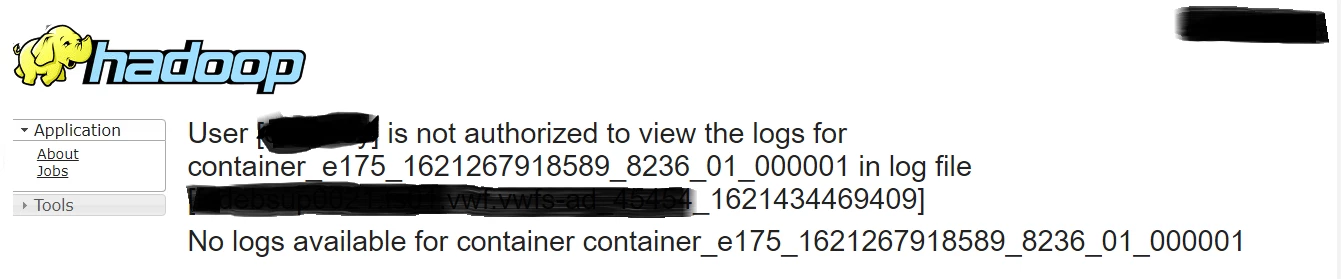
post.png


Please share if there are more things to check? Thank you for the help.

 

9 replies

vamsi_redd
Gold ⭐️
Gold ⭐️
May 22, 2021

Hi,


Could you please let us know what are the type of application logs you are viewing ? In case those are spark,  the application level ACLs need to be configured separately based on the application type.


Custom spark2-defaults:

spark.history.ui.admin.acls=*

spark.ui.view.acls=*

spark.ui.view.acls.groups=*


For Mapreduce

Advanced mapred-site:

mapreduce.job.acl-view-job=*


Translate
Sayed016
Sayed016Author
Gold ⭐️
May 26, 2021

Hello @vamsi_redd 


Thank you for the reply. We want to have minimal access to the Job logs, that's why we are adding only the required group. Nevertheless, we do have these settings present for MapReduce and Spark for only the users/groups that are needed.


However, we found that the issue was related to some kind of routing also we added the required users to the group (admingroup2).


mapreduce.job.acl-view-job=admingroup2


Translate
vamsi_redd
Gold ⭐️
Gold ⭐️
May 26, 2021

@Sayed016 Thanks for the update, Are you able to view the logs now  after adding the required group ?

Translate
Shelton
Gold ⭐️⭐️⭐️
May 22, 2021

@Sayed016 

Can you compare the values of the yarn.admin.acl in the yarn-site.xml of both clusters? In my cluster its activity_analyzer, yarn this is a comma-delimited value so now you can add the user who is not allowed in your case and restart the stale config and revert.
Yarn not allowed.JPG


Your user should now be able to access the logs

Happy hadooping 

Translate
Scharan
Gold ⭐️
Gold ⭐️
May 23, 2021

@Sayed016 I can see there is no "," after Yarn username, Can you try adding"," after yarn user name as shown below

yarn.admin.acl=dr.who,user1,yarn,admingroup2


Translate
Shelton
Gold ⭐️⭐️⭐️
May 23, 2021

@Scharan 
As it's supposed a comma delimited user list YES and that and restart the config a nd let me know.


Translate
