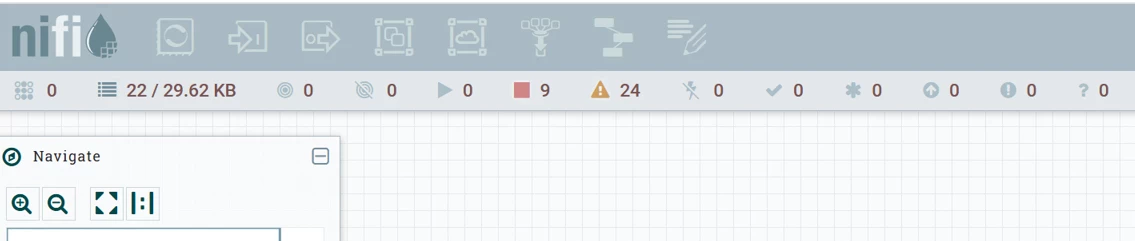
Using certificate based authorization/authentication in NiFi but users can't access components toolbar
Hello I have configured certificate based authorization by using manager-authorizer in nifi.properties and then adding property name ="Initial Admin Identity" in <userGroupProvider> and <accessPolicyProvider> sections of authorizers.xml
Now once I do that and import admin cert (which I specified in authorizers.xml) then I can access NiFi and I can bring comonents/processors from Component Toolbar. I can also add users from the Global Menu "Users" section or Add Policies.
Issue I am experiencing is that the user I added can only view the processors groups and can't modify them. Apart from this the whole component toolbar is grayed out so not accessible.
I went to my admin account and added that user in some Policies but this did not help.
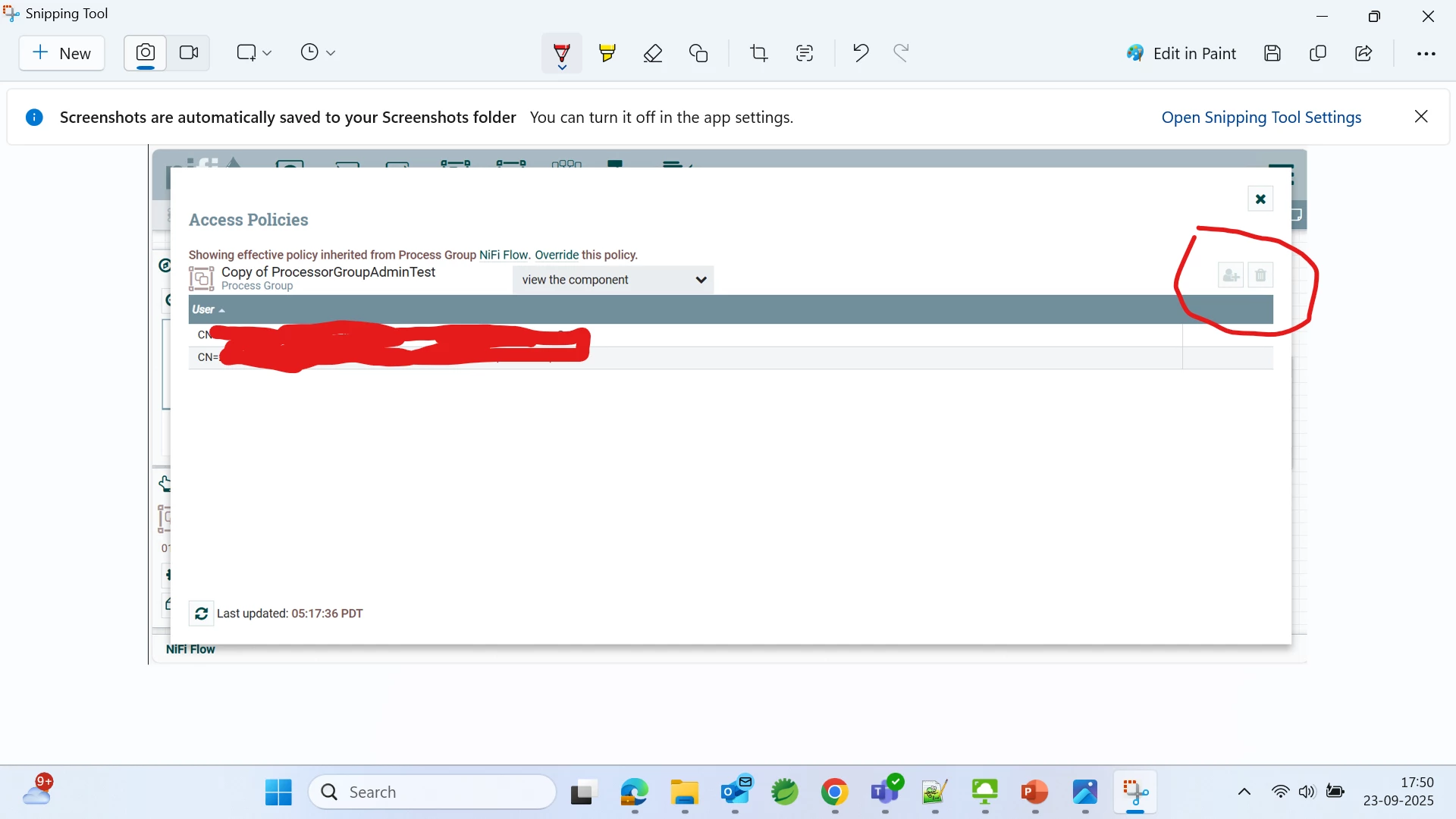
I saw in some article that we need to right click on certain processor group and then go to "Manage Access Policies" but surprisingly for my admin account the Add User icon is gray and not able to click it. I have added two photos one showing my user component toolbar being inaccessible and another one my admin cert logged in NiFi where I see Add User icon not accessible.(Note I can add user from Global Menu)
How to resolve this? Can someone please advise. I want to provide access to users so that they can do their work in one processor group.