@sho aa
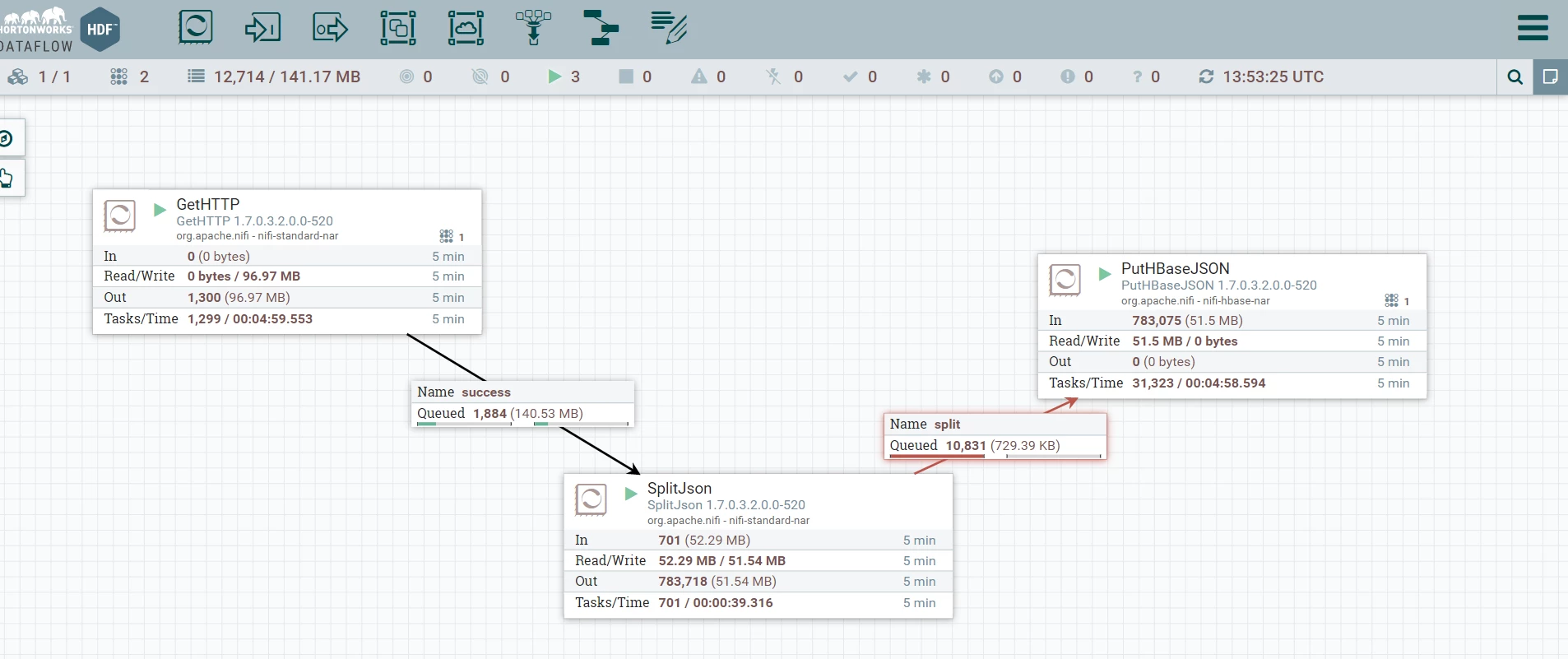
Based on your first screenshot provided, it appears the putHbaseJson processor is processing FlowFiles.
The stats indicate that ~783,000 FlowFiles had been pulled from the inbound connection queue in the last 5 minutes. The PutHbaseJson processor also shows that it has an active thread (1) at the time of the screenshot.
It appears you are auto-terminating both the success and failure outbound relationships on your PutHbaseJson processor. If FlowFiles were auto-terminating on the Failire relationship, you should be seeing a Red square (bulletin) which your screenshot does not show. The bulletin reports an error log was produced. So I can only assume if you are not seeing bulletins being produced that FlowFiles are being auto-terminated via the success relationship.
Have you verified that nothing is written to hbase?
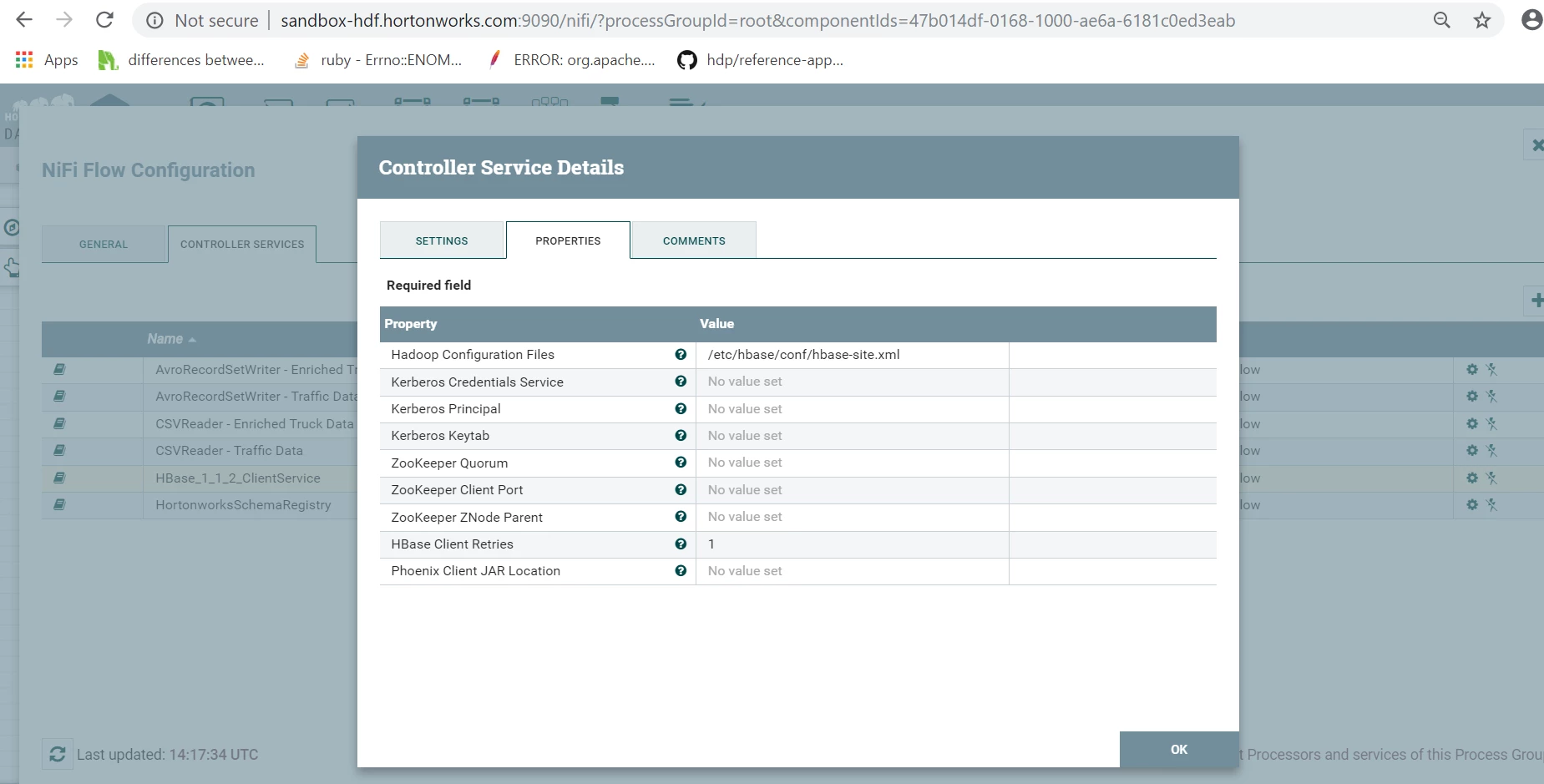
Have you verified all your hbase configurations are correct?
The flow above indicates the issue is more of a throughput problem. The SplitJSON processor is producing large batches of output FlowFiles at one time (that is how that processor works). Back pressure is then applied on the connection between SplitJSON and PutHbaseJson processors (connection highlights red to indicate back pressure is being applied). SplitJSON will not be allowed to execute again until that back pressure drops below the configured threshold. The PutHBaseJson processor continues execute against FlowFiles in the connection queue.
Have you tried the following to see if you see an improvement in throughput of the PutHbaseJson processor:
1. Increase configured batch size. The default is 25. Keep in mind that the content of every FlowFile in a batch is held in heap memory. Setting this value too high can lead to Out Of Memory (OOM) condition in NiFi's JVM. So increment slowly.
2. Increase configured concurrent tasks. Default is 1. One concurrent task allows this processor to execute on 1 batch at a time. Until that batch put is complete the next batch cannot be processed. Adding additional concurrent tasks will allow this processor to execute on multiple batches of FlowFiles at the same time. Keep in mind that you system does have a limited number fo cores. Setting this value too high can lead to your CPU becoming saturated. The max threads all processors on canvas must share is set via "Controller Settings" found in the global menu in the upper right corner of the NiFi UI. General rule of thumb is to set the "Maximum Timer Driven Thread Count" to a value equal to 2 to 4 times the number of cores on your NiFi server.
Thank you,
Matt
If you found this answer addressed your question, please take a moment to login in and click the "ACCEPT" link.