
When enabling Kerberos using the wizard, an error occurred during the start of HBase: KeeperErrorCode = NoAuth for /hbase/running.
Hi everyone, I would like some clarification. Thank you.
When we enabled Kerberos, we encountered some errors during the "start clusters" phase in the command details, specifically when starting HBase.
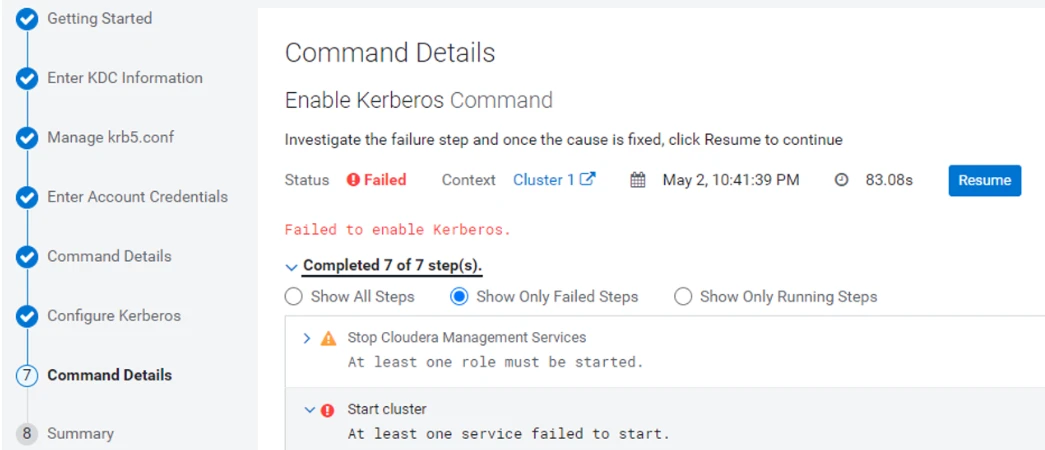

Subsequently, we examined the HBase log:
cat /var/log/hbase/hbase-cmf-hbase-REGIONSERVER-cdp717w2.am.ocp.poc.log.out2024-05-02 23:14:41,118 WARN org.apache.hadoop.hbase.zookeeper.ZKUtil: regionserver:16020-0x30046d0bb0d003e, quorum=cdp717m1.am.ocp.poc:2181,cdp717mo.am.ocp.poc:2181,cdp717w0.am.ocp.poc:2181, baseZNode=/hbase Unable to get data of znode /hbase/running
org.apache.zookeeper.KeeperException$NoAuthException: KeeperErrorCode = NoAuth for /hbase/running
at org.apache.zookeeper.KeeperException.create(KeeperException.java:120)
at org.apache.zookeeper.KeeperException.create(KeeperException.java:54)
at org.apache.zookeeper.ZooKeeper.getData(ZooKeeper.java:2131)
at org.apache.hadoop.hbase.zookeeper.RecoverableZooKeeper.getData(RecoverableZooKeeper.java:358)
at org.apache.hadoop.hbase.zookeeper.ZKUtil.getDataInternal(ZKUtil.java:659)
at org.apache.hadoop.hbase.zookeeper.ZKUtil.getDataAndWatch(ZKUtil.java:635)
at org.apache.hadoop.hbase.zookeeper.ZKNodeTracker.start(ZKNodeTracker.java:79)
at org.apache.hadoop.hbase.regionserver.HRegionServer.<init>(HRegionServer.java:659)
at sun.reflect.NativeConstructorAccessorImpl.newInstance0(Native Method)
at sun.reflect.NativeConstructorAccessorImpl.newInstance(NativeConstructorAccessorImpl.java:62)
at sun.reflect.DelegatingConstructorAccessorImpl.newInstance(DelegatingConstructorAccessorImpl.java:45)
at java.lang.reflect.Constructor.newInstance(Constructor.java:423)
at org.apache.hadoop.hbase.regionserver.HRegionServer.constructRegionServer(HRegionServer.java:3066)
at org.apache.hadoop.hbase.regionserver.HRegionServerCommandLine.start(HRegionServerCommandLine.java:61)
at org.apache.hadoop.hbase.regionserver.HRegionServerCommandLine.run(HRegionServerCommandLine.java:85)
at org.apache.hadoop.util.ToolRunner.run(ToolRunner.java:76)
at org.apache.hadoop.hbase.util.ServerCommandLine.doMain(ServerCommandLine.java:149)
at org.apache.hadoop.hbase.regionserver.HRegionServer.main(HRegionServer.java:3084)
2024-05-02 23:14:41,122 ERROR org.apache.hadoop.hbase.zookeeper.ZKWatcher: regionserver:16020-0x30046d0bb0d003e, quorum=cdp717m1.am.ocp.poc:2181,cdp717mo.am.ocp.poc:2181,cdp717w0.am.ocp.poc:2181, baseZNode=/hbase Received unexpected KeeperException, re-throwing exception
org.apache.zookeeper.KeeperException$NoAuthException: KeeperErrorCode = NoAuth for /hbase/running
When we go to zookeeper cmd check the path: /hbase/running
We found that there was a permission issue so we couldn’t get it.

We then speculated that we might need to disable the Zookeeper's ACL and restart Zookeeper.
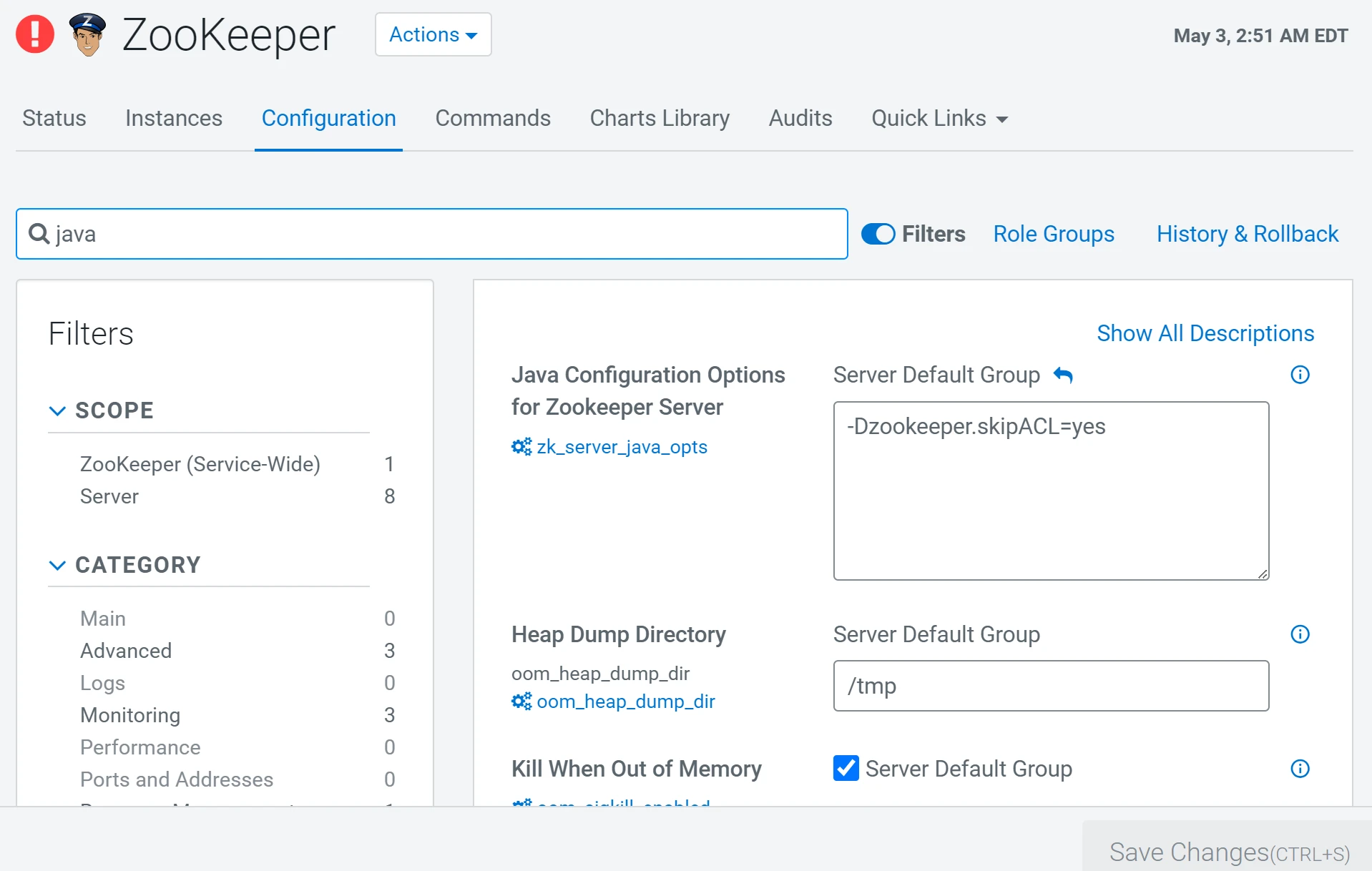
After resuming using the wizard, we were able to start HBase and complete enabling Kerberos for the cluster.
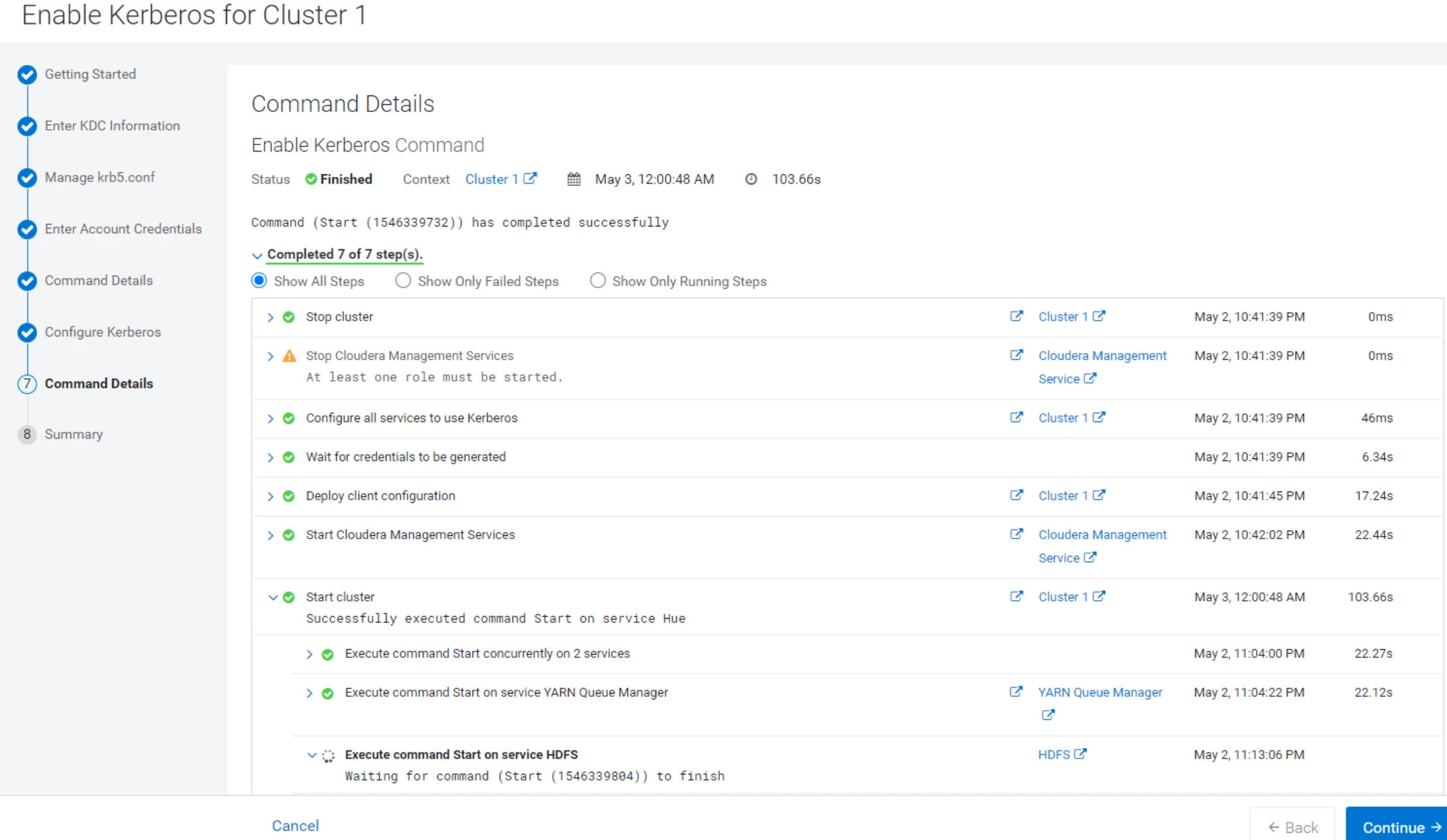
Then because of the skip acl, we have permissions to /hbase/running

I would like some clarification when encountering this error, is it advisable to skip the ACL directly? Or are there any other methods that would be more appropriate?
Regards