

Change Data Capture using NiFi
Prerequisites
- 1)Download HDP Sandbox
- 2)MySQL database (Should already be present in the sandbox)
- 3)Nifi 0.6 or later ( Download and install a new version of NIFI or use Ambari to install NIFI in the sandbox)
MySQL setup (Source Database)
In this setup we will create a table in MySQL tables and create a few triggers on the tables to emulate transactions.
- These triggers will find out if the change introduced was an insert or an update
- also will update the time stamp on the updated/inserted row. ( This is very important as Nifi Will be polling on this column to extract changes based on the time stamp)
unix> mysql –u root –p
unix>Enter
password:<enter>
mysql>
mysql> create database
test_cdc;
mysql> create user
'test_cdc'@'localhost' identified by 'test_cdc';
mysql> GRANT ALL
PRIVILEGES ON *.* TO 'test_CDC'@'%' IDENTIFIED BY 'test_CDC' WITH GRANT OPTION;
mysql>Flush Privileges
mysql> exit;
unix> mysql –u test_cdc –p
test_cdc
mysql>create table CDC_TEST
(
Column_A int,
Column_B text,
Created_date datetime,
INFORMATION text
);
Create Triggers in MYSQL
      mysql> create trigger CDC_insert
       before insert on
       cdc_test
       for each row
       set
          NEW.created_date =NOW()
        , NEW.information = 'INSERT';
mysql> create trigger CDC_UPDATE
        before update on
        cdc_test
        for each row
    set
      NEW.created_date = NOW()
     , NEW.information = 'UPDATE';
HIVE setup (Destination Database)
In hive, we have created an external table, with exactly same data structure as MySQL table, NIFI would be used to capture changes from the source and insert them into the Hive table.
Using AMBARI Hive view or from HIVE CLI create the following table in the hive default database:
I have used hive cli to create the table:
Unix> hive   Hive> create external table
                         HIVE_TEST_CDC
                         (   COLUMN_A int ,
                             COLUMN_B string,
                             CREATED_DATE string,
                              INFORMATION string)
stored as avro
location '/test-nifi/CDC/'
Note: I am not including how to create Managed Hive table with ORC format, that would be covered in a different article.
Nifi Setup :
This is a simple NIFI setup, the queryDatabase table processor is only available as part of default processors from version 0.6 of Nifi.
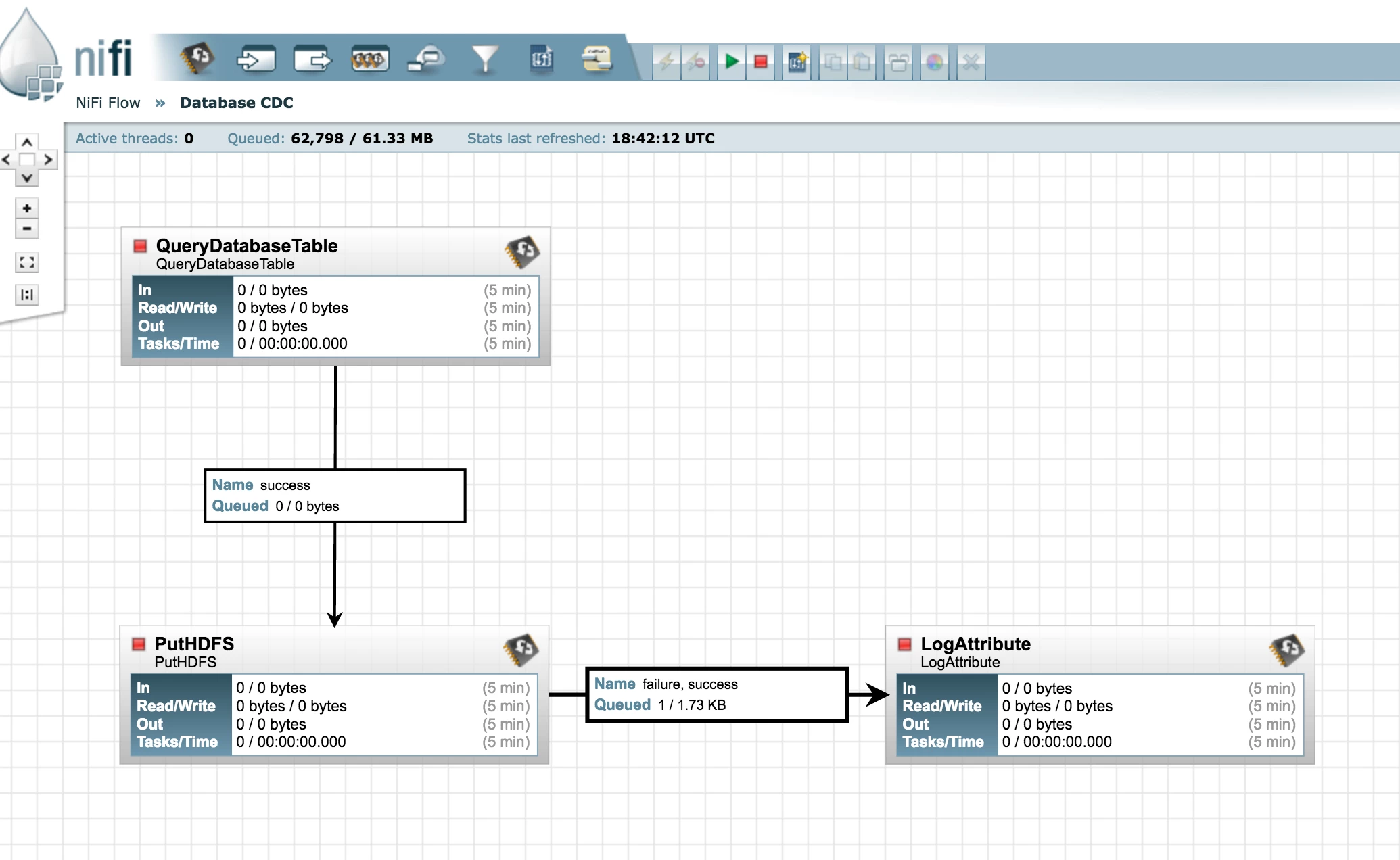
queryDatabaseProcessor Configuration
Its very intuitive
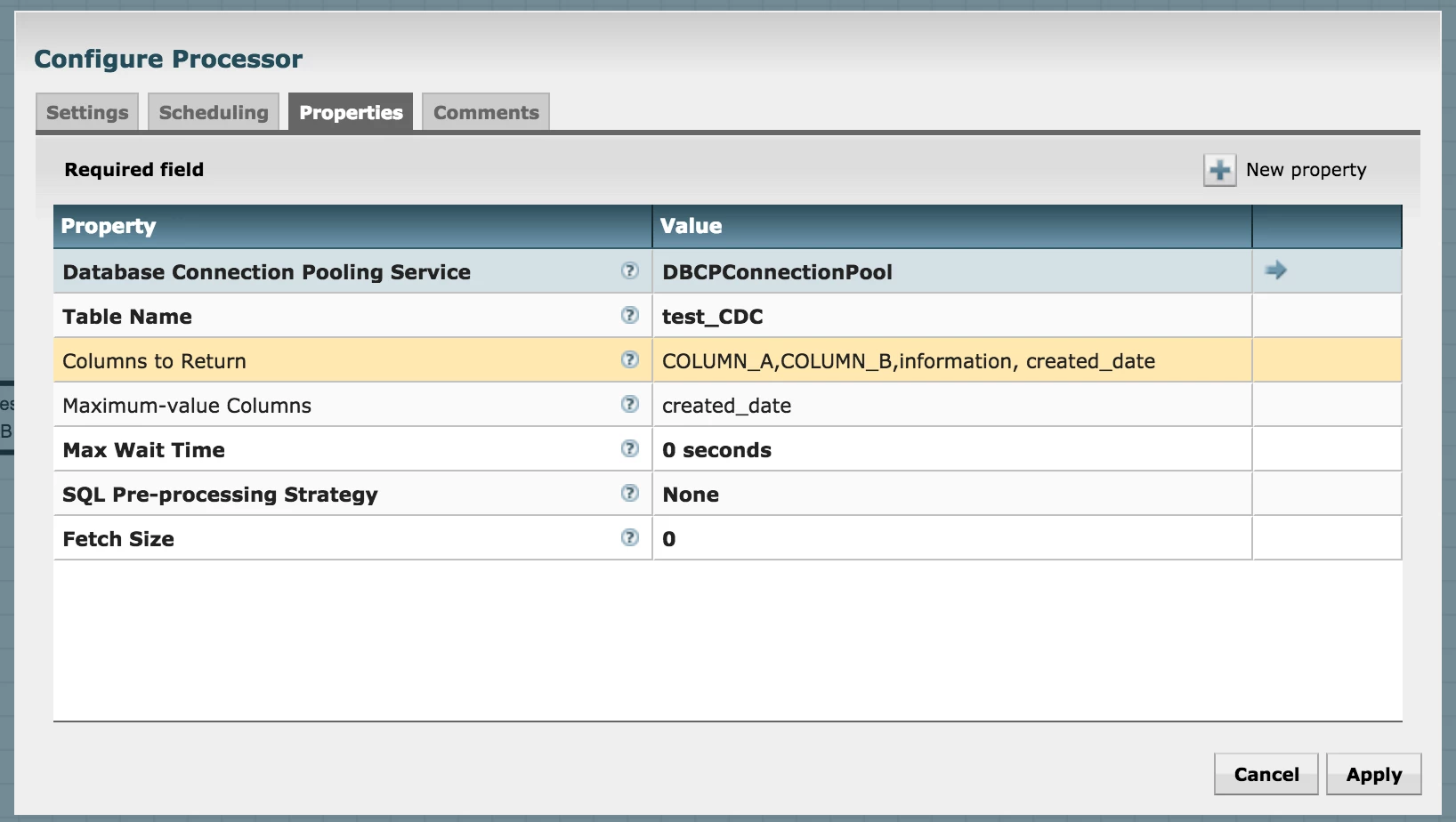
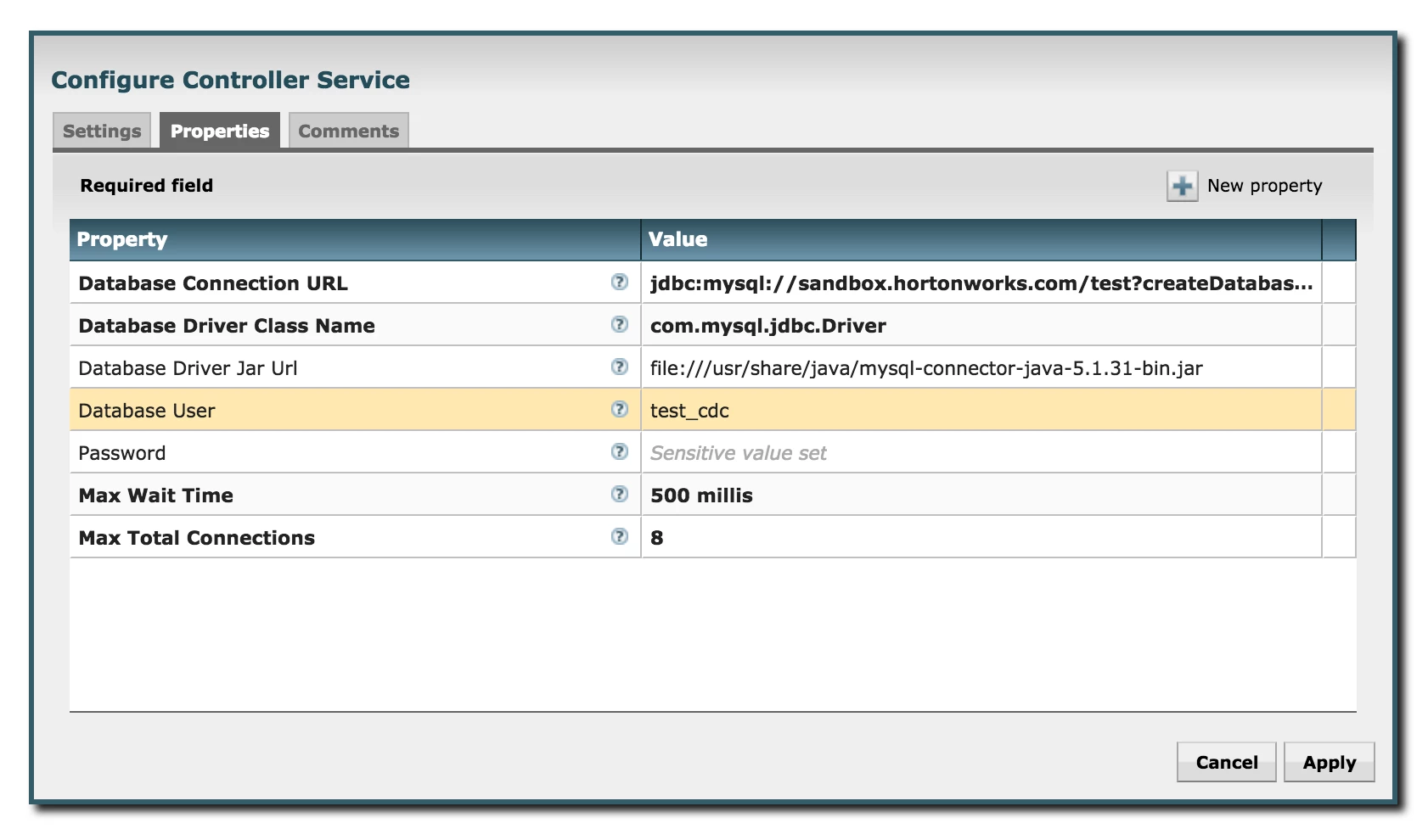
The main things to configure is DBCPConnection Pool and Maximum-value Columns
Please choose this to be the date-time stamp column that could be a cumulative change-management column
This is the only limitation with this processor as it is not a true CDC and relies on one column. If the data is reloaded into the column with older data the data will not be replicated into HDFS or any other destination.
This processor does not rely on Transactional logs or redo logs like Attunity or Oracle Goldengate. For a complete solution for CDC please use Attunity or Oracle Goldengate solutions.
DBCPConnectionPool Configuration:
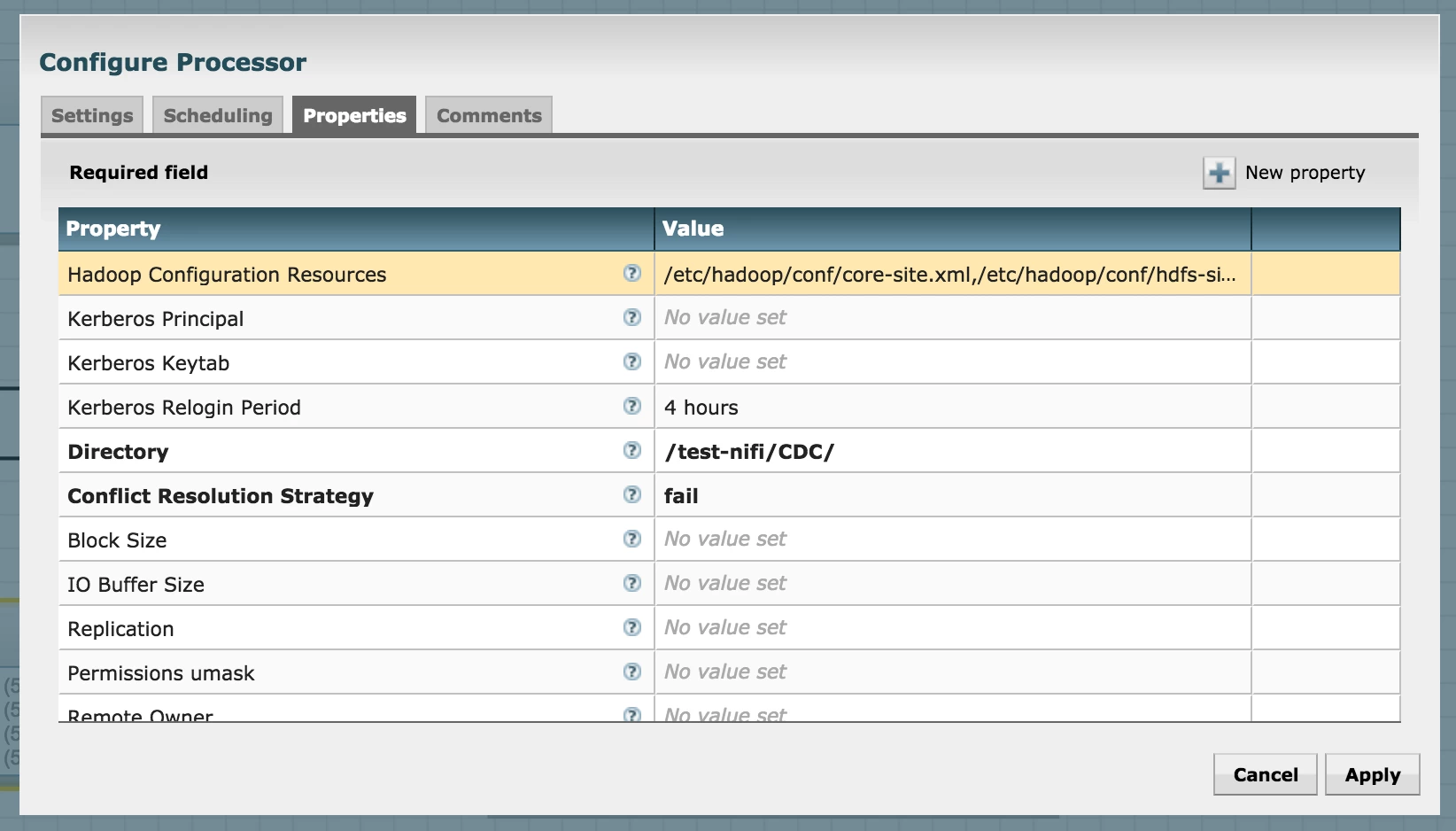
putHDFS processor
configure the Hadoop Core-site.xml and hdfs-site.xml and destination HDFS directory in this case it is /test-nifi/CDC
Make sure this directory is present in HDFS otherwise create it using the following command
Unix> hadoop fs –mkdir –p /test-nifi/CDC
Make sure all the processors are running in NiFi
Testing CDC
Run a bunch of insert statements on MySQL database.
mysql –u test_cdc –p
at the mysql CLI
run the following inserts:
insert into cdc_test values (3, 'cdc3', null, null);
insert into cdc_test values (4, 'cdc3', null, null);
insert into cdc_test values (5, 'cdc3', null, null);
insert into cdc_test values (6, 'cdc3', null, null);
insert into cdc_test values (7, 'cdc3', null, null);
insert into cdc_test values (8, 'cdc3', null, null);
insert into cdc_test values (9, 'cdc3', null, null);
insert into cdc_test values (10, 'cdc3', null, null);
insert into cdc_test values (11, 'cdc3', null, null);
insert into cdc_test values (12, 'cdc3', null, null);
insert into cdc_test values (13, 'cdc3', null, null);
select * from cdc_test
go to hive using cli and check if the records were transferred over using NIFI.
Hive> select * from hive_test_cdc
Voila…

