

How to solve Ambari Metrics corrupted data
Sometimes Ambari Metrics stops displaying data in the dashboards.
Or You may be getting time out issues that were not solved (see
At other times, especially on a new install you may receive this error in the Collector Log
2016-01-25 15:33:31,195 WARN
org.apache.hadoop.yarn.server.applicationhistoryservice.metrics.timeline.query.DefaultPhoenixDataSource:
 Unable to connect to HBase store using Phoenix.
org.apache.phoenix.schema.TableNotFoundException: ERROR 1012 (42M03): Table undefined. tableName=SYSTEM.CATALOG.
This is usually due to AMS Data being corrupt.
- Shut down Ambari Monitors, and Collector via Ambari
- Cleared out the /var/lib/ambari-metrics-collector dir for fresh restart
- From Ambari -> Ambari Metrics -> Config -> Advanced ams-hbase-site get the hbase.rootdir and hbase-tmp directory

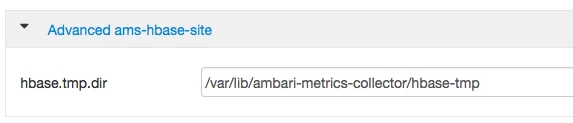
- Delete or Move the hbase-tmp and hbase.rootdir directories to an archive folder
- Started AMS.
- All services will came online and graphs started to display, after a few minutes

