Running Custom Scripts through Ambari
This article describes how to add a new custom script and execute the script through Ambari. In this article, I took a simple use case to install kerberos packages through custom scripts.
1) Below is the code to install kerberos packages (install_kerberos_package.py)
#!/usr/bin/env python

from resource_management import Script, Execute, format
from ambari_commons.os_check import OSCheck
from resource_management.core import shell
from resource_management.core.logger import Logger
class InstallKerberosPackage(Script):
  def actionexecute(self, env):
    config = Script.get_config()
    structured_output = {}
    cmd = self.get_install_cmd()
    Logger.info("Installing Kerberos Package")
    code, output = shell.call(cmd, sudo = True)
    if 0 == code:
      structured_output["install_kerberos_package"] = {"exit_code" : 0, "message": format("Packages installed successfully")}
    else:
      structured_output["install_kerberos_package"] = {"exit_code": code, "message": "Failed to install packages! {0}".format(str(output))}
    self.put_structured_out(structured_output)
  def get_install_cmd(self):
    if OSCheck.is_redhat_family():
      Logger.info("Installing kerberos package for the RedHat OS family");
      return ("/usr/bin/yum", "install", "-y", "krb5-server", "krb5-libs", "krb5-workstation")
    elif OSCheck.is_suse_family():
      Logger.info("Installing kerberos package for the SUSE OS family");
      return ('/usr/bin/zypper', '-n','install', 'krb5', 'krb5-server', 'krb5-client')
    elif OSCheck.is_ubuntu_family():
      Logger.info("Installing kerberos package for the Ubuntu OS family");
      return ('/usr/bin/apt-get', 'install', '-y', 'krb5-kdc', 'krb5-admin-server')
    else:
      raise Exception("Unsupported OS family: '{0}' ".format(OSCheck.get_os_family()))
if __name__ == "__main__":
  InstallKerberosPackage().execute()
2) Save the file with install_kerberos_package.py and put it in the custom actions folder of ambari and change the permissions
cp install_kerberos_package.py /var/lib/ambari-server/resources/custom_actions/scripts/
chmod 755 /var/lib/ambari-server/resources/custom_actions/scripts/install_kerberos_package.py
chown root:root /var/lib/ambari-server/resources/custom_actions/scripts/install_kerberos_package.py
3) The next step is to add the definition for this action. Open the file system_action_definitions.xml located under "/var/lib/ambari-server/resources/custom_action_definitions/" folder using your favourite editor and add the below content alertDefinitions tag
<actionDefinition>
    <actionName>install_kerberos_package</actionName>
    <actionType>SYSTEM</actionType>
    <inputs></inputs>
    <targetService/>
    <targetComponent/>
    <defaultTimeout>60</defaultTimeout>
    <description>Install kerberos packages</description>
    <targetType>ALL</targetType>
    <permissions>HOST.ADD_DELETE_COMPONENTS, HOST.ADD_DELETE_HOSTS, SERVICE.ADD_DELETE_SERVICES</permissions>
  </actionDefinition>
Note: You can add comma separated inputs if you need any inputs for the script.
4) Now that the action is defined, restart ambari server for the changes to reflect.
ambari-server restart
5) Check if your action is listed by calling the Ambari REST API.
curl -u <username>:<password> "http://<ambari-host>:<ambari-port>/api/v1/actions"
6) Now you are ready to run the custom script which you have created.
curl -u <username>:<password> -X POST -H 'X-Requested-By:ambari' -d'{"RequestInfo":{"context":"Execute an action", "action" : "install_kerberos_package", "service_name" : "", "component_name":"", "hosts":"<comma-separated-hosts>"}}' http://<ambari-host>:<ambari-port>/api/v1/clusters/<cluster-name>/requests
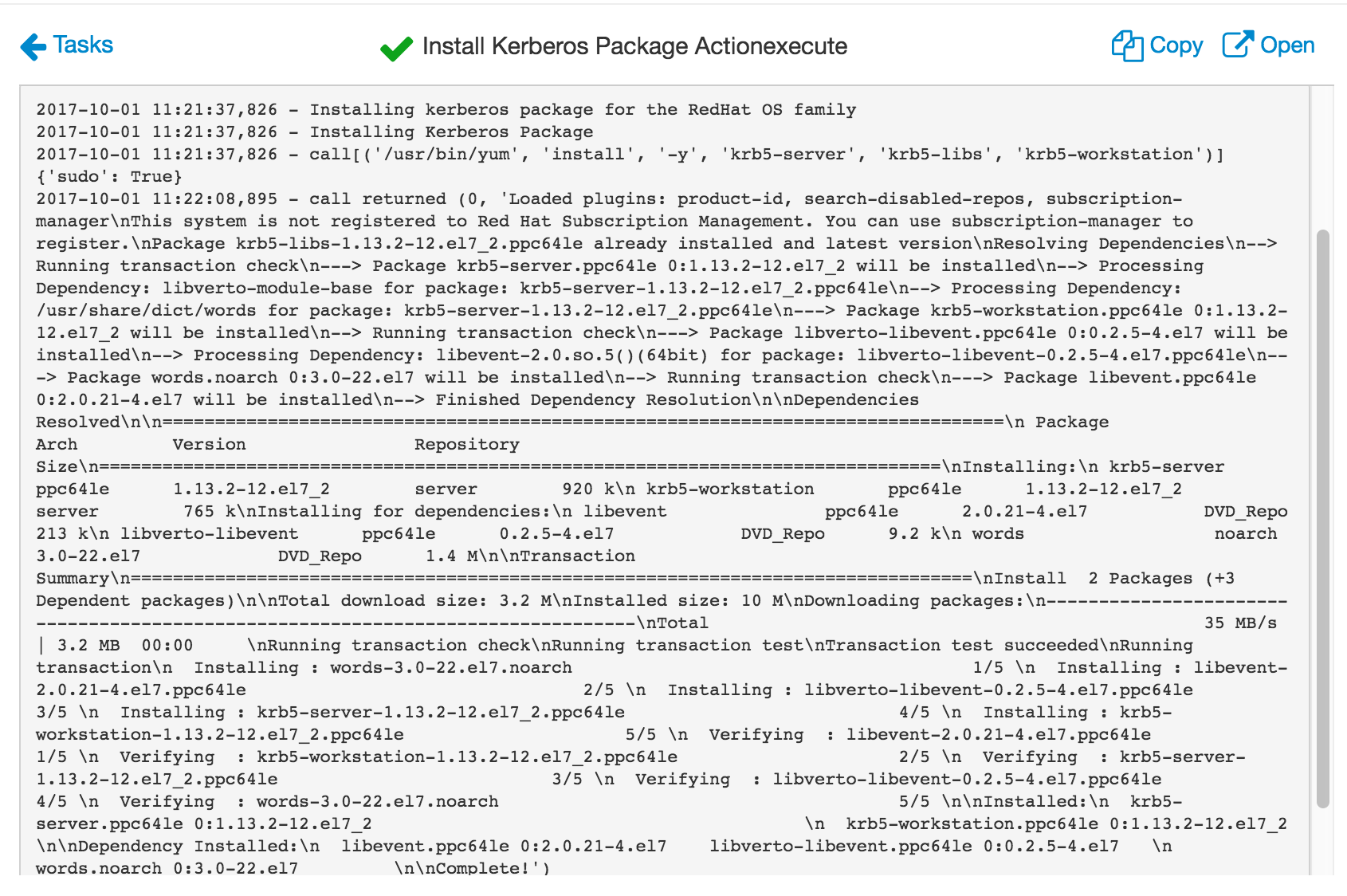
You can check the output in the Ambari UI. Please check the screenshot(sample-output.png) for reference