Kou_Bou
Silver ⭐️⭐️⭐️
November 18, 2019
Solved

Ambari server: registration with the server failed

Hello I'm new in Big data and I'm trying to create a cluster, but I have an issue with the registration of hosts, I saw a lot of posts about this problem but the problem is persist (You find below the Registration Log for the ambari server):


     ==========================
Creating target directory...
==========================
Command start time 2019-11-18 10:23:23
Connection to ambari.server closed.
SSH command execution finished


host=ambari.server, exitcode=0
Command end time 2019-11-18 10:23:23

==========================
Copying ambari sudo script...
==========================

Command start time 2019-11-18 10:23:23

scp /var/lib/ambari-server/ambari-sudo.sh
host=ambari.server, exitcode=0
Command end time 2019-11-18 10:23:24

==========================
Copying common functions script...
==========================

Command start time 2019-11-18 10:23:24

scp /usr/lib/python2.6/site-packages/ambari_commons
host=ambari.server, exitcode=0
Command end time 2019-11-18 10:23:24

==========================
Copying OS type check script...
==========================

Command start time 2019-11-18 10:23:24

scp /usr/lib/python2.6/site-packages/ambari_server/os_check_type.py
host=ambari.server, exitcode=0
Command end time 2019-11-18 10:23:24

==========================
Running OS type check...
==========================

Command start time 2019-11-18 10:23:24
Cluster primary/cluster OS family is redhat7 and local/current OS family is redhat7

Connection to ambari.server closed.
SSH command execution finished
host=ambari.server, exitcode=0
Command end time 2019-11-18 10:23:24

==========================
Checking 'sudo' package on remote host...
==========================

Command start time 2019-11-18 10:23:24

Connection to ambari.server closed.
SSH command execution finished
host=ambari.server, exitcode=0
Command end time 2019-11-18 10:23:24

==========================
Copying repo file to 'tmp' folder...
==========================

Command start time 2019-11-18 10:23:24

scp /etc/yum.repos.d/ambari.repo
host=ambari.server, exitcode=0
Command end time 2019-11-18 10:23:24

==========================
Moving file to repo dir...
==========================

Command start time 2019-11-18 10:23:24

Connection to ambari.server closed.
SSH command execution finished
host=ambari.server, exitcode=0
Command end time 2019-11-18 10:23:25

==========================
Changing permissions for ambari.repo...
==========================

Command start time 2019-11-18 10:23:25

Connection to ambari.server closed.
SSH command execution finished
host=ambari.server, exitcode=0
Command end time 2019-11-18 10:23:25

==========================
Copying setup script file...
==========================

Command start time 2019-11-18 10:23:25

scp /usr/lib/python2.6/site-packages/ambari_server/setupAgent.py
host=ambari.server, exitcode=0
Command end time 2019-11-18 10:23:25

==========================
Running setup agent script...
==========================

Command start time 2019-11-18 10:23:25
('WARNING 2019-11-18 10:23:34,821 NetUtil.py:116 - Server at https://X:8440 is not reachable,
sleeping
for 10 seconds...
INFO 2019-11-18 10:23:34,821 HeartbeatHandlers.py:115 - Stop event received
INFO 2019-11-18 10:23:34,821 NetUtil.py:122 - Stop event received
INFO 2019-11-18 10:23:34,821 ExitHelper.py:53 - Performing cleanup before exiting...
INFO 2019-11-18 10:23:34,821 ExitHelper.py:67 - Cleanup finished, exiting with code:0
INFO 2019-11-18 10:23:37,253 main.py:223 - Agent died gracefully, exiting.
INFO 2019-11-18 10:23:37,254 ExitHelper.py:53 - Performing cleanup before exiting...
INFO 2019-11-18 10:23:37,734 main.py:90 - loglevel=logging.INFO
INFO 2019-11-18 10:23:37,735 main.py:90 - loglevel=logging.INFO
INFO 2019-11-18 10:23:37,736 DataCleaner.py:39 - Data cleanup thread started
INFO 2019-11-18 10:23:37,738 DataCleaner.py:120 - Data cleanup started
INFO 2019-11-18 10:23:37,743 DataCleaner.py:122 - Data cleanup finished
INFO 2019-11-18 10:23:37,748 PingPortListener.py:50 - Ping port listener started on port: 8670
INFO 2019-11-18 10:23:37,750 main.py:349 - Connecting to Ambari server at <a href="https://ambari.server:8440" target="_blank">https://ambari.server:8440</a>
(192.168.253.45)
INFO 2019-11-18 10:23:37,751 NetUtil.py:62 - Connecting to <a href="https://ambari.server:8440/ca" target="_blank">https://ambari.server:8440/ca</a>
ERROR 2019-11-18 10:23:37,754 NetUtil.py:88 - EOF occurred in violation of protocol (_ssl.c:618)
ERROR 2019-11-18 10:23:37,755 NetUtil.py:89 - SSLError: Failed to connect. Please check openssl
library
versions.
Refer to: <a href="https://bugzilla.redhat.com/show_bug.cgi?id=1022468" target="_blank">https://bugzilla.redhat.com/show_bug.cgi?id=1022468</a> for more details.
WARNING 2019-11-18 10:23:37,755 NetUtil.py:116 - Server at <a href="https://ambari.server:8440" target="_blank">https://ambari.server:8440</a> is not
reachable, sleeping for 10 seconds...', None)
Connection to ambari.server closed.
SSH command execution finished
host=ambari.server, exitcode=0
Command end time 2019-11-18 10:23:40
Registering with the server...
Registration with the server failed


Please help me to solve this problem

Shelton
SheltonAnswer
Gold ⭐️⭐️⭐️
November 25, 2019

@Kou_Bou 


Biiiiiingo ! I specifically mentioned that see below and once again the vendor's release note is always the first point of reference.
You put in a lot of efforts  and frustration I guess but if you had taken some time to read the prerequisites  you won't have gone through all that 

Centos7.7.PNG


Having said that please take an accept my answer so the thread is closed and can be referenced by someone encountering the same issue.


Happy hadooping 

20 replies

Shelton
Gold ⭐️⭐️⭐️
November 18, 2019

@Kou_Bou 

That shouldn't be a problem, but before getting to the diagnostics can you confirm you have diligently followed this ​Prepare the Environment  newbies always forget that every step is important and hence things look complicated 🙂

Having said that is it a single/multi node cluster? In the logs I see something like  host=ambari.server I hope you it's a pseudonymized value else your ambari should have FQDN  the output of Linux command

$ hostname -f

I also see an error  NetUtil.py:89 - SSLError: Failed to connect.  That is due to python version


To resolve that  do this you have to set verify=disable by editing the /etc/python/cert-verification.cfg file.


[https]
verify=platform_default

To
[https]
verify=disable


Can you also share these files 

  • /etc/ambari-server/conf/ambari.properties
  • /etc/ambari-agent/conf/ambari-agent.ini
  • /etc/hosts

Please revert 


Translate
Kou_Bou
Kou_BouAuthor
Silver ⭐️⭐️⭐️
November 20, 2019

Hello @Shelton  thank you for your reply and sorry for my late reply you find below all clarification that you recommended:  

[root@ambari ~]# hostname -f
ambari.server

 Python version:  (I have a lot a python version installed)

[root@ambari ~]# python -V
Python 2.7.5

[root@ambari ~]# vi /etc/python/cert-verification.cfg

# Possible values are:
# 'enable' to ensure HTTPS certificate verification is enabled by default
# 'disable' to ensure HTTPS certificate verification is disabled by default
# 'platform_default' to delegate the decision to the redistributor providing this particular Python version

# For more info refer to <a href="https://www.python.org/dev/peps/pep-0493/" target="_blank">https://www.python.org/dev/peps/pep-0493/</a>
[https]
verify=disable
~

 ambari.properties file: 

agent.package.install.task.timeout=1800
agent.stack.retry.on_repo_unavailability=false
agent.stack.retry.tries=5
agent.task.timeout=900
agent.threadpool.size.max=120
ambari-server.user=root
ambari.python.wrap=ambari-python-wrap
api.ssl=true
bootstrap.dir=/var/run/ambari-server/bootstrap
bootstrap.script=/usr/lib/python2.6/site-packages/ambari_server/bootstrap.py
bootstrap.setup_agent.script=/usr/lib/python2.6/site-packages/ambari_server/setupAgent.py
check_database_skipped=false
client.api.ssl.cert_name=https.crt
client.api.ssl.key_name=https.key
client.api.ssl.port=8443
client.threadpool.size.max=25
common.services.path=/var/lib/ambari-server/resources/common-services
custom.action.definitions=/var/lib/ambari-server/resources/custom_action_definitions
extensions.path=/var/lib/ambari-server/resources/extensions
http.strict-transport-security=max-age=31536000
http.x-frame-options=DENY
http.x-xss-protection=1; mode=block
java.home=/usr/lib/jvm/java-1.8.0-openjdk-1.8.0.232.b09-0.el7_7.x86_64/jre
java.releases=jdk1.8,jdk1.7
jce.download.supported=true
jce.name=jce_policy-8.zip
jdk.download.supported=true
jdk.name=jdk-8u77-linux-x64.tar.gz
jdk1.7.desc=Oracle JDK 1.7 + Java Cryptography Extension (JCE) Policy Files 7
jdk1.7.dest-file=jdk-7u67-linux-x64.tar.gz
jdk1.7.home=/usr/jdk64/
jdk1.7.jcpol-file=UnlimitedJCEPolicyJDK7.zip
jdk1.7.jcpol-url=<a href="http://public-repo-1.hortonworks.com/ARTIFACTS/UnlimitedJCEPolicyJDK7.zip" target="_blank">http://public-repo-1.hortonworks.com/ARTIFACTS/UnlimitedJCEPolicyJDK7.zip</a>
jdk1.7.re=(jdk.*)/jre
jdk1.7.url=<a href="http://public-repo-1.hortonworks.com/ARTIFACTS/jdk-7u67-linux-x64.tar.gz" target="_blank">http://public-repo-1.hortonworks.com/ARTIFACTS/jdk-7u67-linux-x64.tar.gz</a>
jdk1.8.desc=Oracle JDK 1.8 + Java Cryptography Extension (JCE) Policy Files 8
jdk1.8.dest-file=java-1.8.0-openjdk.x86_64
jdk1.8.home=/usr/lib/j
jdk1.8.jcpol-file=jce_policy-8.zip
jdk1.8.jcpol-url=<a href="http://public-repo-1.hortonworks.com/ARTIFACTS/jce_policy-8.zip" target="_blank">http://public-repo-1.hortonworks.com/ARTIFACTS/jce_policy-8.zip</a>
jdk1.8.re=(jdk.*)/jre
jdk1.8.url=<a href="http://public-repo-1.hortonworks.com/ARTIFACTS/jdk-8u77-linux-x64.tar.gz" target="_blank">http://public-repo-1.hortonworks.com/ARTIFACTS/jdk-8u77-linux-x64.tar.gz</a>
kerberos.keytab.cache.dir=/var/lib/ambari-server/data/cache
metadata.path=/var/lib/ambari-server/resources/stacks
mpacks.staging.path=/var/lib/ambari-server/resources/mpacks
pid.dir=/var/run/ambari-server
recommendations.artifacts.lifetime=1w
recommendations.dir=/var/run/ambari-server/stack-recommendations
recovery.enabled_components=METRICS_COLLECTOR
recovery.type=AUTO_START
resources.dir=/var/lib/ambari-server/resources
rolling.upgrade.skip.packages.prefixes=
security.server.cert_name=https.crt
security.server.crt_pass_file=https.pass.txt
security.server.disabled.ciphers=TLS_ECDHE_ECDSA_WITH_AES_256_CBC_SHA384|TLS_ECDHE_RSA_WITH_AES_256_CBC_SHA384|TLS_RSA_WITH_AES_256_CBC_SHA256|TLS_ECDH_ECDSA_WITH_AES_256_CBC_SHA384|TLS_ECDH_RSA_WITH_AES_256_CBC_SHA384|TLS_DHE_RSA_WITH_AES_256_CBC_SHA256|TLS_DHE_DSS_WITH_AES_256_CBC_SHA256|TLS_ECDHE_ECDSA_WITH_AES_256_CBC_SHA|TLS_ECDHE_RSA_WITH_AES_256_CBC_SHA|TLS_RSA_WITH_AES_256_CBC_SHA|TLS_ECDH_ECDSA_WITH_AES_256_CBC_SHA|TLS_ECDH_RSA_WITH_AES_256_CBC_SHA|TLS_DHE_RSA_WITH_AES_256_CBC_SHA|TLS_DHE_DSS_WITH_AES_256_CBC_SHA|TLS_ECDHE_ECDSA_WITH_AES_128_CBC_SHA256|TLS_ECDHE_RSA_WITH_AES_128_CBC_SHA256|TLS_RSA_WITH_AES_128_CBC_SHA256|TLS_ECDH_ECDSA_WITH_AES_128_CBC_SHA256|TLS_ECDH_RSA_WITH_AES_128_CBC_SHA256|TLS_DHE_RSA_WITH_AES_128_CBC_SHA256|TLS_DHE_DSS_WITH_AES_128_CBC_SHA256|TLS_ECDHE_ECDSA_WITH_AES_128_CBC_SHA|TLS_ECDHE_RSA_WITH_AES_128_CBC_SHA|TLS_RSA_WITH_AES_128_CBC_SHA|TLS_ECDH_ECDSA_WITH_AES_128_CBC_SHA|TLS_ECDH_RSA_WITH_AES_128_CBC_SHA|TLS_DHE_RSA_WITH_AES_128_CBC_SHA|TLS_DHE_DSS_WITH_AES_128_CBC_SHA|TLS_ECDHE_ECDSA_WITH_3DES_EDE_CBC_SHA|TLS_ECDHE_RSA_WITH_3DES_EDE_CBC_SHA|TLS_ECDH_ECDSA_WITH_3DES_EDE_CBC_SHA|TLS_ECDH_RSA_WITH_3DES_EDE_CBC_SHA|SSL_DHE_RSA_WITH_3DES_EDE_CBC_SHA|SSL_DHE_DSS_WITH_3DES_EDE_CBC_SHA|TLS_EMPTY_RENEGOTIATION_INFO_SCSV|TLS_DH_anon_WITH_AES_256_CBC_SHA256|TLS_ECDH_anon_WITH_AES_256_CBC_SHA|TLS_DH_anon_WITH_AES_256_CBC_SHA|TLS_DH_anon_WITH_AES_128_CBC_SHA256|TLS_ECDH_anon_WITH_AES_128_CBC_SHA|TLS_DH_anon_WITH_AES_128_CBC_SHA|TLS_ECDH_anon_WITH_3DES_EDE_CBC_SHA|SSL_DH_anon_WITH_3DES_EDE_CBC_SHA|SSL_RSA_WITH_DES_CBC_SHA|SSL_DHE_RSA_WITH_DES_CBC_SHA|SSL_DHE_DSS_WITH_DES_CBC_SHA|SSL_DH_anon_WITH_DES_CBC_SHA|SSL_RSA_EXPORT_WITH_DES40_CBC_SHA|SSL_DHE_RSA_EXPORT_WITH_DES40_CBC_SHA|SSL_DHE_DSS_EXPORT_WITH_DES40_CBC_SHA|SSL_DH_anon_EXPORT_WITH_DES40_CBC_SHA|TLS_RSA_WITH_NULL_SHA256|TLS_ECDHE_ECDSA_WITH_NULL_SHA|TLS_ECDHE_RSA_WITH_NULL_SHA|SSL_RSA_WITH_NULL_SHA|TLS_ECDH_ECDSA_WITH_NULL_SHA|TLS_ECDH_RSA_WITH_NULL_SHA|TLS_ECDH_anon_WITH_NULL_SHA|SSL_RSA_WITH_NULL_MD5|TLS_KRB5_WITH_3DES_EDE_CBC_SHA|TLS_KRB5_WITH_3DES_EDE_CBC_MD5|TLS_KRB5_WITH_DES_CBC_SHA|TLS_KRB5_WITH_DES_CBC_MD5|TLS_KRB5_EXPORT_WITH_DES_CBC_40_SHA|TLS_KRB5_EXPORT_WITH_DES_CBC_40_MD5
security.server.key_name=https.key
security.server.keys_dir=/var/lib/ambari-server/keys
security.server.keystore_name=https.keystore.p12
security.server.truststore_name=https.keystore.p12
security.server.two_way_ssl=true
server.connection.max.idle.millis=900000
server.execution.scheduler.isClustered=false
server.execution.scheduler.maxDbConnections=5
server.execution.scheduler.maxThreads=5
server.execution.scheduler.misfire.toleration.minutes=480
server.fqdn.service.url=<a href="http://169.254.169.254/latest/meta-data/public-hostname" target="_blank">http://169.254.169.254/latest/meta-data/public-hostname</a>
server.http.session.inactive_timeout=1800
server.jdbc.connection-pool=internal
server.jdbc.database=postgres
server.jdbc.database_name=datalake
server.jdbc.postgres.schema=datalake
server.jdbc.user.name=root
server.jdbc.user.passwd=/etc/ambari-server/conf/password.dat
server.os_family=redhat7
server.os_type=centos7
server.persistence.type=local
server.stages.parallel=true
server.task.timeout=1200
server.timeline.metrics.https.enabled=true
server.tmp.dir=/var/lib/ambari-server/data/tmp
server.version.file=/var/lib/ambari-server/resources/version
shared.resources.dir=/usr/lib/ambari-server/lib/ambari_commons/resources
skip.service.checks=false
stackadvisor.script=/var/lib/ambari-server/resources/scripts/stack_advisor.py
ulimit.open.files=10000
user.inactivity.timeout.default=0
user.inactivity.timeout.role.readonly.default=0
views.ambari.request.connect.timeout.millis=30000
views.ambari.request.read.timeout.millis=45000
views.http.strict-transport-security=max-age=31536000
views.http.x-frame-options=SAMEORIGIN
views.http.x-xss-protection=1; mode=block
views.request.connect.timeout.millis=5000
views.request.read.timeout.millis=10000
webapp.dir=/usr/lib/ambari-server/web

ambari-agent.ini file

[server]
hostname=ambari.server
url_port=8440
secured_url_port=8441

[agent]
logdir=/var/log/ambari-agent
piddir=/var/run/ambari-agent
prefix=/var/lib/ambari-agent/data
;loglevel=(DEBUG/INFO)
loglevel=INFO
data_cleanup_interval=86400
data_cleanup_max_age=2592000
data_cleanup_max_size_MB = 100
ping_port=8670
cache_dir=/var/lib/ambari-agent/cache
tolerate_download_failures=true
run_as_user=root
parallel_execution=0
alert_grace_period=5
alert_kinit_timeout=14400000
system_resource_overrides=/etc/resource_overrides
; memory_threshold_soft_mb=400
; memory_threshold_hard_mb=1000

[security]
keysdir=/var/lib/ambari-agent/keys
server_crt=ca.crt
passphrase_env_var_name=AMBARI_PASSPHRASE
ssl_verify_cert=0

[services]
pidLookupPath=/var/run/

[heartbeat]
state_interval_seconds=60
dirs=/etc/hadoop,/etc/hadoop/conf,/etc/hbase,/etc/hcatalog,/etc/hive,/etc/oozie,
/etc/sqoop,/etc/ganglia,
/var/run/hadoop,/var/run/zookeeper,/var/run/hbase,/var/run/templeton,/var/run/oozie,
/var/log/hadoop,/var/log/zookeeper,/var/log/hbase,/var/run/templeton,/var/log/hive
; 0 - unlimited
log_lines_count=300
idle_interval_min=1
idle_interval_max=10

[logging]
syslog_enabled=0

/etc/hosts file : 

[root@ambari ~]# cat /etc/hosts
127.0.0.1 localhost localhost.localdomain localhost4 localhost4.localdomain4
::1 localhost localhost.localdomain localhost6 localhost6.localdomain6
192.168.253.46 pocserver2 pocserver2
192.168.253.47 pocserver3 pocserver3
192.168.253.45 ambari.server

 Java version: 

[root@ambari ~]# java -version
openjdk version "1.8.0_232"
OpenJDK Runtime Environment (build 1.8.0_232-b09)
OpenJDK 64-Bit Server VM (build 25.232-b09, mixed mode)


Translate
sagarshimpi
Gold ⭐️
November 20, 2019

@Kou_Bou  Can you try setting below -


  • Set below property in ambari agent config.ini
    $vi /etc/ambari-agent/conf/ambari-agent.ini
    [Note:  please add below under Security section -as below]


[security]
force_https_protocol=PROTOCOL_TLSv1_2​


  • Save and exit
  • Restart ambari-agent

Please check if that works.

Translate
Kou_Bou
Kou_BouAuthor
Silver ⭐️⭐️⭐️
November 20, 2019

Hello @sagarshimpi  Thank you for your reply I try this solution but the problem persists.

Translate
sagarshimpi
Gold ⭐️
November 21, 2019

Hi @Kou_Bou 


Can you please check below steps version and paste output here -

Check java version

  • $java -version
  • $ls -ltr `which java`
  • $rpm -wa |grep openssl
  • Check - If multiple java version are existing  then check in case if there is any conflict.  You can verify this by using alternatives command -
    $/usr/sbin/alternatives --config java  [Please do not change here. Let the default java as it is]
    Is the issue only with one host registering in cluster  or the issue is with multiple hosts?
    If you see java used here is openjdk then can you try with using oracle jdk and test
    You can change java with below command -
    ambari-server setup –j <jdk path>
  • Please do revert with Ambari server and Ambari agent version

$rpm -qa |grep ambari

  • From agent node try telnet to master at port 8440 [Check for iptables/selinux rules]

$telnet <ambari-server>   8440

  • Pass latest ambari agent config.ini file
  • Do revert with latest error/std log if the issue still exist
Translate
Shelton
Gold ⭐️⭐️⭐️
November 24, 2019

@Kou_Bou 


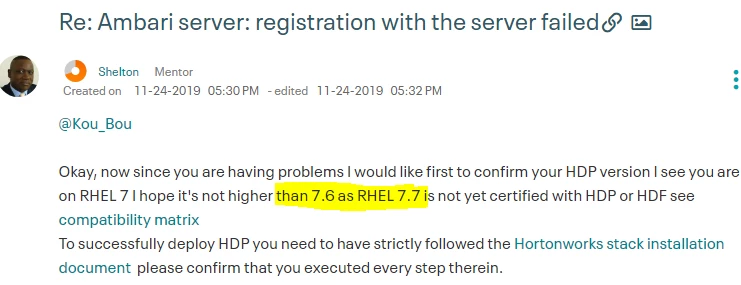
Okay, now since you are having problems I would like first to confirm your HDP version I see you are on RHEL 7 I hope it's not higher than 7.6 as RHEL 7.7 is not yet certified with HDP or HDF see compatibility matrix 

To successfully deploy HDP you need to have strictly followed the Hortonworks stack installation document  please confirm that you executed every step therein.

I suspect a couple of issues like Firewall or passwordless ssh config issues but that can be overcome with manual registration of the hosts, the following step is valid for a single/multinode cluster let's get started.

In the below steps, I am assuming you ex3cuted the steps in the above 2 documents

First I would like you to use a fictitious domain name [hadoop.com]for you cluster this will help me eliminate other possible issues, I am assuming you have 2 servers and enough RAM at least 12-16 GB with 2 CPUs

Servers

master                         [Ambari-server + database + other component]
node1                          [datanode ] + n


But the above step is valid for even a single node cluster to execute all the below steps as root

Set hostname on Ambari server

# hostnamectl set-hostname master.hadoop.com
Verify the hostname

# hostnamectl
The desired output should be master.hadoop.com

If not using single node do this on the subsequent hosts do the same for the remaining hosts

Set hostname on other hosts

# hostnamectl set-hostname nodex.hadoop.com

Get the IP's

On all the hosts get the IP using
# ifconfig
Note all the IP's including that of the Ambari server, now get the hostname of all the hosts in the cluster using


Note all the output should be an FQDN. Edit the /etc/hosts on the Ambari server

[master.hadoop.com] and the IP or IP's in the format IP FQDN ALIAS in case of multinode i.e


192.168.1.20 master.hadoop.com master
192.168.1.21 nodex.hadoop.com nodex


If it's a multinode make sure you copy the hosts file to all other nodes !!!

Check the repos are well set

# ls -al /etc/yum.repos.d/
.....
ambari.repo
hdp.repo

The hdp and ambari repos should be accessible

# yum repolist


Install Ambari server

# yum install -y ambari-server


Setup Ambari

In the below step I preparing the Ambari for Mysql or MAriaDB and NOT the embedde postgres database. I realise you were using embedded change to Mysql or MariaDB open source version of MySQL for this step I will use MariaDB but the connector is the same

# ambari-server setup --jdbc-db=mysql --jdbc-driver=/usr/share/java/mysql-connector-java.jar

Backup the ambari.properties

# cp /etc/ambari-server/conf/ambari.properties /etc/ambari-server/conf/ambari.properties.bak


To change the default timeout of the ambari server run the below snippets

# echo 'server.startup.web.timeout=120' >> /etc/ambari-server/conf/ambari.properties
# echo 'server.jdbc.connection-pool.acquisition-size=5' >> /etc/ambari-server/conf/ambari.properties
# echo 'server.jdbc.connection-pool.max-age=0' >> /etc/ambari-server/conf/ambari.properties
# echo 'server.jdbc.connection-pool.max-idle-time=14400' >> /etc/ambari-server/conf/ambari.properties
# echo 'server.jdbc.connection-pool.max-idle-time-excess=0' >> /etc/ambari-server/conf/ambari.properties
# echo 'server.jdbc.connection-pool.idle-test-interval=7200' >> /etc/ambari-server/conf/ambari.properties

update OS and restart  the server 

# yum update
# init 6

Install MariaDB 10.x compatibile with HDP 2.6.x - 3.x

# yum install -y MariaDB-server


Startup mariaDB and configure auto-start at boot

# systemctl enable mariadb.service
# systemctl start mariadb.service


Check MariaDB is up

# systemctl status mariadb


Secure the MariaDB and change password important to change the default password 

# /usr/bin/mysql_secure_installation

You already have a root password set, so you can safely answer 'n'. If you answer Y then set a new password for MariaDB

Change the root password? [Y/n] Y   

[ Most important the rest just answer y ]

Remove anonymous users? [Y/n] y
... Success

Disallow root login remotely? [Y/n] y
... Success!

Remove test database and access to it? [Y/n] y
- Dropping test database...
... Success!
- Removing privileges on test database...
... Success!

Reload privilege tables now? [Y/n] y
... Success!
....

Thanks for using MariaDB!


Assuming you changed the root password to welcome1 and I am using ambari as the user,password and database name

mysql -u root -pwelcome1
CREATE USER 'ambari'@'%' IDENTIFIED BY 'ambari';
GRANT ALL PRIVILEGES ON *.* TO 'ambari'@'%';
CREATE USER 'ambari'@'localhost' IDENTIFIED BY 'ambari';
GRANT ALL PRIVILEGES ON *.* TO 'ambari'@'localhost';
CREATE USER 'ambari'@'tokyo.com' IDENTIFIED BY 'ambari';
GRANT ALL PRIVILEGES ON *.* TO 'ambari'@'master.hadoop.com';
FLUSH PRIVILEGES;


Log on as Ambari user and create the Ambari DB

mysql -u ambari -pambari
CREATE DATABASE ambari;
USE ambari;
SOURCE /var/lib/ambari-server/resources/Ambari-DDL-MySQL-CREATE.sql;
exit;


Create the hive, ranger, oozie, rangerkms as required again here I am simplifying by using hive as the user, password and name you database an do the same for ranger,oozie,rangerkms

# mysql -u root -pwelcome1
CREATE USER 'hive'@'localhost' IDENTIFIED BY 'hive';
GRANT ALL PRIVILEGES ON *.* TO 'hive'@'localhost';
CREATE USER 'hive'@'%' IDENTIFIED BY 'hive';
GRANT ALL PRIVILEGES ON *.* TO 'hive'@'%';
CREATE USER 'hive'@'master.hadoop.com' IDENTIFIED BY '[HIVE_PASSWORD]';
GRANT ALL PRIVILEGES ON *.* TO 'hive'@'master.hadoop.com';
FLUSH PRIVILEGES;
CREATE DATABASE hive;
quit;

Run the Ambari DB setup

# ambari-server setup


To use MariaDB database, and select the ambari database name, user name, and password created earlier for that database, so enter 3.
When asked do not enable Ambari to automatically download and install LZO !!!

After finalizing the setup start

# yum install -y ambari-agent


Edit the ambari-agent.ini on all the node including the ambari server,change the entry below,hostname should be the name of the ambari host master.hadoop.com

vi /etc/ambari-agent/conf/ambari-agent.ini


[server]
hostname=master.hadoop.com
url_port=8440
secured_url_port=8441
connect_retry_delay=10
max_reconnect_retry_delay=30


Save


On the Ambari server and any other node install ambari-agent and start it


Start the ambari server

# ambari-server start


Hit the Ambari UI

http://master.hadoop.com:8080


This time use the option manual registration see screenshot


ambari.PNG


The host(s) should register successfully!

Translate
Shelton
Gold ⭐️⭐️⭐️
November 24, 2019

@Kou_Bou 
If you want to change the java here is the procedure, I just test the link works so just copy and paste as other links are broken.

I see you are using OpenJDK


Remove OpenJDK 

# yum list java*
# yum -y remove java*
# java -version


Install latest Oracle Java JDK

# cd /opt/

wget --no-check-certificate --no-cookies --header "Cookie: gpw_e24=yippi ka yei madafaka;" "http://download.oracle.com/otn-pub/java/jdk/8u144-b01/090f390dda5b47b9b721c7dfaa008135/jdk-8u144-linux-x64.tar.gz"

tar xzf jdk-8u144-linux-x64.tar.gz
cd /opt/jdk1.8.0_144/
alternatives --install /usr/bin/java java /opt/jdk1.8.0_144/bin/java 2
alternatives --config java
alternatives --install /usr/bin/jar jar /opt/jdk1.8.0_144/bin/jar 2
alternatives --install /usr/bin/javac javac /opt/jdk1.8.0_144/bin/javac 2
alternatives --set jar /opt/jdk1.8.0_144/bin/jar
alternatives --set javac /opt/jdk1.8.0_144/bin/javac


Check the new  default java

# java -version

java -version
java version "1.8.0_144"
Java(TM) SE Runtime Environment (build 1.8.0_144-b11)
Java HotSpot(TM) 64-Bit Server VM (build 25.144-b11, mixed mode)

That now should work 


Translate
Kou_Bou
Kou_BouAuthor
Silver ⭐️⭐️⭐️
November 25, 2019

Hello @Shelton , thank you for your reply, I'm trying to change the version of java according to steps that you gave for me but I have a problem with the file jdk-8u144-linux-x64.tar.gz :

 This is the error : ( I think the problem in the file ?? I trying other links but there are no links valid 

[root@ambari opt]# tar xzf jdk-8u144-linux-x64.tar.gz

gzip: stdin: not in gzip format
tar: Child returned status 1
tar: Error is not recoverable: exiting now
[root@ambari opt]#


Translate