FrozenWave
Gold ⭐️⭐️
May 26, 2020
Solved

Can't install CDH 6.3.1 Express Edition

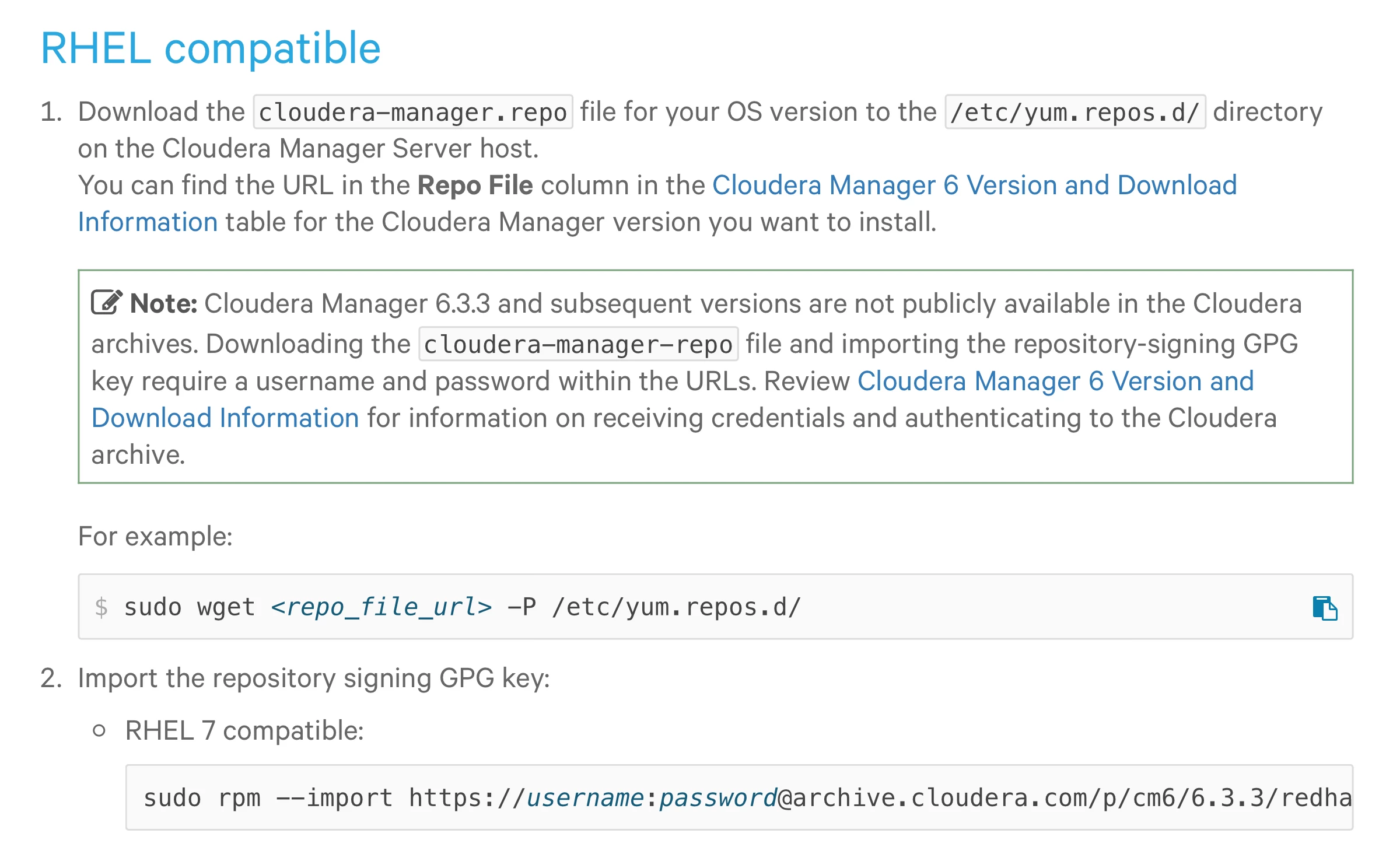
Hi, as we all know CDH 6.3.3 and subsequent versions are not available anymore under "Express licensing" model. Yet, I was in the process of setting up a 6.3.1 installation and apparently this is not possible, because a valid authentication (enterprise) is required. What am I doing wrong?


Below, a screenshot from the Installation Guide:
 

Schermata 2020-05-26 alle 13.50.34.png


But when I try to import the 6.3.1 Repository (WITHOUT Username and Password as stated on the documentation itself for version < 6.3.3 I get the following error:


# rpm --import https://archive.cloudera.com/p/cm6/6.3.1/redhat7/yum/RPM-GPG-KEY-cloudera
curl: (22) The requested URL returned error: 401 Authentication required
errore: https://archive.cloudera.com/p/cm6/6.3.1/redhat7/yum/RPM-GPG-KEY-cloudera: lettura importazione fallita(2).


What am I doing wrong? @Cloudera1 Is this a mistake I'm committing or is it a problem with Cloudera implementing their policies in a wrong way?


Thanks for any insights


na_01
na_01Answer
Gold ⭐️
May 26, 2020

Hello FrozenWave,


Please give the following command a try:


# rpm --import https://archive.cloudera.com/cm6/6.3.1/redhat7/yum/RPM-GPG-KEY-cloudera


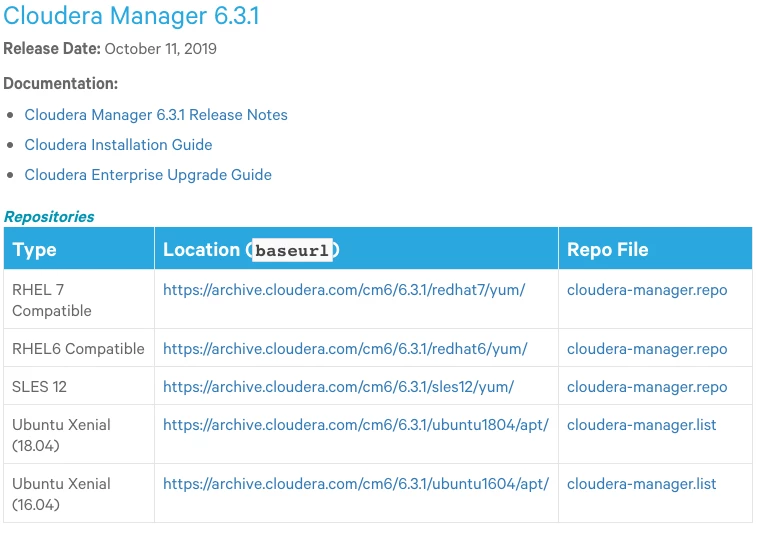
The reason you were having issues are that the repository URLs changed for version 6.3.3 and later as referenced here:

https://docs.cloudera.com/documentation/enterprise/6/release-notes/topics/rg_cm_6_version_download.html


The correct base URL for CM 6.3.1 is:

https://archive.cloudera.com/cm6/6.3.1


Versus the URL you were trying to use, which requires authentication:

https://archive.cloudera.com/p/cm6/6.3.1


I hope this helps!


CM6.3.1-URLs.png

4 replies

na_01
Gold ⭐️
na_01Answer
Gold ⭐️
May 26, 2020

Hello FrozenWave,


Please give the following command a try:


# rpm --import https://archive.cloudera.com/cm6/6.3.1/redhat7/yum/RPM-GPG-KEY-cloudera


The reason you were having issues are that the repository URLs changed for version 6.3.3 and later as referenced here:

https://docs.cloudera.com/documentation/enterprise/6/release-notes/topics/rg_cm_6_version_download.html


The correct base URL for CM 6.3.1 is:

https://archive.cloudera.com/cm6/6.3.1


Versus the URL you were trying to use, which requires authentication:

https://archive.cloudera.com/p/cm6/6.3.1


I hope this helps!


CM6.3.1-URLs.png

Translate
FrozenWave
Gold ⭐️⭐️
May 26, 2020

Thank you so much for the prompt reply. It worked right away!

Translate
na_01
Gold ⭐️
Gold ⭐️
February 15, 2021

Good Day,


Effective January 31, 2021, all Cloudera software requires a valid subscription and is only accessible from behind the paywall. This includes all legacy versions for Cloudera Distribution including Apache Hadoop (CDH), Hortonworks Data Platform(HDP), Data Flow (HDF/CDF),and Cloudera Data Science Workbench (CDSW). Information regarding paywall access will be available in technical documentation by software type and version.


https://www.cloudera.com/downloads/paywall-expansion.html


If you have a valid Cloudera Subscription, you can obtain your credentials for downloads following directions outlined here:

https://docs.cloudera.com/cdp-private-cloud-base/latest/installation/topics/cdpdc-cm-download-information.html 


Translate