

vi1
Silver ⭐️⭐️
March 1, 2023
Question

How do I view Session and Query details in hiveserver2 web UI?

hiveserver2 web UI page opens but cannot see any details like no of active users and all .I am using cdp 7.1.3 in which kerberos and ranger both are enable..how to resolve this ?
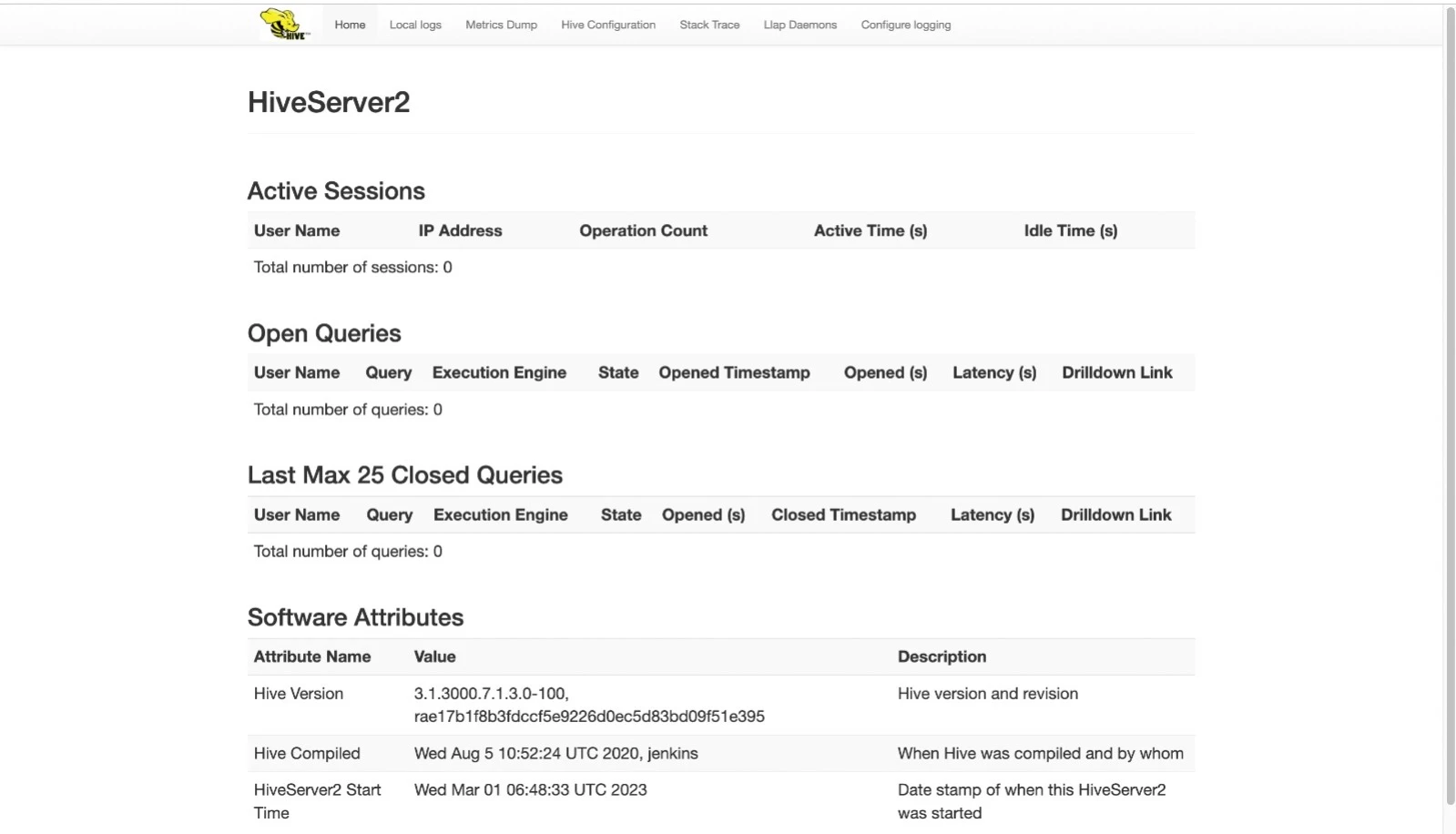

WhatsApp Image 2023-03-01 at 12.25.50 PM.jpeg

5 replies

cjervis
Community Manager
Community Manager
March 1, 2023

Hi @vi1 and thank you for the question. I found documentation for Activating the Hive Web UI that states. 


HiveServer2 GUI/ Web UI does not display active client connections after enabling Kerberos. You must correct this problem, which leads to a Kerberos ticket problem for a browser client.


The documentation goes into details on the steps to take. Hopefully this helps. 

Translate
Keep the questions coming
vi1
vi1Author
Silver ⭐️⭐️
March 2, 2023

Thanks @cjervis  for the reply.. I already followed this document which you have shared with me but it doesn't work. 

Translate
cjervis
Community Manager
Community Manager
March 2, 2023

I'm sorry to hear that. I'm not an expert but hoped it would be helpful while you waited for a more knowledgable member of the community to respond. 

Translate
Keep the questions coming
vi1
vi1Author
Silver ⭐️⭐️
March 3, 2023

Hello community please help me out! Iam still unable to activate hiveserver2 web UI.

Translate
vijithv
Silver ⭐️⭐️⭐️
July 5, 2024

Found another Cloudera KB, where it says:

To resolve this issue we have to set this property hadoop.security.authorization to false under hive safety valve as this will be used only by Hive without impacting the storage, since it cannot be set to false at storage layer as it is needed for storage.

STEPS TO SET THE PROPERTY:

CM < Hive on tez < Hive Service Advanced Configuration Snippet (Safety Valve) for hive-site.xml 

Name: hadoop.security.authorization
Value: false

Translate
