Bartlomiej
Gold ⭐️
May 15, 2024
Solved

How to display more then 1000 rows in Hue using Spark SQL Livy Interpreter

Dear Friends

The concerned Cloudera Services are: 

Spark 3 , Livy for Spark 3, Hue

After I have added Spark SQL interpreter in Hue I am struggling  to get more than 1000 rows results once querying  the DB. Do you know what parameter should be used to change the default quantity. I Already tried to use :

spark.livy.sql.max-result

CM --> Livy for Spark3 --> Search for "Livy for Spark 3 Client Advanced Configuration Snippet (Safety Valve) for livy3-conf/livy-client.conf" and add the above parameter with value.

spark.livy.sql.max-result=2000

However after restarting the concerns services - nothing has changed.  Hereunder you can see what is all about:
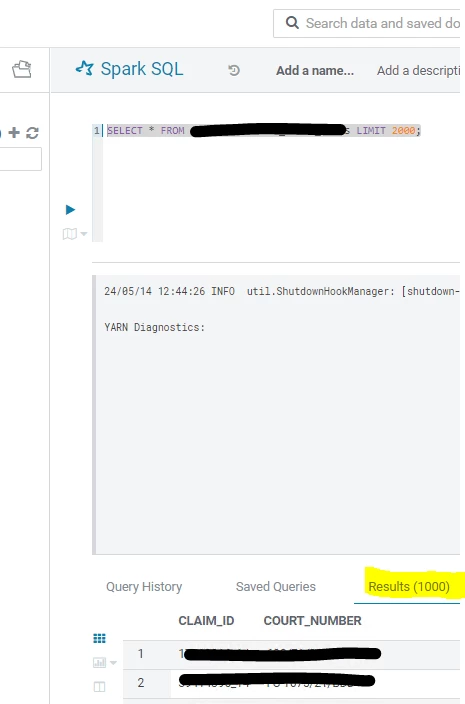
Bartlomiej_1-1715776060457.png

I would like to change this limitation to e.g. 5000. But not sure on what mentioned services this should be adjusted on.

I really appreciate your help in this.

Thank you

RangaReddy
Gold ⭐️
May 16, 2024

Hi @Bartlomiej 

You can use livy.rsc.sql.num-rows parameter to adjust the number of rows wants to display.  

CM --> Livy for Spark3 --> Search for "Livy Server for Spark 3 Advanced Configuration Snippet (Safety Valve) for livy3-conf/livy.conf" and add the above parameter with value.

livy.rsc.sql.num-rows=5000

Screenshot 2024-05-16 at 12.11.14 PM.png


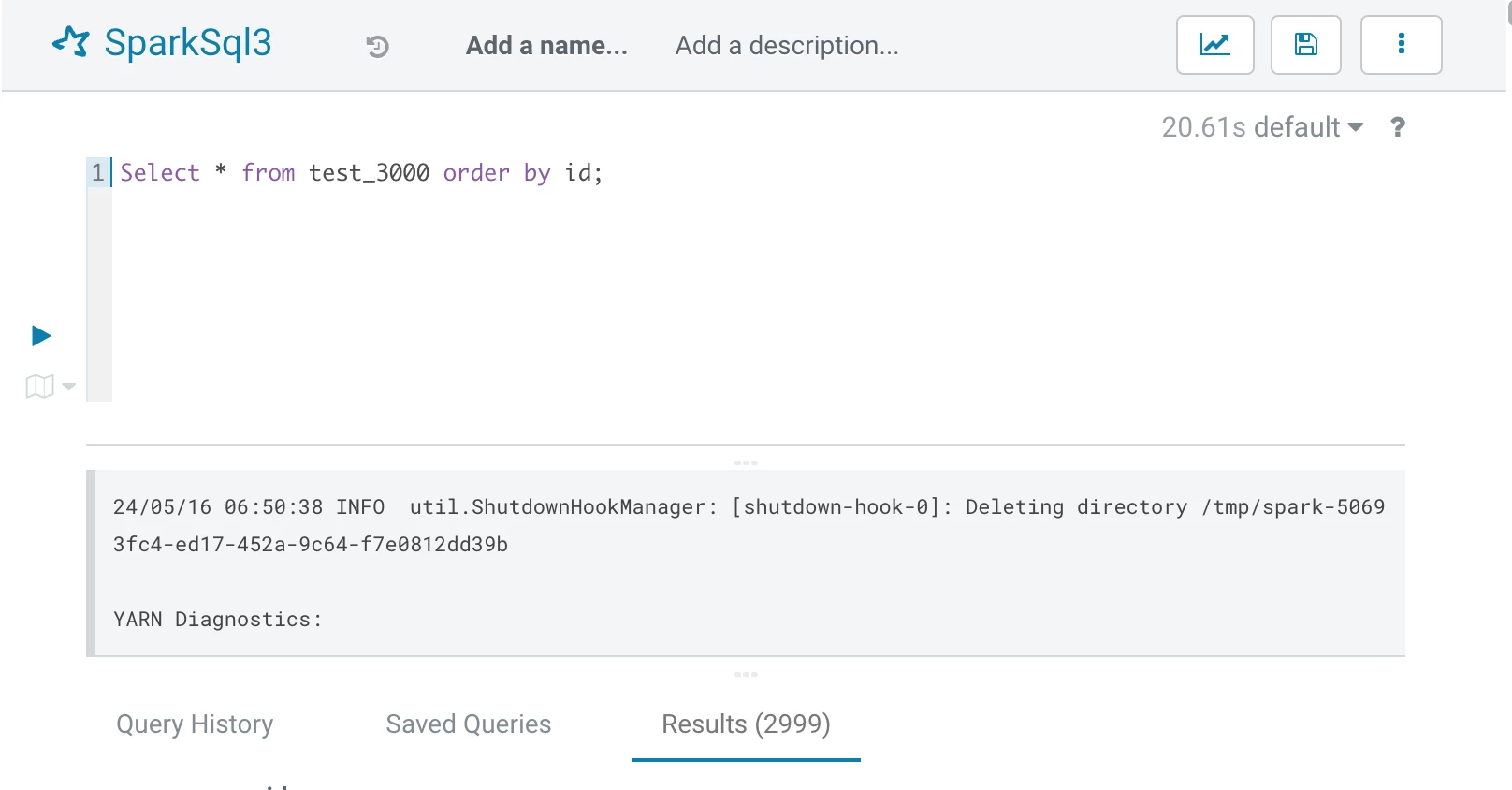
I have created a test_3000 table by inserting 1 to 2999 records. While running the query from Hue Spark3 editor you can see the following output:

Screenshot 2024-05-16 at 12.21.52 PM.png 

3 replies

VidyaSargur
Community Manager
Community Manager
May 15, 2024

@Bartlomiej, Welcome to our community! To help you get the best possible answer, I have tagged our Spark experts @RangaReddy @Babasaheb @ggangadharan who may be able to assist you further.

Please feel free to provide any additional information or details about your query, and we hope that you will find a satisfactory solution to your question.

Translate
Regards, Vidya Sargur, Community Manager Was your question answered? Make sure to mark the answer as the accepted solution. If you find a reply useful, say thanks by clicking on the thumbs up button.
RangaReddy
Gold ⭐️
Gold ⭐️
May 16, 2024

Hi @Bartlomiej 

You can use livy.rsc.sql.num-rows parameter to adjust the number of rows wants to display.  

CM --> Livy for Spark3 --> Search for "Livy Server for Spark 3 Advanced Configuration Snippet (Safety Valve) for livy3-conf/livy.conf" and add the above parameter with value.

livy.rsc.sql.num-rows=5000

Screenshot 2024-05-16 at 12.11.14 PM.png


I have created a test_3000 table by inserting 1 to 2999 records. While running the query from Hue Spark3 editor you can see the following output:

Screenshot 2024-05-16 at 12.21.52 PM.png 

Translate
Bartlomiej
Gold ⭐️
May 16, 2024

Yes, this is it. 

Thank you so much for the prompt response.


Translate