@midee
Assuming you know how many space delimited strings you have, you could use the following NiFi Expression Language (NEL) statement to extract the first character from each string:
${attr1:substring(0,1)}${attr1:getDelimitedField(2,' '):substring(0,1)}${attr1:getDelimitedField(3,' '):substring(0,1)}
Above would take your example "Nifi Test Project" and produce "NTP".
If this was not a static number of strings, you would need to count the number of strings and then use the Advanced UI of the updateAttribute processor to execute the appropriate NEL statement depending on calculated number of strings in your source attribute
Here is an example UpdateAttribute processor configuration to accomplish this. Select "Configure" on the UpdateAttribute processor:
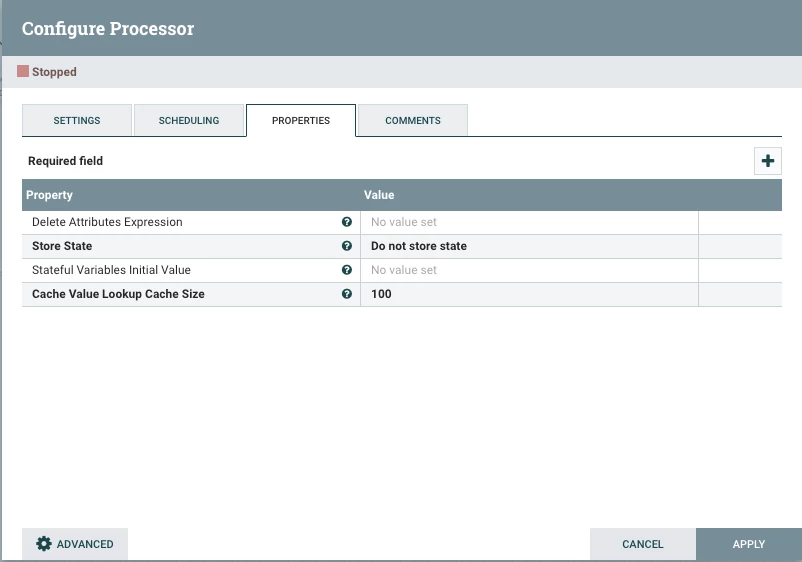
In the lower left you will see button to enter the "ADVANCED" UI.
Within that UI you will create a new RULE for each string count:
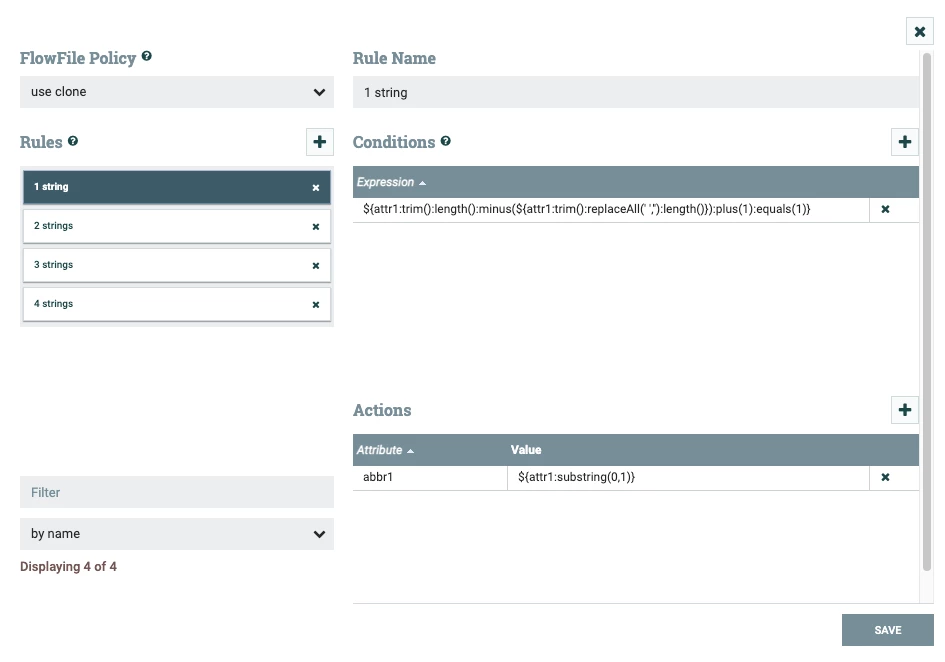
You then create a "Conditions" which must resolve to "TRUE" before the "Actions" are applied.
above image handles when the subject attribute value contains a single string. Below is example of more complicated Action when string count is equal to 4.
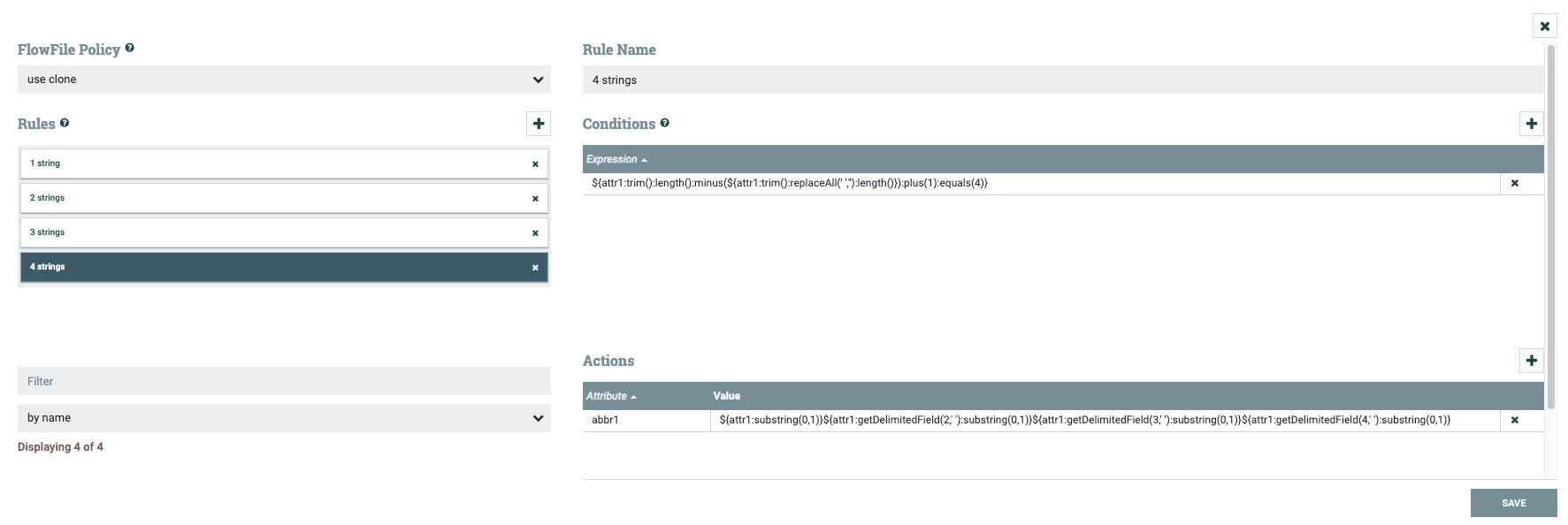
Adding more rules is as simple as copying the last rule and editing the Condition to increment equals value and add and additional "${attr1:getDelimitedField(5,' '):substring(0,1)}" to the end with the next incremented field count.
If you found this addressed your query, please take a moment to login and click "Accept as Solution".
Thank you,
Matt




