vikrant_kumar24
Silver ⭐️⭐️⭐️
February 13, 2020
Solved

NiFi : Getting error in ExecuteStreamCommand while executing the Python Script

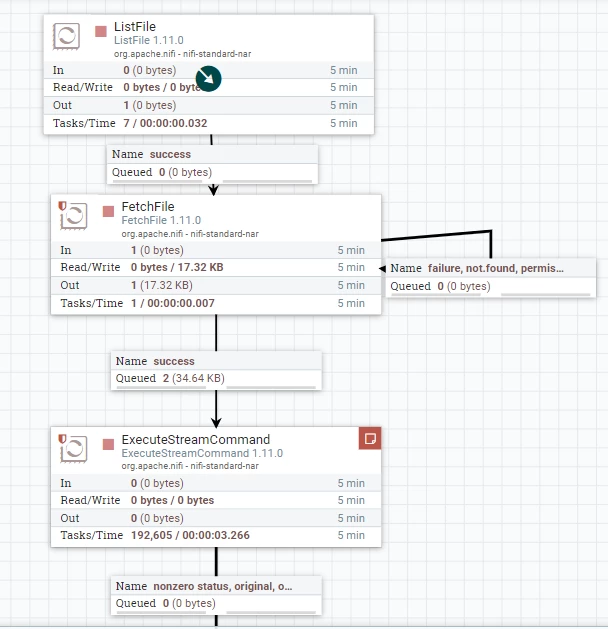
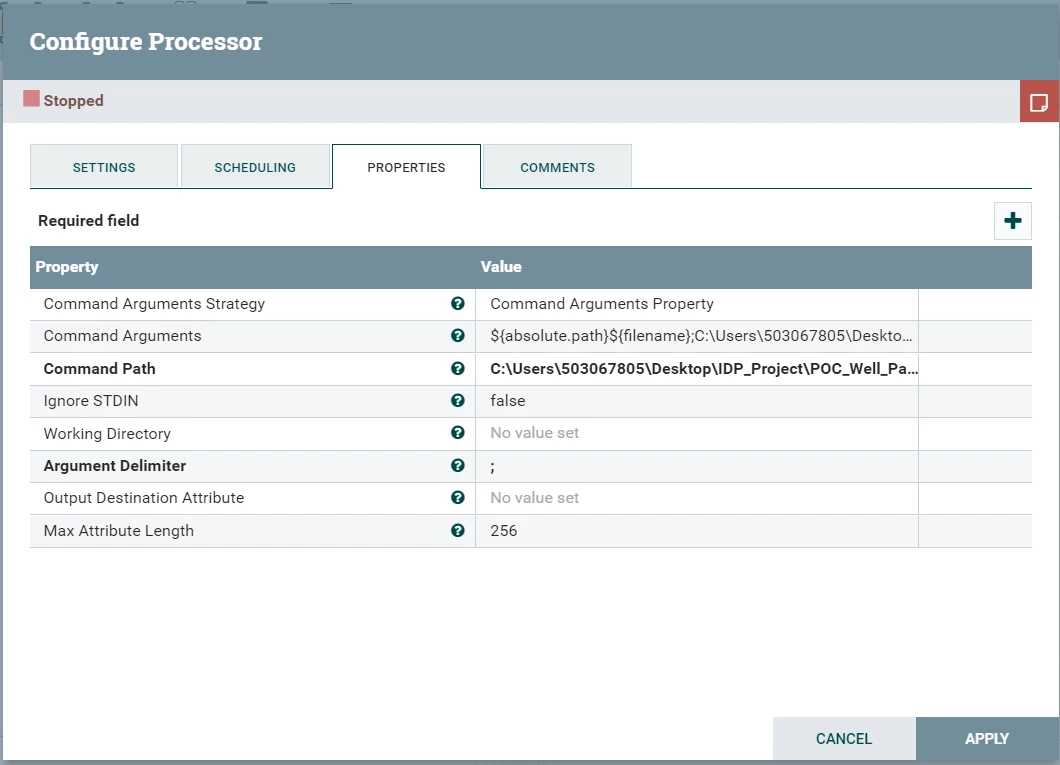
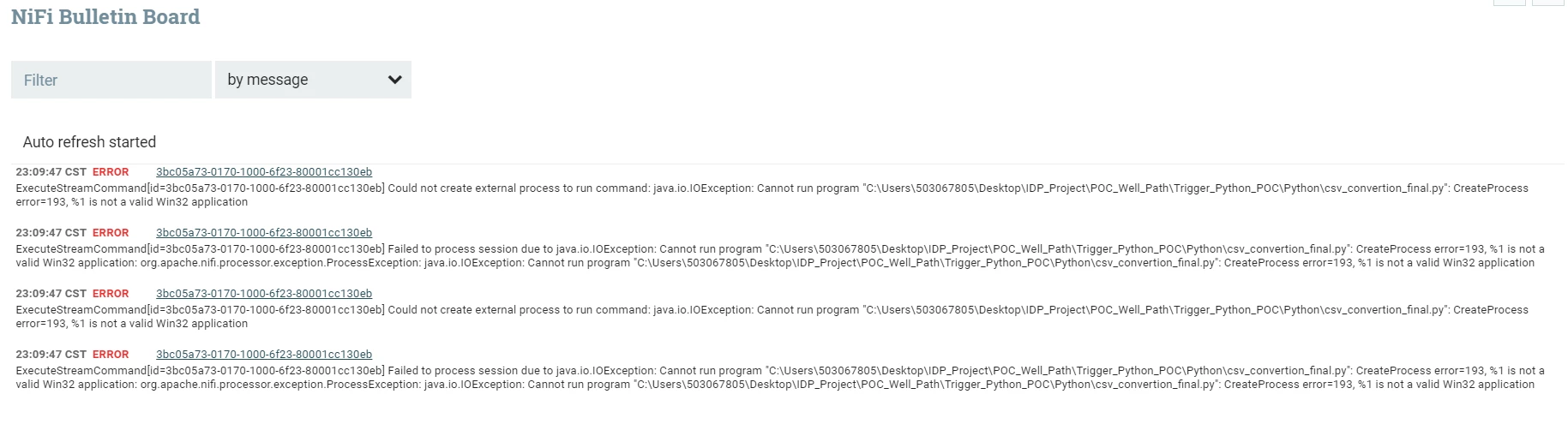
I am getting below errors while trying to trigger a python script using ExecuteStreamCommand Processor in NiFi. Attaching the screenshot of the properties of the processor. Please help


Below is the error in bulletin boardBulletin Board.PNGExecuteStreamCommand.PNGProperties ExecuteStreamCommand.PNG
23:21:24 CST
ERROR
 

ExecuteStreamCommand[id=3bc05a73-0170-1000-6f23-80001cc130eb] Failed to process session due to java.io.IOException: Cannot run program "C:\Users\503067805\Desktop\IDP_Project\POC_Well_Path\Trigger_Python_POC\Python\csv_convertion_final.py": CreateProcess error=193, %1 is not a valid Win32 application: org.apache.nifi.processor.exception.ProcessException: java.io.IOException: Cannot run program "C:\Users\503067805\Desktop\IDP_Project\POC_Well_Path\Trigger_Python_POC\Python\csv_convertion_final.py": CreateProcess error=193, %1 is not a valid Win32 application


 
23:21:24 CST
ERROR
 

ExecuteStreamCommand[id=3bc05a73-0170-1000-6f23-80001cc130eb] Could not create external process to run command: java.io.IOException: Cannot run program "C:\Users\503067805\Desktop\IDP_Project\POC_Well_Path\Trigger_Python_POC\Python\csv_convertion_final.py": CreateProcess error=193, %1 is not a valid Win32 application

 
23:21:24 CST
ERROR
 

ExecuteStreamCommand[id=3bc05a73-0170-1000-6f23-80001cc130eb] Failed to process session due to java.io.IOException: Cannot run program "C:\Users\503067805\Desktop\IDP_Project\POC_Well_Path\Trigger_Python_POC\Python\csv_convertion_final.py": CreateProcess error=193, %1 is not a valid Win32 application: org.apache.nifi.processor.exception.ProcessException: java.io.IOException: Cannot run program "C:\Users\503067805\Desktop\IDP_Project\POC_Well_Path\Trigger_Python_POC\Python\csv_convertion_final.py": CreateProcess error=193, %1 is not a valid Win32 application

 
23:21:24 CST
ERROR
 

ExecuteStreamCommand[id=3bc05a73-0170-1000-6f23-80001cc130eb] Could not create external process to run command: java.io.IOException: Cannot run program "C:\Users\503067805\Desktop\IDP_Project\POC_Well_Path\Trigger_Python_POC\Python\csv_convertion_final.py": CreateProcess error=193, %1 is not a valid Win32 application

 
23:21:24 CST
ERROR
 

ExecuteStreamCommand[id=3bc05a73-0170-1000-6f23-80001cc130eb] Failed to process session due to java.io.IOException: Cannot run program "C:\Users\503067805\Desktop\IDP_Project\POC_Well_Path\Trigger_Python_POC\Python\csv_convertion_final.py": CreateProcess error=193, %1 is not a valid Win32 application: org.apache.nifi.processor.exception.ProcessException: java.io.IOException: Cannot run program "C:\Users\503067805\Desktop\IDP_Project\POC_Well_Path\Trigger_Python_POC\Python\csv_convertion_final.py": CreateProcess error=193, %1 is not a valid Win32 application

MattWho
MattWhoAnswer
Titanium ⭐️⭐️⭐️
February 14, 2020

@vikrant_kumar24 


The ExecuteStreamCommand processor is not doing anything fancy here.  It is just trying to execute the command you enter.  Assuming the command was "myscript.py", The executeStreamCommand would be doing same thing as you would if you opened a terminal window on your NiFi node and clicked on "myscript.py" to run it.  Keep in mind that NiFi is performing this action as the user that owns the NiFi java process.  The ExecuteStreamCommand processor will pass the FlowFiles content (if there is any) to stdin.


Have you perhaps looked at the ExecuteScript processor instead?


Hope this helps,

Matt

10 replies

MattWho
Titanium ⭐️⭐️⭐️
Titanium ⭐️⭐️⭐️
February 13, 2020

@vikrant_kumar24 


If you open a terminal window on your Windows server, can you execute your python script?
If you are not successful from command line, the ExecuteStreamCommand processor is not going to be successful as well.


Thanks,

Matt

Translate
vikrant_kumar24
Silver ⭐️⭐️⭐️
February 13, 2020

Hi Mat I can execute the script from spyder (Anaconda) and it is successful. From executestreamcommand processor its not even triggering the script it seems. Its a .py file in the folder. Can this be an issue?

Translate
MattWho
Titanium ⭐️⭐️⭐️
Titanium ⭐️⭐️⭐️
March 6, 2020

@vikrant_kumar24 

You would not configure your python script to write to an XML file on disk


NiFi handles the FlowFile creation in the framework. Any data passed by your Python script to STDOUT will be populated into the content of the resulting flowfile passed to the output stream relationship of the ExecuteStreamCommand processor. Your script does not need to have any awareness of what. FlowFile is or how it is created.


So you simply have your python script send the XML content to STDOUT and NiFi will take care of putting that content in to the FlowFile that will be produced and routed to the "output.stream" relationship of the processor.  You can then use the updateAttribute processor the change the filename associated with that content.


Hope this helps,

Matt

Translate
lt56
Silver ⭐️⭐️
February 9, 2023

I am having the same problem with head as the command, -1 as the argument, and csv in the content of my flowfile. I read someplace that nifi "lost the state"; what does that mean? I have the flowfile, it has content. Why can't the ESC processor send the first line of the file to the attribute I name? 

Translate
Mamatha
Silver ⭐️
August 18, 2023

I was able to resolve this error, by making the below configuration to ExecuteStreamCommand:

Command Path: <complete path of python.exe>

Command Arguments: <complete path of your script>;<other arg>;<other arg>

Translate