Nifi Split/Merge record fail on schema with CHOICE value
Hi,
I have an issue with the split/merge of a flowfile containing data in GeoJSON format. The input records have a "geometry" field. Out of the 100,000 elements, 99,999 are polygons (schema ARRAY[ARRAY[ARRAY[DOUBLE]]]), and 1 is a multipolygon (ARRAY[ARRAY[ARRAY[ARRAY[DOUBLE]]]]). The split appears to work fine, but the merge fails with the following reason:
MergeRecord[id=018d1000-b9c2-12b6-b7e9-c2b9feebd172] Failed to write MapRecord[{idu=17142000BE0307, geometry=MapRecord[{type=MultiPolygon, coordinates=[Ljava.lang.Object;@49cbb2a3}], statut_foncier=Privé}] with reader schema ["idu" : "STRING", "geometry" : "RECORD", "statut_foncier" : "STRING"] and writer schema ["idu" : "STRING", "geometry" : "RECORD", "statut_foncier" : "STRING"] as a JSON Object due to org.apache.nifi.serialization.record.util.IllegalTypeConversionException: Cannot convert value [[Ljava.lang.Object;@201dfc5d] of type class [Ljava.lang.Object; to Double for field coordinates: org.apache.nifi.serialization.record.util.IllegalTypeConversionException: Cannot convert value [[Ljava.lang.Object;@201dfc5d] of type class [Ljava.lang.Object; to Double for field coordinates
MergeRecord[id=018d1000-b9c2-12b6-b7e9-c2b9feebd172] Failed to write MapRecord[{type=MultiPolygon, coordinates=[Ljava.lang.Object;@49cbb2a3}] with reader schema ["type" : "STRING", "coordinates" : "CHOICE[ARRAY[ARRAY[ARRAY[DOUBLE]]], ARRAY[ARRAY[ARRAY[ARRAY[DOUBLE]]]]]"] and writer schema ["type" : "STRING", "coordinates" : "ARRAY[ARRAY[ARRAY[DOUBLE]]]"] as a JSON Object due to org.apache.nifi.serialization.record.util.IllegalTypeConversionException: Cannot convert value [[Ljava.lang.Object;@201dfc5d] of type class [Ljava.lang.Object; to Double for field coordinates: org.apache.nifi.serialization.record.util.IllegalTypeConversionException: Cannot convert value [[Ljava.lang.Object;@201dfc5d] of type class [Ljava.lang.Object; to Double for field coordinates
The schema is, in my understanding, being adhered to. CHOICE[ARRAY[ARRAY[ARRAY[DOUBLE]]], ARRAY[ARRAY[ARRAY[ARRAY[DOUBLE]]]]] is compatible with ARRAY[ARRAY[ARRAY[DOUBLE]]].
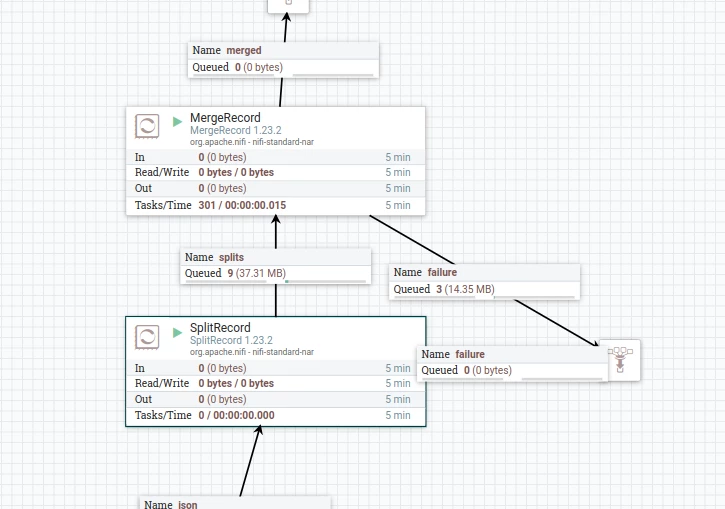
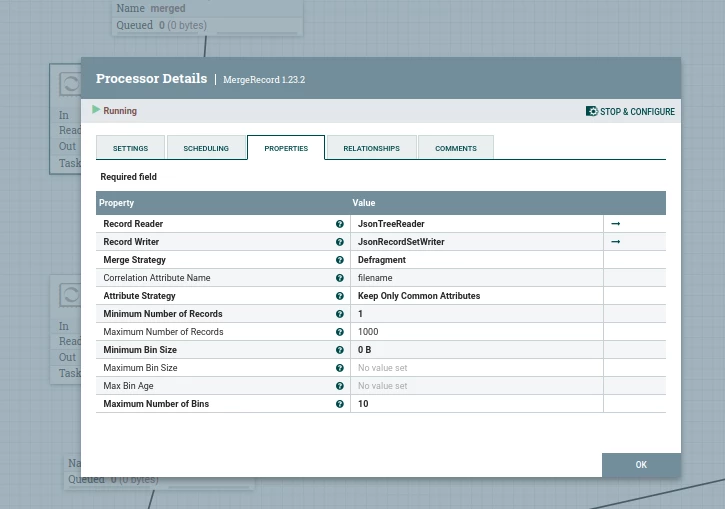
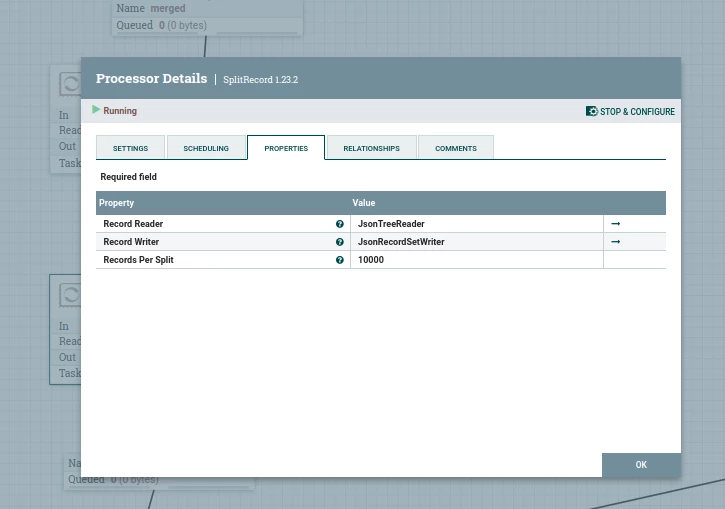
I have included a screenshot of the process group and the two processors for your reference.