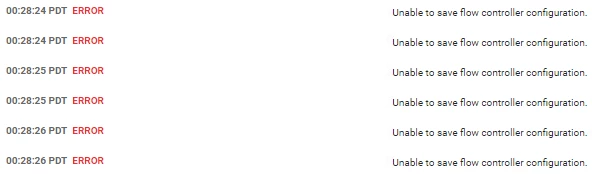
Hi , @krishna123,
Thanks for the output! This explains the issue that you're seeing.
You mentioned before that you were using Java 1.8.0_275, but the log line you just provided shows that NiFi is actually using Java 1.8.0_74.
In this version of Java, cryptographic key sizes are limited and NiFi cannot not handle AES keys larger than 128 bits. Because of that, NiFi fails to instantiate AES iphers properly. To enable that in your Java version, you would have to download the Java Cryptography Extension (JCE) Unlimited Strength policies and copy them to your Java home manually to allow AES keys of size 256 and larger. These policies are only included by default in the JDK starting from update 1.8.0_162.
If you already have Java 1.8.0_275 installed, make sure NiFi can see it and use it. This will solve your problem. You can verify which Java version NiFi is using by checking the line that I mentioned in the log.
Cheers,
André
--
Was your question answered? Please take some time to click on "Accept as Solution" below this post.
If you find a reply useful, say thanks by clicking on the thumbs up button.
-- Was your question answered? Please take some time to click on "Accept as Solution" below this post. If you find a reply useful, say thanks by clicking on the thumbs up button.