Our Community is getting an upgrade! To get everything ready for the relaunch, we’ll be placing the site in read-only mode starting September 21st.
We really appreciate your understanding while we get things set up behind the scenes. Catch up on all the exciting details about the move here.
Need help or have questions? Drop us a line at [email protected]

Support Questions

Find answers, ask questions, and share your expertise
Announcements
Share your experience with Cloudera on G2 and get a $25 Amazon Gift card.
Hi, I'm CLEO! Something exciting is coming to the Community. Stay Tuned!

Unable to access Livy admin ui from Cloudera manager getting 403 error (CDP 7.1.7)

avatar
Explorer

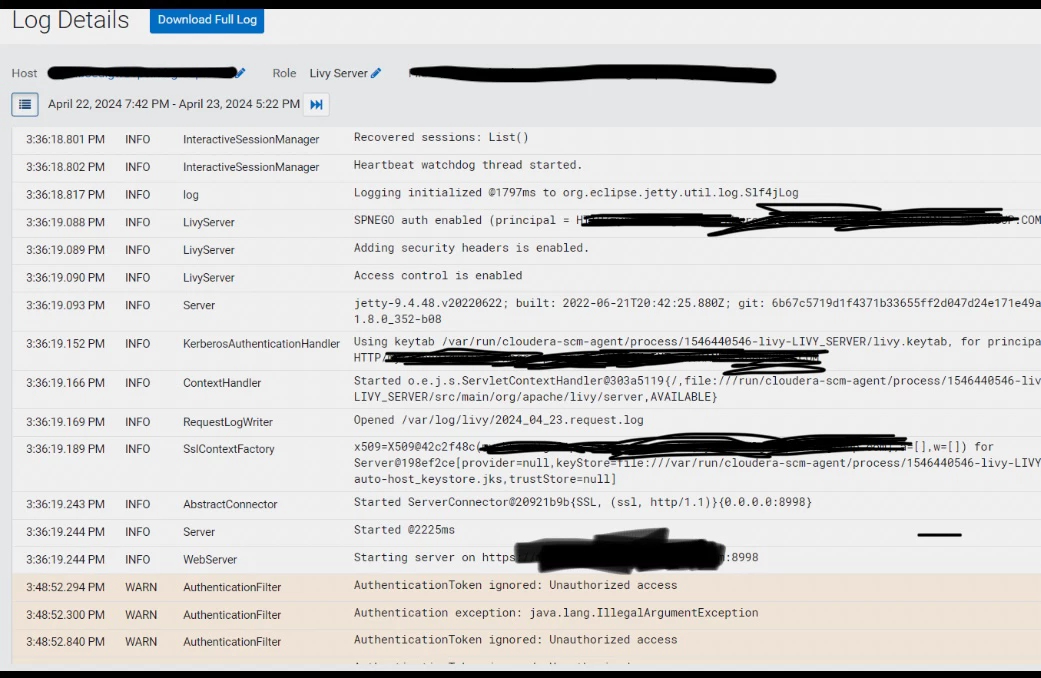
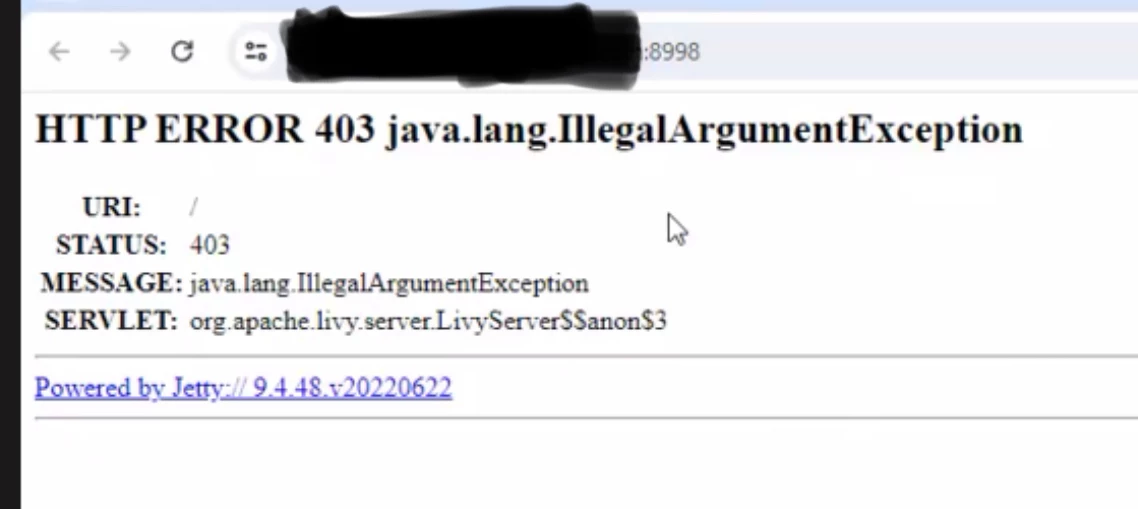
I have installed Livy service in Cloudera CDP (7.1.7) cluster, accessing the admin web ui throwing 403 error. 

See the details below:
 

soumM_0-1713938803360.png

soumM_1-1713939027573.png


1 ACCEPTED SOLUTION

avatar
Master Collaborator

Hello @soumM 

Seem Spnego is enabled for livy web UI.

Can you check Livy >> Configuration >> livy_spnego_enabled
If Spnego is enabled, you need to have a Kerberos ticket on the local machine, and the browser needs to be configured for Kerberos authentication.

You can uncheck spnego_enabled to allow anonomous user to access the web ui

Livy >> Configuration >> livy_spnego_enabled and try accessing it without any authentication.

View solution in original post

2 REPLIES 2

avatar
Master Collaborator

Hello @soumM 

Seem Spnego is enabled for livy web UI.

Can you check Livy >> Configuration >> livy_spnego_enabled
If Spnego is enabled, you need to have a Kerberos ticket on the local machine, and the browser needs to be configured for Kerberos authentication.

You can uncheck spnego_enabled to allow anonomous user to access the web ui

Livy >> Configuration >> livy_spnego_enabled and try accessing it without any authentication.

avatar
Explorer

@Scharan THANKS , Its working now.