
saivenkatg55
Silver ⭐️⭐️⭐️
December 23, 2019
Solved

Unable to create the notebook in zeppelin .

I have created new notebook in zeppelin but unable to open it. can some one can help on this.

Attaching the screenshotzeep.PNG
Shelton
SheltonAnswer
Gold ⭐️⭐️⭐️
January 1, 2020

@saivenkatg55 

You didn't respond to this answer, do you still need help or it was resolved if so please do accept and close the thread.


3 replies

senthh
Gold ⭐️
Gold ⭐️
December 25, 2019

Hi


Are you not able to see note which you created in "NoteBook List Box"? If not please try creating new Note from "Notebook Listbox on top left-side screen"-->Create New note--Provide Name and Interpreter. Then you will be able to see the note which you created

Translate
Shelton
Gold ⭐️⭐️⭐️
December 25, 2019

@saivenkatg55 


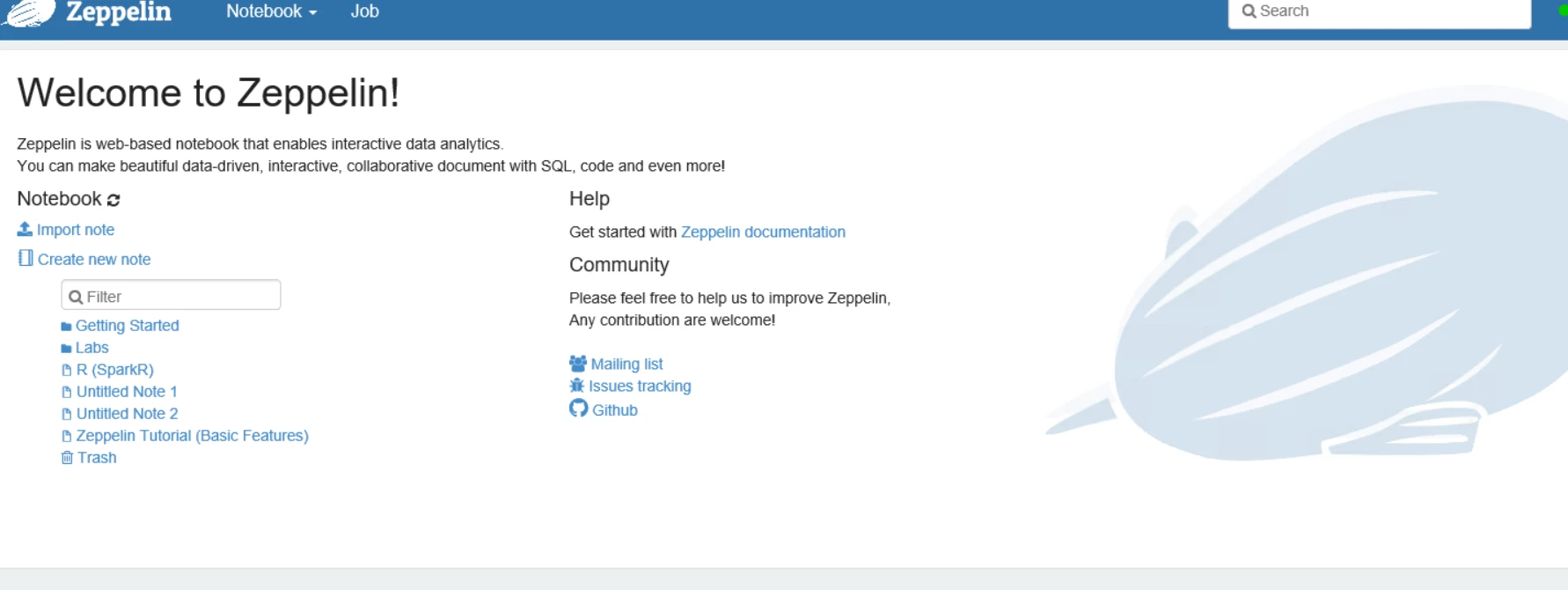
For the screenshots, the 2 notebooks you create are Untitled Note 1 and Untitled Note 2 

zep_notebook.PNG

which should appear in the drop-down list under Notebook on the top menu.

zep_notebook2.PNG

Below I will create a Spark interpreter notebook named saivenkatg55   from step 2 above
zep_notebook3.PNG

This should appear on the under the notebook
zep_notebook4.PNG

zep_notebook5.PNG

Launched a test


zep_notebook6.PNG


I can see the job was accepted and running in RM UI
zep_notebook7.PNG

So where exactly are you encountering issues?

Happy hadooping !


Translate
Shelton
SheltonAnswer
Gold ⭐️⭐️⭐️
January 1, 2020

@saivenkatg55 

You didn't respond to this answer, do you still need help or it was resolved if so please do accept and close the thread.


Translate



