
Ninja
Silver ⭐️⭐️⭐️
October 26, 2022
Question

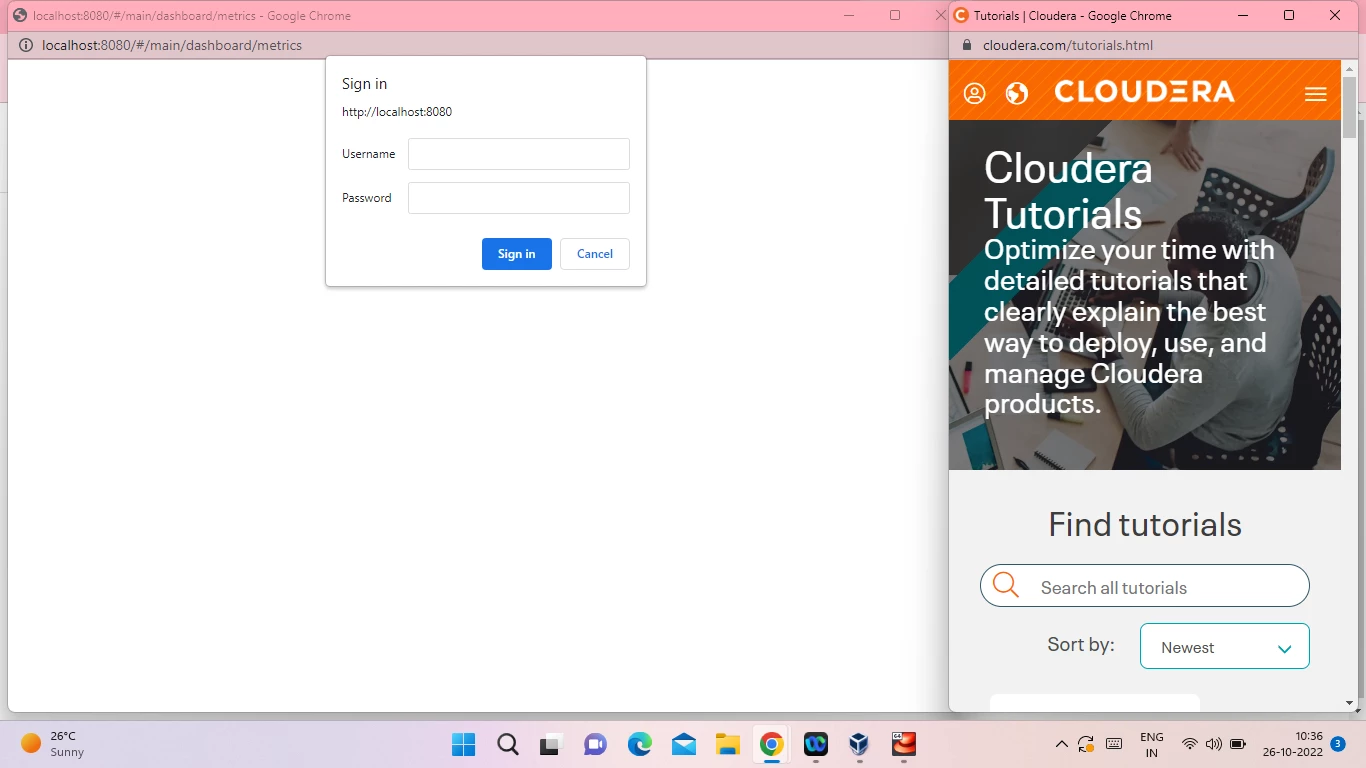
Unable to login in Ambari tried all the passwords

also tried on web shell client gettiing  server not yet listening on http port 8080 after 50 seconds Exiting.Tried all passwords plz help?
Ninja_0-1666760915066.png


22 replies

Azhar_Shaikh1
Gold ⭐️
Gold ⭐️
October 26, 2022

Do you see any error in amabari-server logs ?

Translate
Ninja
NinjaAuthor
Silver ⭐️⭐️⭐️
October 26, 2022

i am new to hdp installing first time can u plz tell me from where to see the logs i tried all the pass but unable to login to ambari ui>

Translate
Azhar_Shaikh1
Gold ⭐️
Gold ⭐️
October 26, 2022

Are you able to login with default username and password. username:admin and password:admin?

Translate
Ninja
NinjaAuthor
Silver ⭐️⭐️⭐️
October 26, 2022

No brother that page is even not loading completely u can see in the above image.i tried all possible passwords i think issue is something else

Translate
Ninja
NinjaAuthor
Silver ⭐️⭐️⭐️
October 26, 2022

Screenshot (7).png


Translate
Ninja
NinjaAuthor
Silver ⭐️⭐️⭐️
October 26, 2022

Screenshot (8).png

Translate
Ninja
NinjaAuthor
Silver ⭐️⭐️⭐️
October 26, 2022

attached images u can get a better idea whats the issue ? would be grateful to u

Translate
Shelton
Gold ⭐️⭐️⭐️
October 26, 2022

@Ninja  is this a sandbox if yes can you share the download link?
Have you tried  the below and restarting ambari?

Spoiler
# Update password
ambari-admin-password-reset
# If Ambari doesn't restart automatically, restart ambari service
ambari-agent restart

Please let me know 


Geoffrey


Translate
Ninja
NinjaAuthor
Silver ⭐️⭐️⭐️
October 26, 2022

Hi Shelton yes it is hdp 2.65 i tried it gives error server can't listen to port 8080 connection refused.

Translate
Shelton
Gold ⭐️⭐️⭐️
October 27, 2022

@Ninja 

Cool send me the link I will download it and  give you the steps.


Translate
Shelton
Gold ⭐️⭐️⭐️
October 30, 2022

@Ninja 
Your problem is resolved and here are the steps
Downloaded the images in the link H DP3.0.1  extracted  successfully 

Virtualbox setup ensure you enable only bridged adapter and deselect the NAT on Adapater1 gave my sandboy 10 GB plus 4 CPU's  

Shelton_7-1667134800139.png

Extraction of the HDP it really takes a while

Shelton_0-1667134297833.png

Extraction

Shelton_2-1667134337174.png


Post extraction you are presented with this screen  note the ssh IP linked to the bridge adapter IP

Shelton_3-1667134370980.png


Opened the web host CLI using 192.168.0.103 IP in my case your could be different  you will be prompted for root default password hadoop and immediately forced to change the default password to something stronger .

After successfully changing then you and now in business  at the root prompt type  the below
# ambari-admin-password-reset
The above will reset the ambari password I went the simple way with admin/admin when you see that ambari is listening to port 8080  then you are done 

Shelton_4-1667134413386.png

Using Chrome opened the Ambari UI
Using the password set above  admin/admin in my case open the Ambari web UI 

Shelton_5-1667134525383.png


Logged in successfully

Shelton_6-1667134582700.png

There you go 


Translate
Shelton
Gold ⭐️⭐️⭐️
October 30, 2022

@Ninja  downloaded the 2.6.5 and there is no difference in the steps above.

Please let me know if you still need help 

Translate
Ninja
NinjaAuthor
Silver ⭐️⭐️⭐️
October 31, 2022

Screenshot (9).pngScreenshot (10).png

Translate
Ninja
NinjaAuthor
Silver ⭐️⭐️⭐️
October 31, 2022

@Shelton  same error bro

Translate


