chhaya_vishwaka
Silver ⭐️⭐️⭐️
February 5, 2020
Solved

Unable to open NIFI web UI after TLS

Hi All,


I enabled TLS for NIFI web UI ( CDF ) , while services are running fine on cluster I'm unable to access NIFI web UI from my browser. Below are the steps I followed please suggest what might be causing issue ?


I repeated below steps for all the machines in my nifi cluster


1. Received signed host certificate from IT team ( <hostname>.pem ) , also rootca (root.pem)

2. Copy the JDK cacerts file to jssecacerts as follows:


sudo cp $JAVA_HOME/jre/lib/security/cacerts $JAVA_HOME/jre/lib/security/jssecacerts


3. import rootca cert into JKS store


sudo $JAVA_HOME/bin/keytool -importcert -alias rootca -keystore $JAVA_HOME/jre/lib/security/jssecacerts -file /opt/cloudera/security/pki/root.pem


4. Created JKS and imported host certificate in keystore.


$JAVA_HOME/bin/keytool -genkeypair -alias $(hostname -f) -keyalg RSA -keystore /opt/cloudera/security/pki/$(hostname -f).jks -keysize 2048 -dname "CN=$(hostname -f),OU=Engineering,O=Cloudera,L=Singapore,ST=Singapore,C=Singapore" -ext san=dns:$(hostname -f)
sudo $JAVA_HOME/bin/keytool -importcert -alias $(hostname -f) -file /opt/cloudera/security/pki/$(hostname -f).pem -keystore /opt/cloudera/security/pki/$(hostname -f).jks


5. creating symlinks


sudo ln -s /opt/cloudera/security/pki/$(hostname -f).pem /opt/cloudera/security/pki/agent.pem

sudo ln -s /opt/cloudera/security/pki/$(hostname -f).jks /opt/cloudera/security/pki/server.jks


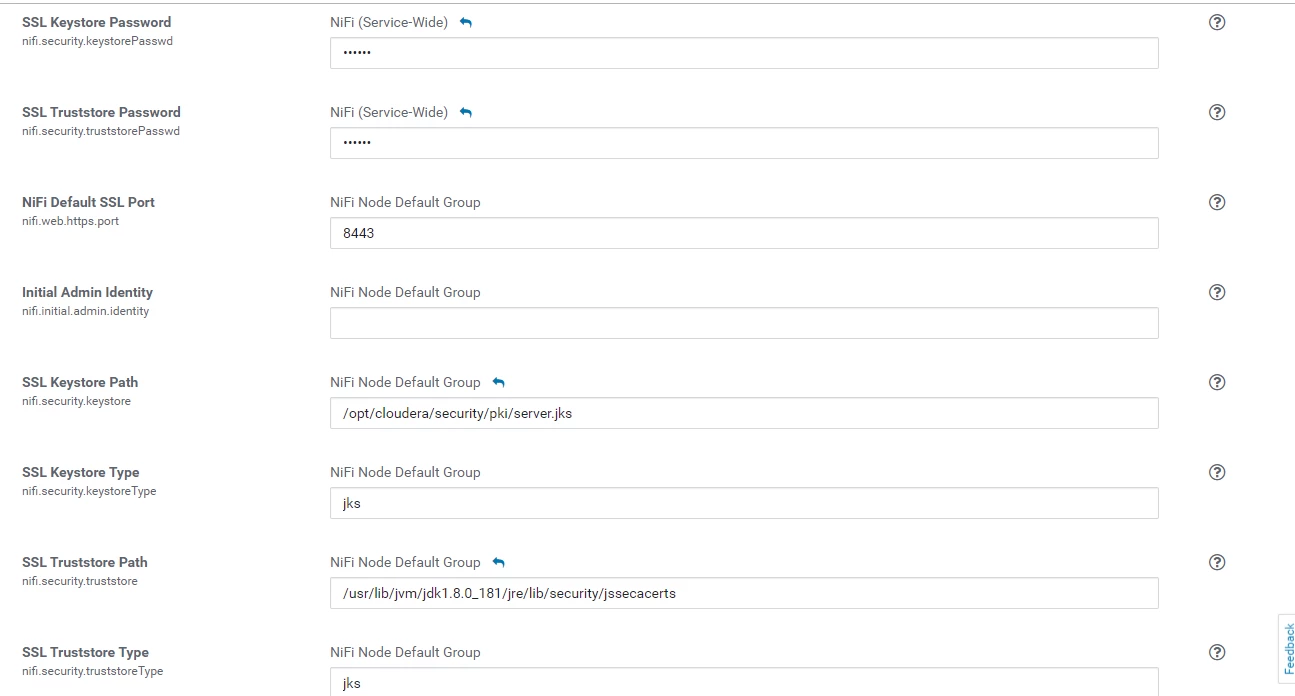
6. Enabled TLS from Cloudera Manager for NIFI

nif_tls.PNGnifi_cm_ssl.PNG

7. Restarted services from Cloudera manager 

nifi_health.PNG


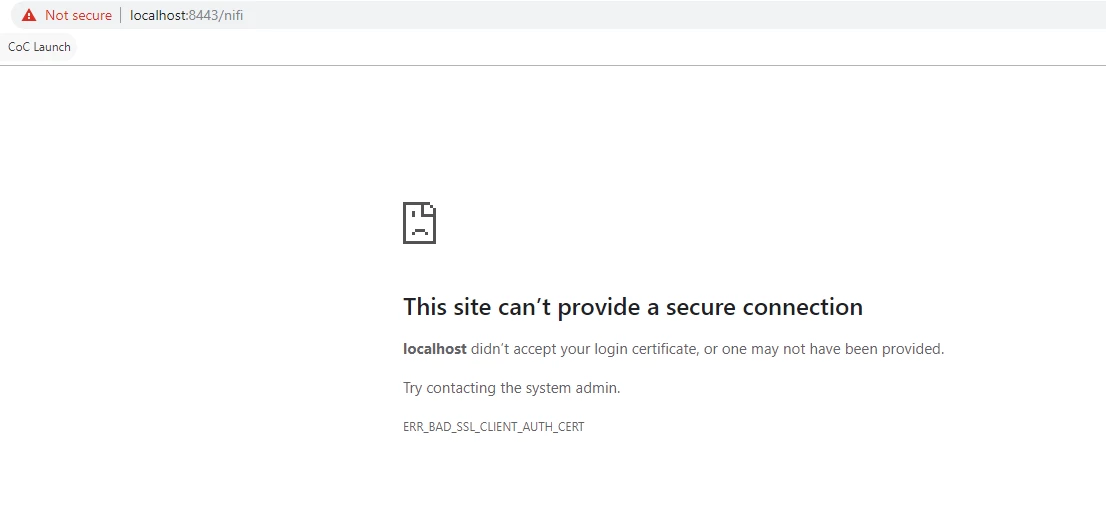
8. Unable to access from Browser 


nifi_tls_issue.PNG


MattWho
MattWhoAnswer
Titanium ⭐️⭐️⭐️
February 11, 2020

@chhaya_vishwaka 


Please stop your NiFi nodes and delete the local NiFi "state" directory on each of them.  Then restart your NiFi nodes to see if this helps.  Removing the local state will clear out the retained node information which may still contain info about your nodes before they were secured.

Thanks,

Matt

13 replies

MattWho
Titanium ⭐️⭐️⭐️
Titanium ⭐️⭐️⭐️
February 5, 2020

@chhaya_vishwaka 

NiFi keystore requirements:
1. NiFi Keystore must contain only ONE PrivateKeyEntry
2. NiFi does not support using wildcards in certificate DNs
3. PrivateKeyEntry must support both clientAuth and serverAuth Extended Key Usage (EKU)
4. PrivateKeyEntry must contain at least one Subject Alternative Name (SAN) entry that matches the hostname on which the keystore is being used.

You can obtain a verbose output of your keystore using the keytool command to verify all of the above criteria are met:

keytool -v -list -keystore <your keystore file>


Once above is verified, you need to make sure the truststore being used by all your NiFi nodes contains the complete certificate trust chain for your server certificates. This means if your server certificate was signed by an intermediate CA, your truststore must contain the public certificate for that intermediate CA as well as the public certificate for the signer of the intermediate CA.  Yo u may have several intermediate CAs in-line before you finally reach the rootCA (owner and issuer are the same).

Once above is verified, now it should be just a matter of authenticated and authorized access to your secured NiFi.  By default when you enable TLS in NiFi, all clients/users are expected to authenticate with NiFi using a user certificate which they load in their browser.  NiFi does not have local user for purpose of authentication.

NiFi can be configured to support additional forms of user authentication such as Spnego, LDAP, kerberos, OpenID connect, etc.  Refer to the admin guide and user guide for more detail.  Your browser screenshot indicates that you do not have a client/user certificates loaded in your browser which your secured NiFi can trust and since NiFi did not redirect you to login page, you do not have a login provider configured in your login-identity-providers.xml (or nifi.properties file is not configured to use it if you do).

Hope this detail helps you on the path to resolving your issue,

Matt

Translate
chhaya_vishwaka
Silver ⭐️⭐️⭐️
February 7, 2020

Hi @MattWho  I have checked configurations as mentioned by you but still I'm stuck at same issue, can you advise ?

Translate
Thoma1s
Silver ⭐️⭐️
April 1, 2020

The site does not use SSL, but shares an IP address with some other site that does.

Translate