@techNerd
Questions for you:
1. Is Computer B consuming all the files LocalFolder and from every sub-directory within c:\users\LocalFolder? If yes, then your SFTP processor should be configured to Search Recursively.
2. Once consumed by computer B, are the original file being left on Computer A? If yes, you do NOT want to use the GetSFTP processor as it will refetch the same files over and over again each time it executes since they are not being removed from Computer A.
A typical dataflow here would look like this:
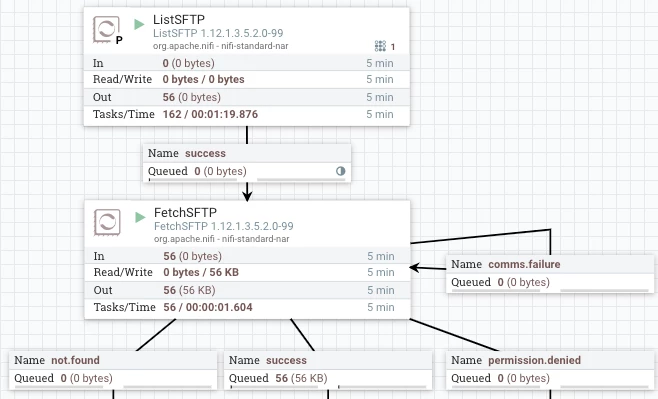
The ListSFTP processor would be configured to use as follows:
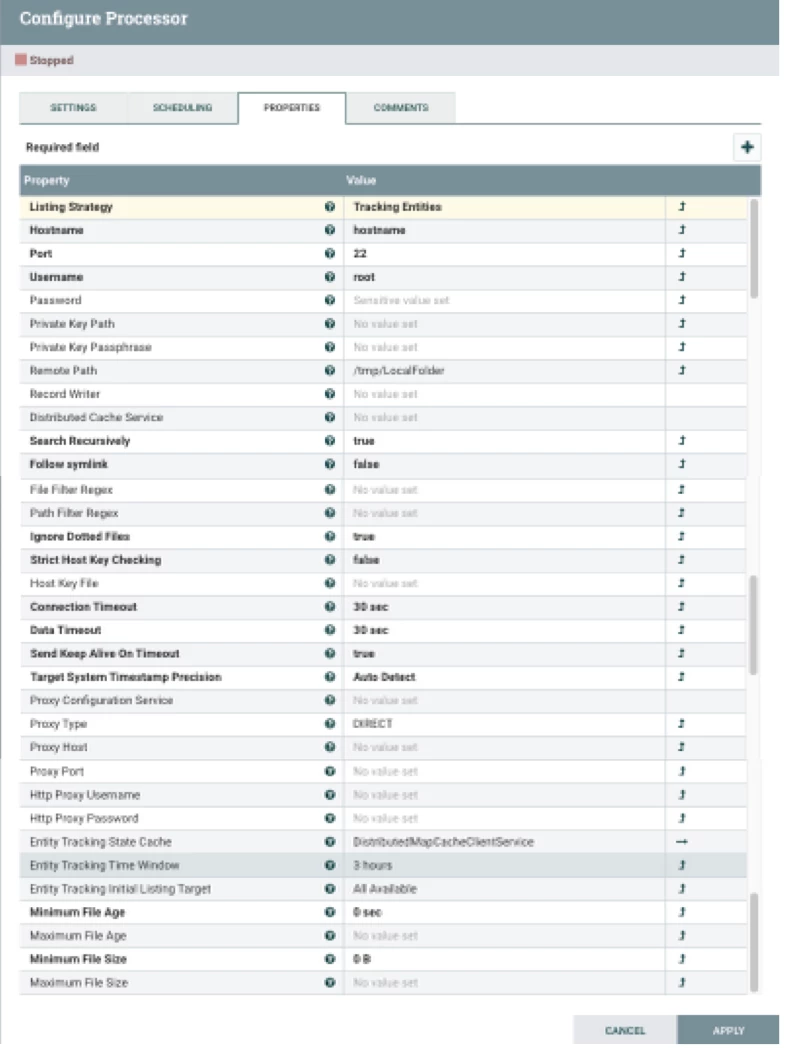
The "Tracking Entities" listing strategy will help when source files may have older timestamps than files previously listed from a different directory. Using this listing strategy requires you to set a "Entity Tracking State Cache". There are multiple cache services to choose from. I simply used the "DistirbutedMapCacheClientService" controller service which gets configured to point at a "DistributedMapCacheServer"controller service I also setup within the same NiFi.
The "Remote Path" is set to the top most folder you want to start listing files from ( C:\User\LocalFolder\ ).
The "Search Recursively" property is set to "True" so that any random new sub folders added are also searched.
The "Success" relationship is then routed via a connection from the ListSFTP to the FetchSFTP processor.
The FlowFiles produced by the ListSFTP processor will have numerous FlowFile Attributes set on them that will be used later to persist your directory structure and to fetch the content via the FetchSFTP processor.
You can list the flowfiles on a queue and click the "view details" icon next to nay listed FlowFile to see the attributes currently assigned to that FlowFile.
For example:
filename = testfile-32.txt
path = /tmp/LocalFolder
sftp.remote.host = <SFTP server hostname>
sftp.remote.port = 22
Then if you look at attributes for file from an added SubFolder:
filename = testfile-31.txt
path = /tmp/LocalFolder/SubFolder
sftp.remote.host = <SFTP server hostname>
sftp.remote.port = 22
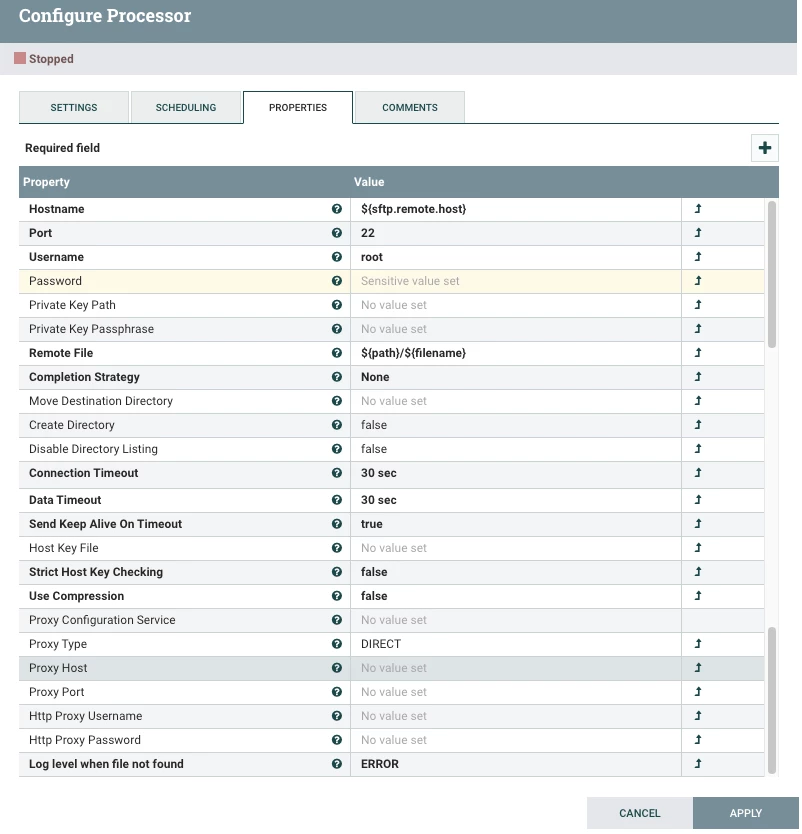
The FetchSFTP processor then uses these attributes set on each FlowFile to fetch the actual content from the source SFTP server:
Downstream in your dataflow after you have fetched the content, you can still use the Attributes on each FlowFile when working with yoru FlowFiles.
For example using the "path" attribute to dynamically control where a FlowFile will be written on a target system (might be the local NiFi via PutFile processor, another SFTP server somewhere else, etc.).
If you found this addressed your query, please take a moment to login and click "Accept" on all provided solutions that helped.
Thank you,
Matt




