

dyhiamedjouti
Silver ⭐️
March 11, 2023
Solved

je n'arrive pas à accéder a NIFI

Bonjour, j'ai installé NIFI en suivant la documentation, j'ai bien evidement vérifié que j'avais le bon java, mais au moment d'accéder au portail localhost, je n'y arrive pas, ca me met ça: Capture d’écran 2023-03-11 161529.png
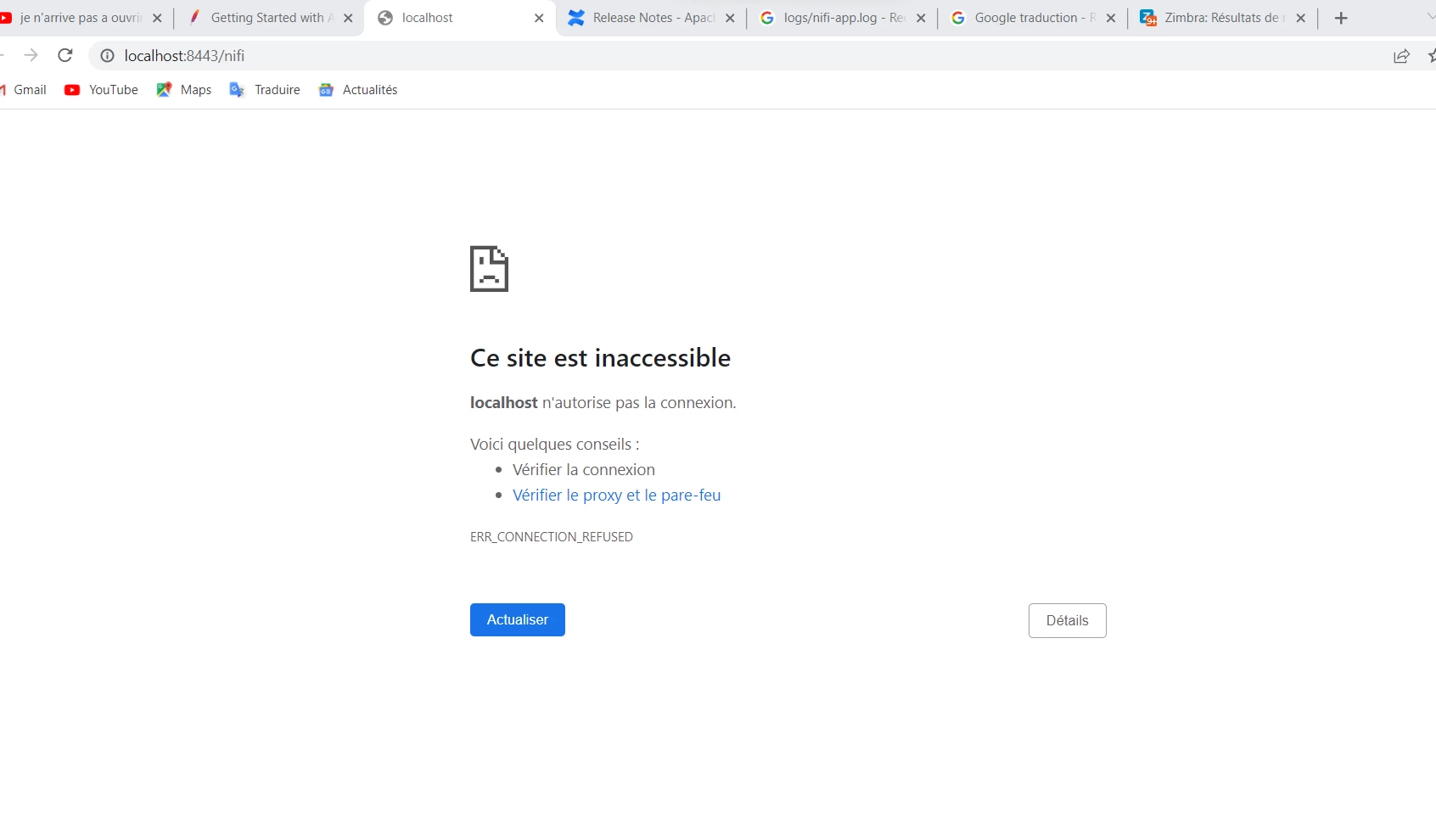
Bien evidemment je l'ai la,cé avant, voici ce que dit la cmd ou je le lance, aussi je ne trouve pas mes identiifiants comme convenu dans le fichier logs, quelqu'un pourrait m'aider svp
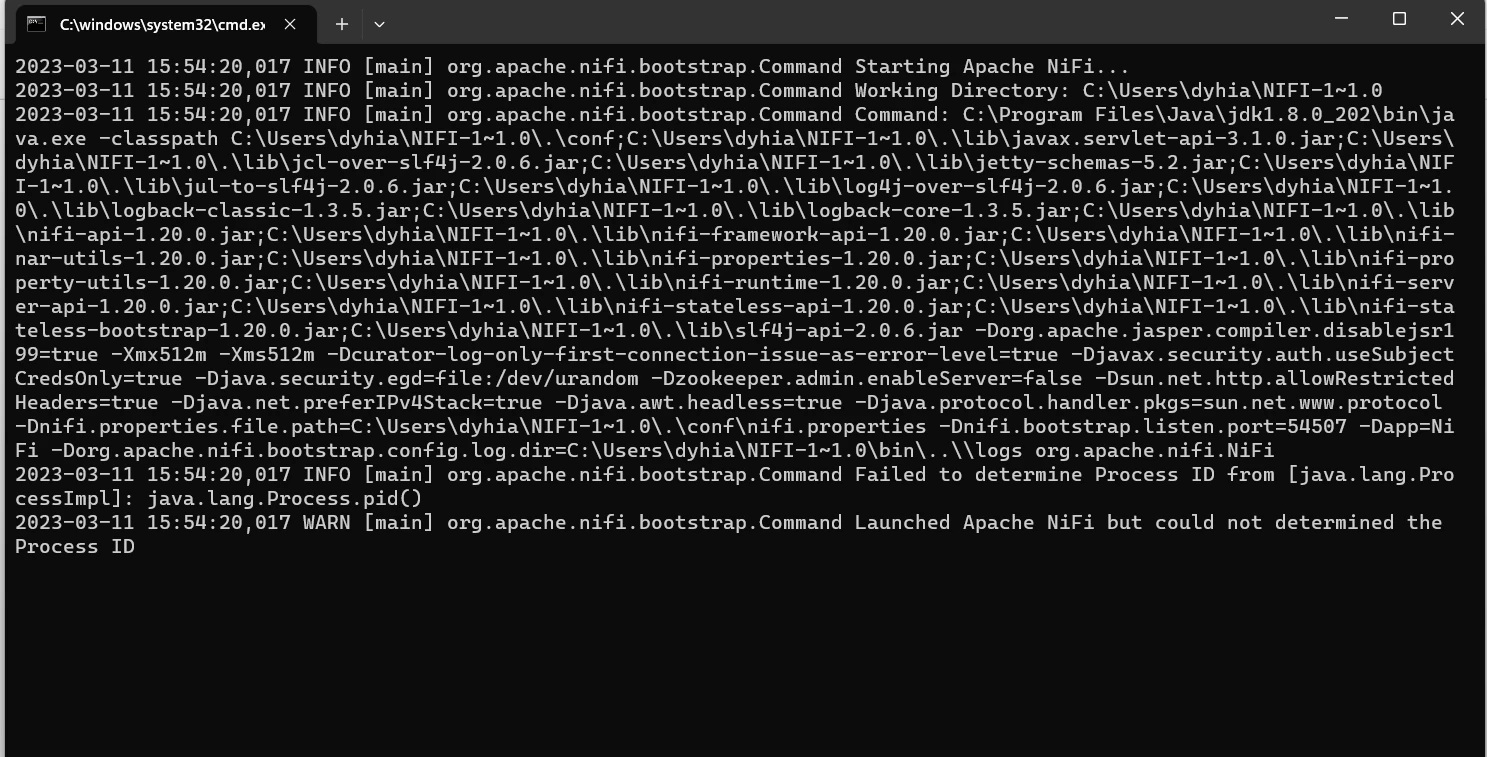

 

Capture d’écran 2023-03-11 161454.png

VidyaSargur
Community Manager
March 13, 2023

@dyhiamedjouti, Welcome to our community! To help you get the best possible answer, I have tagged in our Nifi experts @SAMSAL @cotopaul @MattWho @ckumar  who may be able to assist you further.


Please feel free to provide any additional information or details about your query, and we hope that you will find a satisfactory solution to your question.

Regards, Vidya Sargur, Community Manager Was your question answered? Make sure to mark the answer as the accepted solution. If you find a reply useful, say thanks by clicking on the thumbs up button.

6 replies

VidyaSargur
Community Manager
Community Manager
March 13, 2023

English Screenshot: 


I can't access NIFI

Hello, I installed NIFI following the documentation, I obviously checked that I had the right java, but when I access the localhost portal, I can't, it gives me this: (Screenshot 1)

Of course I have it before, here is what the cmd says where I run it, also I can't find my identifiers as agreed in the log file, someone could help me please ((Screenshot 2)

Translate
Regards, Vidya Sargur, Community Manager Was your question answered? Make sure to mark the answer as the accepted solution. If you find a reply useful, say thanks by clicking on the thumbs up button.
VidyaSargur
Community Manager
Community Manager
March 13, 2023

@dyhiamedjouti, Welcome to our community! To help you get the best possible answer, I have tagged in our Nifi experts @SAMSAL @cotopaul @MattWho @ckumar  who may be able to assist you further.


Please feel free to provide any additional information or details about your query, and we hope that you will find a satisfactory solution to your question.

Translate
Regards, Vidya Sargur, Community Manager Was your question answered? Make sure to mark the answer as the accepted solution. If you find a reply useful, say thanks by clicking on the thumbs up button.
cotopaul
Platinum ⭐️
March 13, 2023

Without knowing what you have configured, I will try and assume some of your configurations:
- based on your installation, I assume that you are using HTTP and not HTTPS, right? If I take a look in your screenshot, I can see that you are running on port 8443, which is the default port configured within nifi.web.https.port. I assume that you wrote the host and the port in the nifi.web.http.host and the nifi.web.http.port properties and not the HTTPS properties, right? If not, this is what might be causing your issue.
- besides that, have you check the logs for any errors and so on? I am talking here about the bootstrap logs (nifi-bootstrap.log) and the application logs (nifi-app.log). If everything starts normally, within the application logs you should see the link where NiFi is available. Otherwise, there is an error and you have to take a look.

PS: it would help if you could attach the nifi.properties here, with all the confidential information written as standard placeholders (like <hostname>, <password> , etc)

Translate
dyhiamedjouti
Silver ⭐️
March 13, 2023

how can I please fixe this problem and connect on the right port?

Translate
cotopaul
Platinum ⭐️
March 14, 2023

well if you want to modify the port, you have to stop nifi, modify nifi.properties and restart nifi. But without knowing how you configured NiFi ( content of nifi.properties) nobody can tell you how to solve your issue. Maybe you can add the content of nifi.properties here and afterwards we can guide you further. Nevertheless, how Matt stated below, you need to check your application logs and see if NiFi started correctly. If NiFi starts correctly, you will see a log line saying that NiFi UI (User Interface) is available at a specific URL. You need to take that URL and paste it in your browser. If such a line is not available, than you need to check the logs to see what the error is.

Translate
MattWho
Titanium ⭐️⭐️⭐️
Titanium ⭐️⭐️⭐️
March 13, 2023

@dyhiamedjouti 

It would also be helpful if you shared the full version of Apache NiFi that you installed.
The latest versions of NiFi start as secured by default.  The Single User "username" and "password" are only output to the log the very first time NiFi is started.  Subsequent restarts of NiFi service will not log the username and password again.

You can stop your NiFi and run the following command to set your own single user identity provider username and password:

$ ./bin/nifi.sh set-single-user-credentials <username> <password>

Then when NiFi is up and running, you can use your set username and password to access the UI.

Not knowing your username and password has nothing to do with the browser not being able to load the NiFi UI for logging in.

When you launch NiFi, this starts the NiFi bootstrap process which will then launch a child process which is the main Nifi process.  When this sub process starts, logging will begin in the nifi-app.log.   The NiFi Ui will not be accessible until this process has loaded completely and successfully.  NiFi will log a few lines that contain UI is available at the following URLs.  You'll want to verify you find these log lines and the URLs listed.  These are the URLs you will use in your browser to access your NiFi.

If you do not see the URLs output in the logs, that means NiFi failed to successfully start.  Again the nifi-app.log should provide logging details as to why the sub-process failed during the startup process.  Commonly a result of misconfiguration.  If you are not seeing a nifi-app.log produced, then check for the nifi-bootstrap.log for any exceptions.

If you found that the provided solution(s) assisted you with your query, please take a moment to login and click Accept as Solution below each response that helped.

Thank you,

Matt


Translate

