


How to setup compute reserved instances in CDW
- October 5, 2026 at 8:54 AM
- 0 replies
- 1779 views
- Translate All
Cloudera Data Warehouse (CDW) brings one of the most efficient compute isolation and rapid scale up and down of data warehousing workloads, leveraging the latest container and caching technologies.
One of the great features of this architecture is the ability to only bring compute on-demand, as illustrated by the figure below:
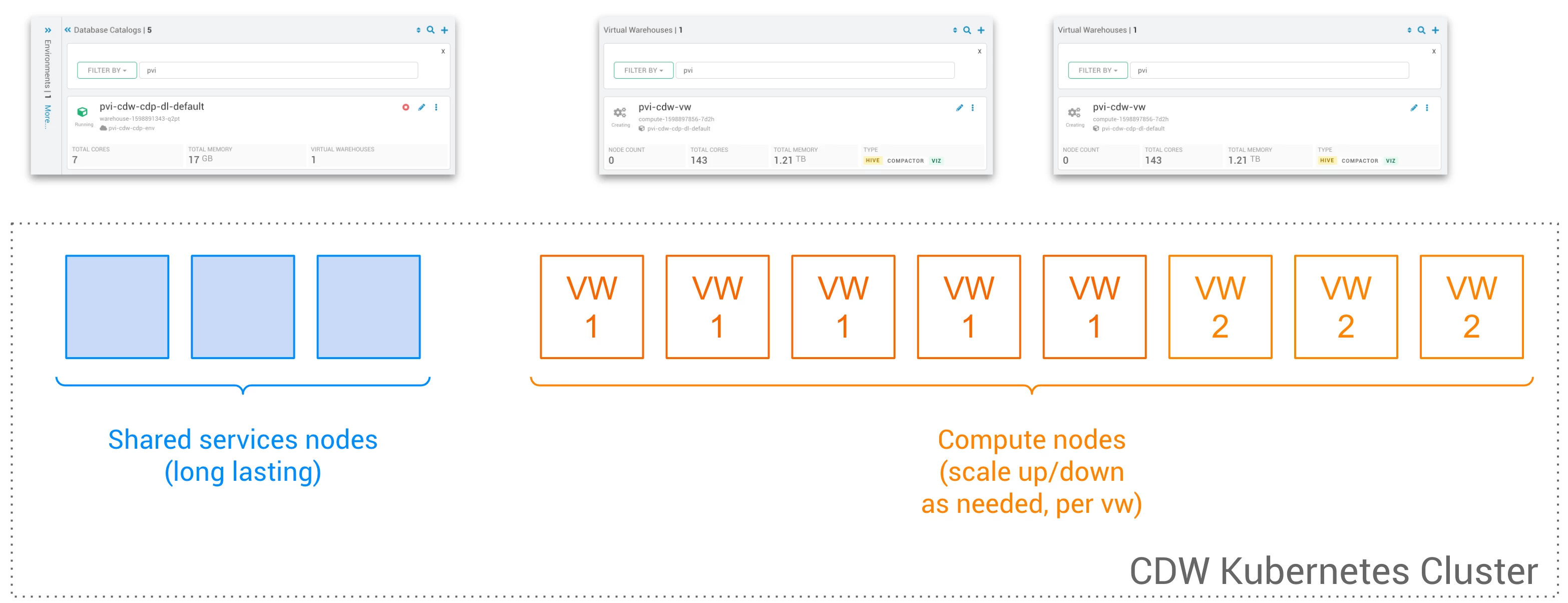
This default setup is the most cost-effective setup as only a few shared services nodes (small nodes running services like UIs, Viz, Zookeeper, etc.) are long lasting. Each Virtual Warehouse has a set of nodes that are only running if compute is needed (i.e. a new query on a non-cached dataset).
The caveat to this approach is that on a completely cold warehouse, the warm up type from zero to compute is 1 minute or 2.
An alternative to this default architecture is to leverage compute-reserved nodes, that will be shared between virtual warehouses, as depicted below:
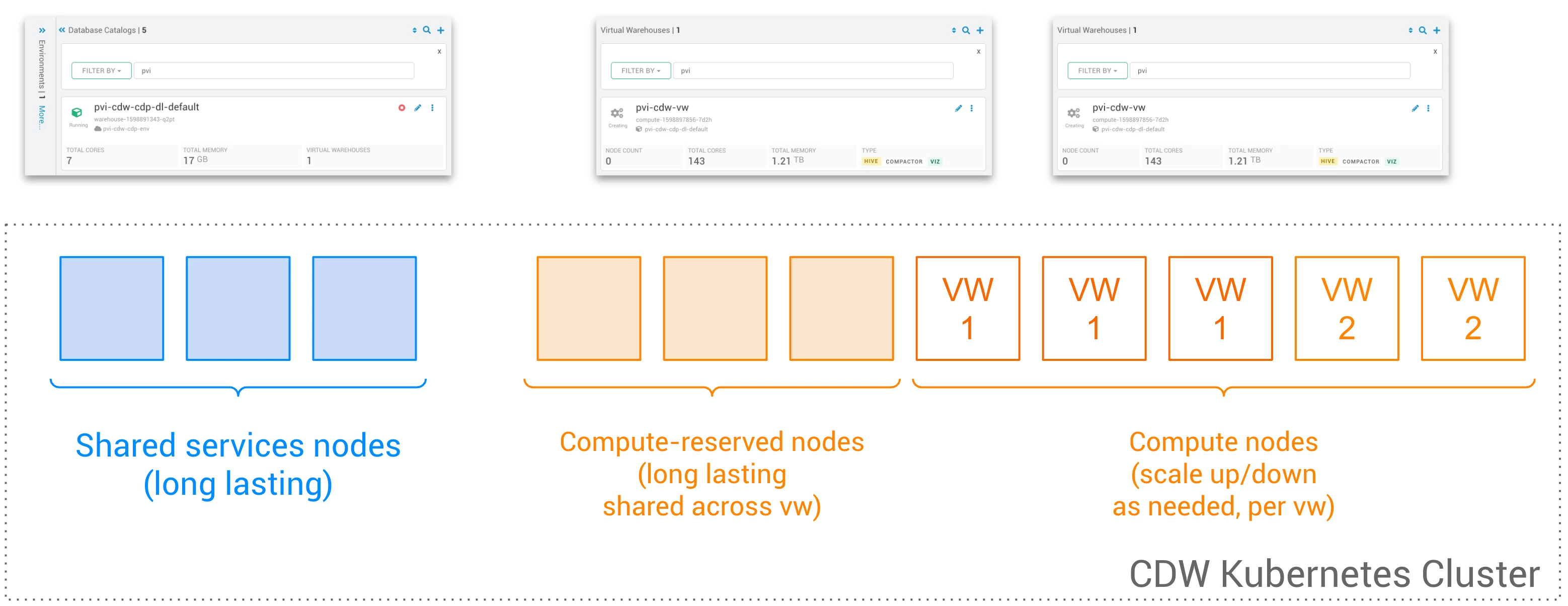 With this architecture, a pool of reserved nodes can be used to enable the immediate availability of compute across nodes. In this article, I will showcase how to set up reserved instances in CDW.
Step 1: Get your Kubeconfig
- In CDW, go to your environment, click on the 3 dots on the environment box > Show Kubeconfig:
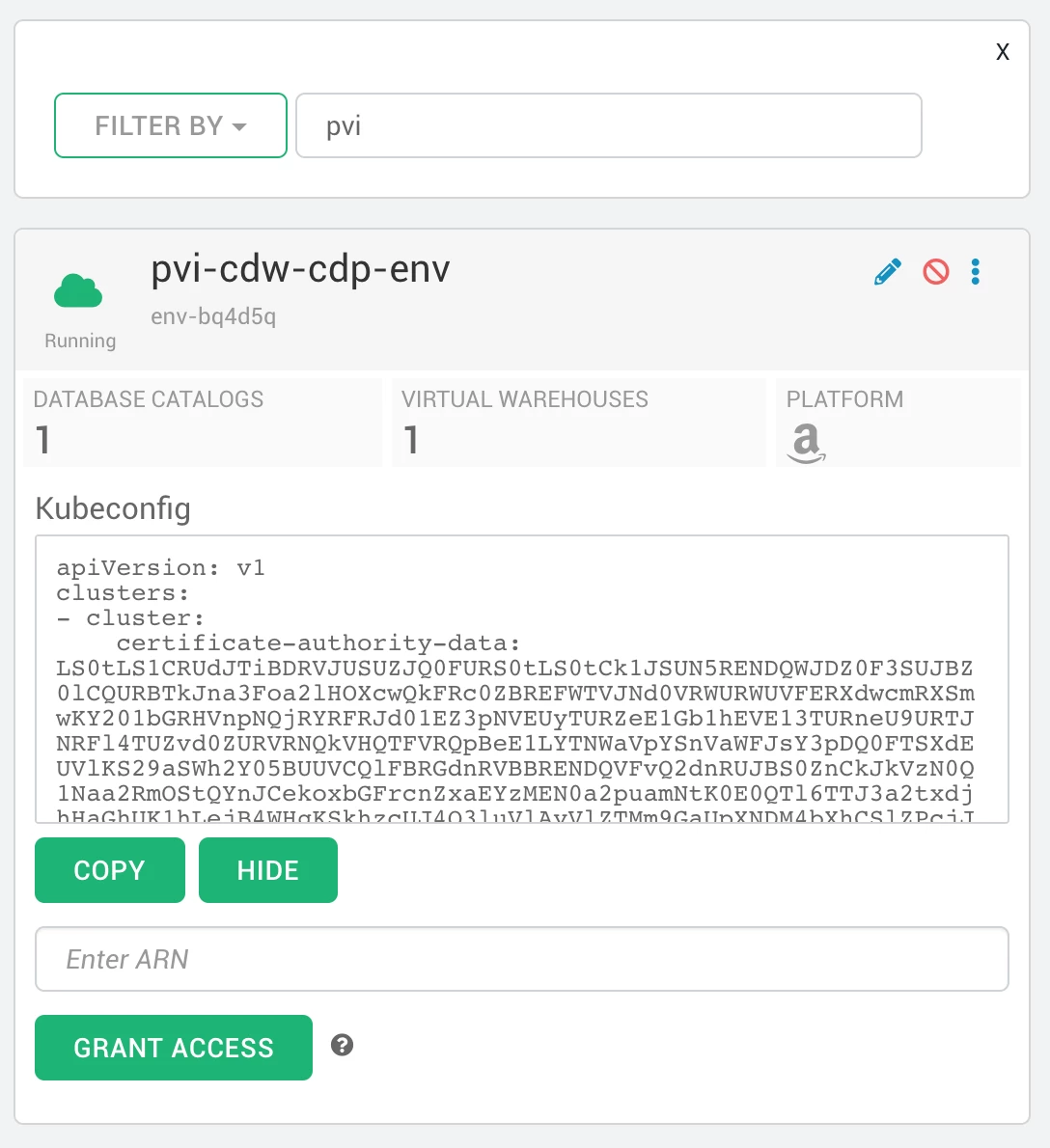
- Grant your ARN access to the environment, and copy/download the kubeconfig (see this article for more details).
Step 2: Connect to your cluster
$ export KUBECONFIG=[path_to_your_kubeconfig]
$ kubectl get deployments -n cluster
NAME                                READY   UP-TO-DATE   AVAILABLE   AGE
ardent-ferret-efs-provisioner       2/2     2            2           4h46m
compute-reserved-node               0/0     0            0           4h46m
crusty-abalone-cluster-autoscaler   1/1     1            1           4h46m
nginx-default-backend               1/1     1            1           4h46m
nginx-service                       3/3     3            3           4h46m
shared-services-reserved-node       0/0     0            0           4h46m
Step 3: Modify the replicas of compute reserved nodes
kubectl edit deployment compute-reserved-node -n cluster
apiVersion: extensions/v1beta1
kind: Deployment
metadata:
  annotations:
    deployment.kubernetes.io/revision: "1"
  creationTimestamp: "2020-08-31T16:28:52Z"
  generation: 1
  labels:
    app.kubernetes.io/instance: trendy-mastiff
    app.kubernetes.io/managed-by: Tiller
    app.kubernetes.io/name: cluster-overprovisioner
    cluster-overprovisioner-name: compute-reserved-node
    helm.sh/chart: cluster-overprovisioner-0.2.5
  name: compute-reserved-node
  namespace: cluster
  resourceVersion: "3476"
  selfLink: /apis/extensions/v1beta1/namespaces/cluster/deployments/compute-reserved-node
  uid: a5cb9ea1-729a-4665-9734-94c2f669984f
spec:
  progressDeadlineSeconds: 600
  replicas: 3
Step 4: Verify your config
After a few minutes, you should see your configuration being applied:
$ kubectl get deployments -n cluster
NAME                                READY   UP-TO-DATE   AVAILABLE   AGE
ardent-ferret-efs-provisioner       2/2     2            2           4h54m
compute-reserved-node               3/3     3            3           4h54m
crusty-abalone-cluster-autoscaler   1/1     1            1           4h54m
nginx-default-backend               1/1     1            1           4h54m
nginx-service                       3/3     3            3           4h54m
shared-services-reserved-node       0/0     0            0           4h54m

