
Solved
[Ambari Installer Step 3 Fail] - Cluster Setup
Hi everyone, I already try to search many topics in internet, especially clouderaforum but can not fix the problem 😞
I am doing: setup a cluster with 2 PCs.
/etc/hosts
127.0.0.1	localhost
# 127.0.1.1	uvmu02

# The following lines are desirable for IPv6 capable hosts
::1     ip6-localhost ip6-loopback
fe00::0 ip6-localnet
ff00::0 ip6-mcastprefix
ff02::1 ip6-allnodes
ff02::2 ip6-allrouters

# uVMU0X
192.168.56.101	uvmu01.uvmu0x.com	uvmu01
192.168.56.102	uvmu02.uvmu0x.com	uvmu02
192.168.56.103	uvmu03.uvmu0x.com	uvmu03
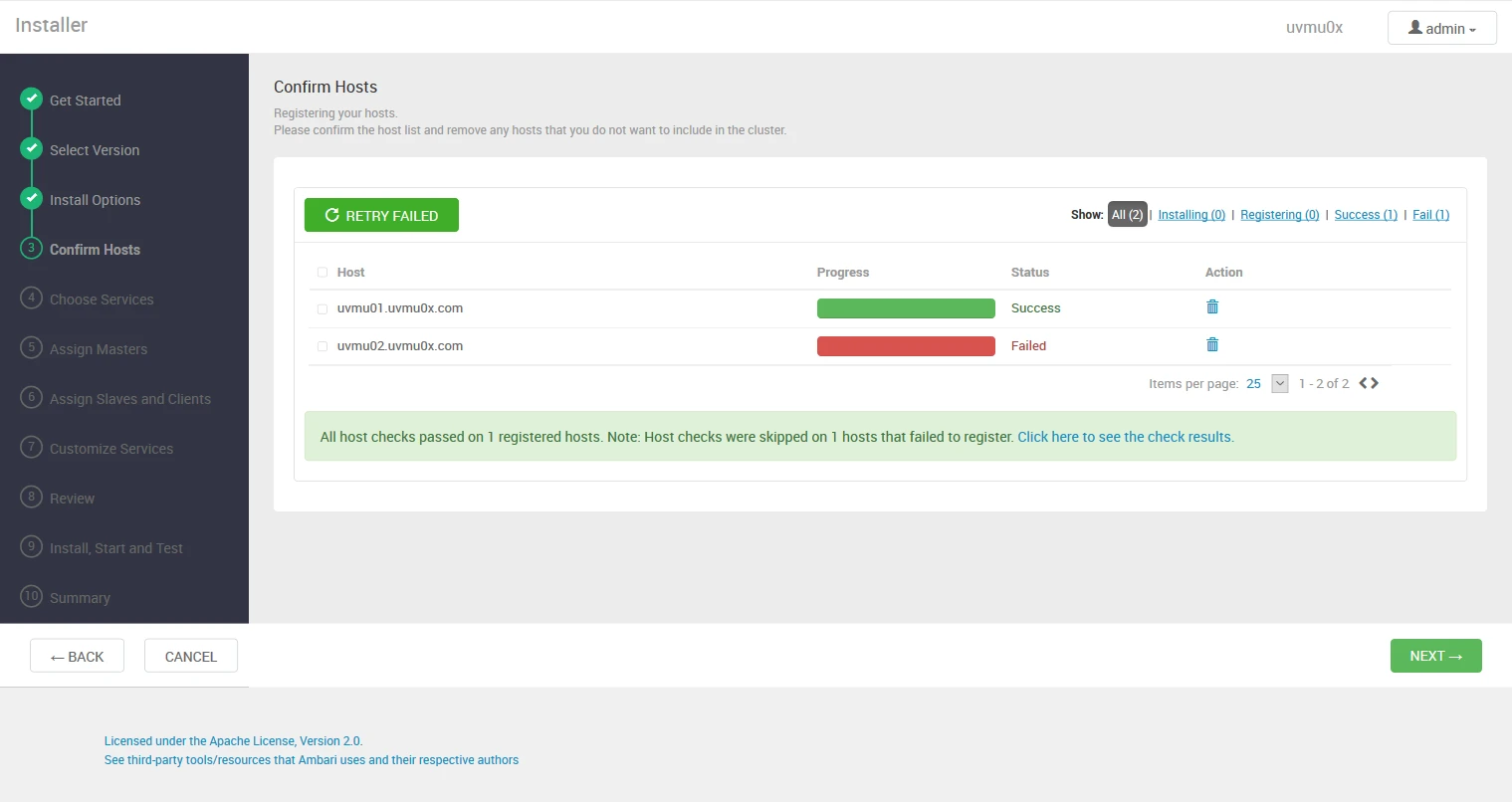
I already tried re-install ambari-server, ambari-agent, setting public-hostname script, edit hostname info in ambari-agent.ini for each node.
[server]
hostname=uvmu01.uvmu0x.com
[server]
hostname=uvmu02.uvmu0x.com[agent]
## uvmu0x
## Added following to customize the public hostname
hostname_script=/var/lib/ambari-agent/public_hostname.sh
public_hostname_script=/var/lib/ambari-agent/public_hostname.sh
But it will always fail on registering the node 02 😞
Already tried ambari-server reset, too. The pre-setting is re-checked such as ssh passwordless, sellinux...
I am using Ubuntu 18.04 and following the setup instruction in homepage.
I attached the log files for both notes.
Thank you very much.