DrJ
Bronze ⭐️⭐️⭐️
September 10, 2019
Solved

Section has no headers for Mongo DB on CDH

Hello!


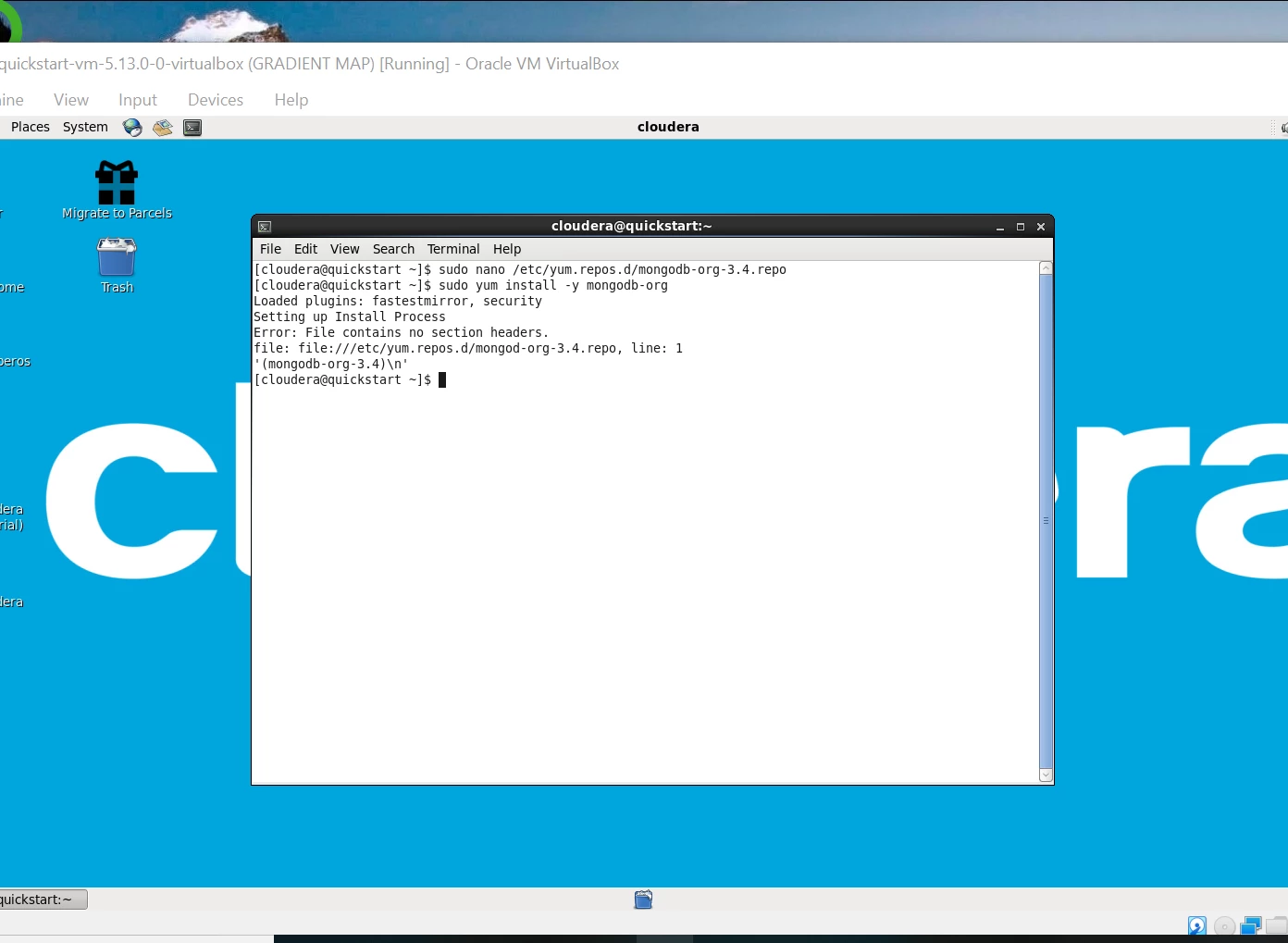
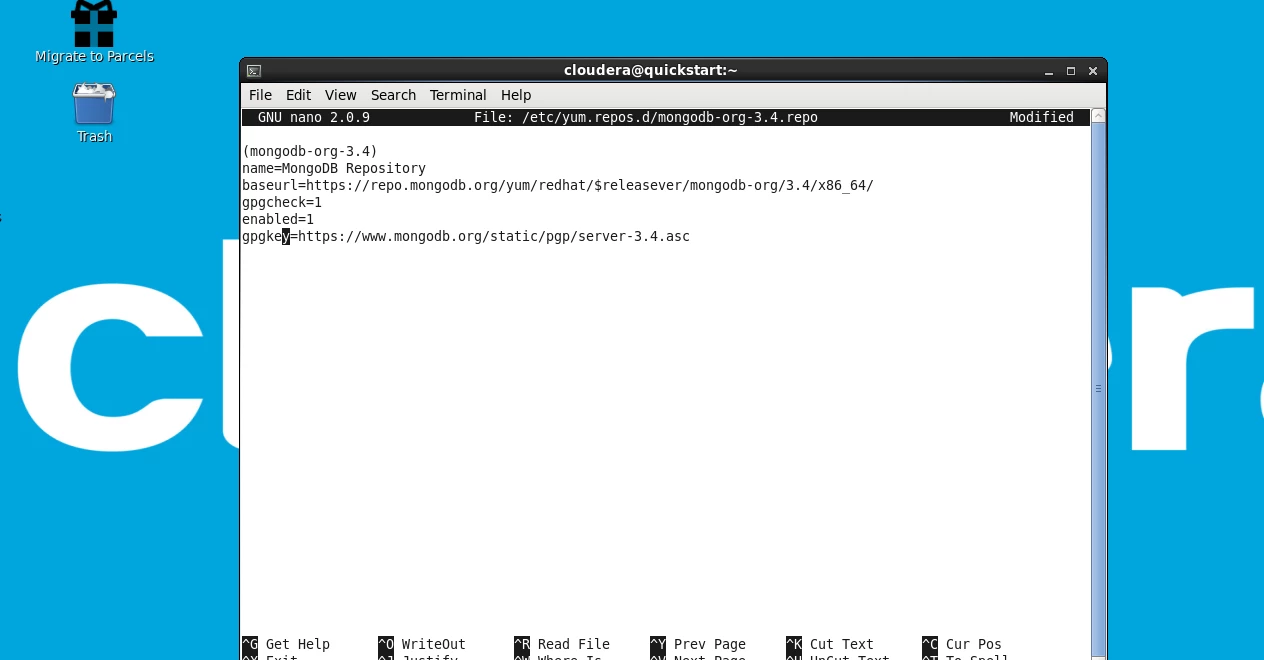
I have a student attempting to install Mongo into Cloudera.  The following error messages are being received.  I am not a coder and am unsure how to assist.  I am learning the language as I go along!


Any ideas?


Thank you!


Screenshot _30_.pngScreenshot _29_.png

ask_bill_brooks
Platinum ⭐️
September 10, 2019

@DrJ Not an expert on MongoDb, but your hint is that the yum command-line package-management utility is telling you that something is wrong with the file it's using to assist in the installation.

Verify that you have a file at the location /etc/yum.repos.d/mongod-org-3.4.repo or whatever it's supposed to be using by using the file command, a la:

[bbrooks@ip-172.16.0.0 box]$ file /etc/yum.repos.d/mongod-org-3.4.repo
/etc/yum.repos.d/mongod-org-3.4.repo: ASCII text
[bbrooks@ip-172.16.0.0 box]$

…and once you've verified that it's present (is it supposed to be mongod-org-3.4.repo or mongodb-org-3.4.repo?), compare the first couple of lines in the file to a few other ones located in the /etc/yum.repos.d/ directory and check that you haven't inadvertently introduced spaces or something into the file. 

Bill Brooks, Community Moderator Was your question answered? Make sure to mark the answer as the accepted solution. If you find a reply useful, say thanks by clicking on the thumbs up button.


1 reply

ask_bill_brooks
Platinum ⭐️
Platinum ⭐️
September 10, 2019

@DrJ Not an expert on MongoDb, but your hint is that the yum command-line package-management utility is telling you that something is wrong with the file it's using to assist in the installation.

Verify that you have a file at the location /etc/yum.repos.d/mongod-org-3.4.repo or whatever it's supposed to be using by using the file command, a la:

[bbrooks@ip-172.16.0.0 box]$ file /etc/yum.repos.d/mongod-org-3.4.repo
/etc/yum.repos.d/mongod-org-3.4.repo: ASCII text
[bbrooks@ip-172.16.0.0 box]$

…and once you've verified that it's present (is it supposed to be mongod-org-3.4.repo or mongodb-org-3.4.repo?), compare the first couple of lines in the file to a few other ones located in the /etc/yum.repos.d/ directory and check that you haven't inadvertently introduced spaces or something into the file. 

Translate
Bill Brooks, Community Moderator Was your question answered? Make sure to mark the answer as the accepted solution. If you find a reply useful, say thanks by clicking on the thumbs up button.