Archives of Support Questions (Read Only)

This is an archived board for historical reference. Information and links may no longer be available or relevant
Announcements
This board is archived and read-only for historical reference. To ask a new question, please post a new topic on the appropriate active board.

Add New Node within docker on CDH

avatar

I was able to start cdh within a cluster.
Now I need to connect one more node. So I added it to a private network bridge "docker network create --driver bridge isolated_nw", then I posted the ssh access port.

Docker run --hostname = quickstart.cloudera --privileged = true -t -i --network = isolated_nw -p 22:22 -p 80:80 -p 8888: 8888 quickstart / cloudera / usr / bin / docker-quickstart


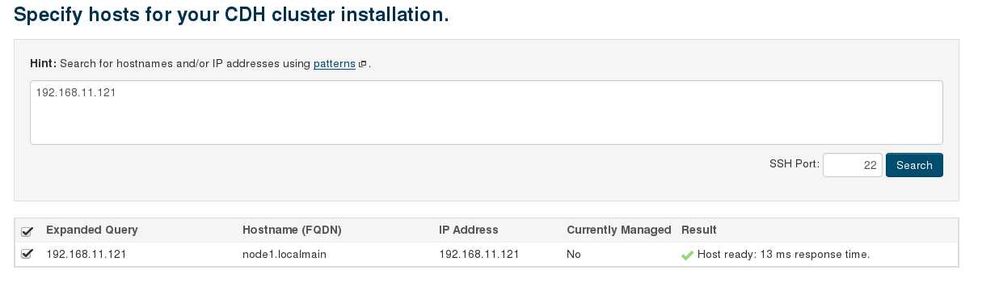
After successfully accessing docker, I try to add a host.

I edited the hosts files to make them the same.
I can get a response on the new node. "Ping"
I edited the file /etc/cloudera-scm-agent/config.ini
Configuring the listening_hostname and listening_ip fields for my cloudera server.

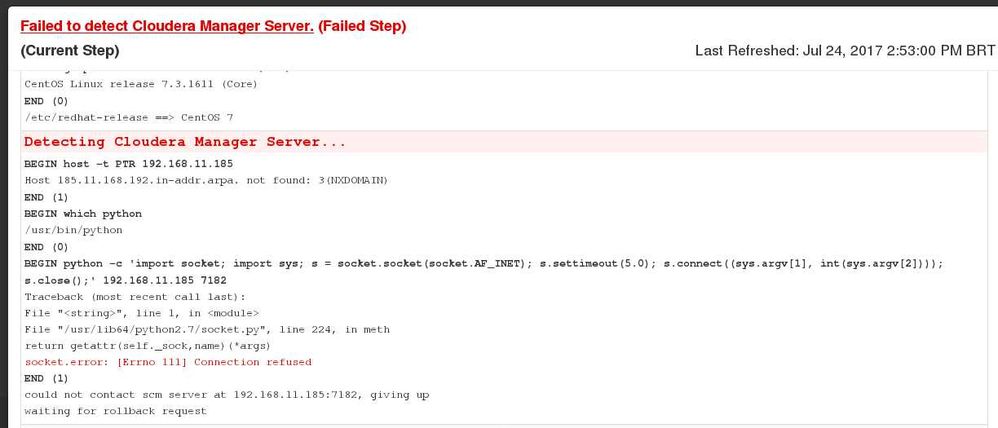
However, it will fetch the address of the host and not the docker

Host = 192.168.11.185
Docker CDH: 172.18.0.2

Has anyone managed to add a new node inside the cluster?
Can someone give me some tips?

2.jpeg


1.jpg


1 ACCEPTED SOLUTION

avatar
Tip for newbies just like me.
Use the clusterdock.sh script to add Multi-node Clusters with Cloudera QuickStart for Docker


Https://blog.cloudera.com/blog/2016/08/multi-node-clusters-with-cloudera-quickstart-for-docker/

View solution in original post

1 REPLY 1

avatar
Tip for newbies just like me.
Use the clusterdock.sh script to add Multi-node Clusters with Cloudera QuickStart for Docker


Https://blog.cloudera.com/blog/2016/08/multi-node-clusters-with-cloudera-quickstart-for-docker/