Our Community is getting an upgrade! To get everything ready for the relaunch, we’ll be placing the site in read-only mode starting September 21st.
We really appreciate your understanding while we get things set up behind the scenes. Catch up on all the exciting details about the move here.
Need help or have questions? Drop us a line at [email protected]

Archives of Support Questions (Read Only)
- Cloudera Community
- Board Archive
- Archives of Support Questions (Read Only)
- Re: Can not deploy to hosts
- Subscribe to RSS Feed
- Mark Question as New
- Mark Question as Read
- Float this Question for Current User
- Bookmark
- Subscribe
- Mute
- Printer Friendly Page
- Subscribe to RSS Feed
- Mark Question as New
- Mark Question as Read
- Float this Question for Current User
- Bookmark
- Subscribe
- Mute
- Printer Friendly Page
Can not deploy to hosts
- Labels:
-
Apache Ambari


Created 01-18-2016 11:12 PM
- Mark as New
- Bookmark
- Subscribe
- Mute
- Subscribe to RSS Feed
- Permalink
- Report Inappropriate Content
Hi All,
I'm having below error while deploying to hosts. Hosts are reachable using ssh without password. I have removed and re downloaded repo and updated apt. still having the same error. have any idea?
==========================
Creating target directory...
==========================
Command start time 2016-01-19 01:07:53
chmod: cannot access ‘/var/lib/ambari-agent/data’: No such file or directory
Connection to hadoop01 closed.
SSH command execution finished
host=hadoop01, exitcode=0
Command end time 2016-01-19 01:07:54
==========================
Copying common functions script...
==========================
Command start time 2016-01-19 01:07:54
scp /usr/lib/python2.6/site-packages/ambari_commons
host=hadoop01, exitcode=0
Command end time 2016-01-19 01:07:55
==========================
Copying OS type check script...
==========================
Command start time 2016-01-19 01:07:55
scp /usr/lib/python2.6/site-packages/ambari_server/os_check_type.py
host=hadoop01, exitcode=0
Command end time 2016-01-19 01:08:05
==========================
Running OS type check...
==========================
Command start time 2016-01-19 01:08:05
Cluster primary/cluster OS family is ubuntu14 and local/current OS family is ubuntu14
Connection to hadoop01 closed.
SSH command execution finished
host=hadoop01, exitcode=0
Command end time 2016-01-19 01:08:07
==========================
Checking 'sudo' package on remote host...
==========================
Command start time 2016-01-19 01:08:07
sudo             install
Connection to hadoop01 closed.
SSH command execution finished
host=hadoop01, exitcode=0
Command end time 2016-01-19 01:08:09
==========================
Copying repo file to 'tmp' folder...
==========================
Command start time 2016-01-19 01:08:09
scp /etc/apt/sources.list.d/ambari.list
host=hadoop01, exitcode=0
Command end time 2016-01-19 01:08:10
==========================
Moving file to repo dir...
==========================
Command start time 2016-01-19 01:08:10
Connection to hadoop01 closed.
SSH command execution finished
host=hadoop01, exitcode=0
Command end time 2016-01-19 01:08:10
==========================
Changing permissions for ambari.repo...
==========================
Command start time 2016-01-19 01:08:10
Connection to hadoop01 closed.
SSH command execution finished
host=hadoop01, exitcode=0
Command end time 2016-01-19 01:08:10
==========================
Update apt cache of repository...
==========================
Command start time 2016-01-19 01:08:10
0% [Working]

Hit http://public-repo-1.hortonworks.com Ambari InRelease
0% [Working]

0% [InRelease gpgv 3.187 B]

33% [Working]

Hit http://public-repo-1.hortonworks.com Ambari/main i386 Packages
33% [Working]

33% [Packages 0 B] [Waiting for headers]

50% [Waiting for headers]
50% [Waiting for headers]
50% [Waiting for headers]

Ign http://public-repo-1.hortonworks.com Ambari/main Translation-en_US

67% [Working]

Ign http://public-repo-1.hortonworks.com Ambari/main Translation-en
83% [Working]

Reading package lists... 0%
Reading package lists... 0%
Reading package lists... 0%
Reading package lists... 0%
Reading package lists... 6%
Reading package lists... Done
W: Duplicate sources.list entry http://public-repo-1.hortonworks.com/ambari/ubuntu14/2.x/updates/2.2.0.0/ Ambari/main i386 Packages (/var/lib/apt/lists/public-repo-1.hortonworks.com_ambari_ubuntu14_2.x_updates_2.2.0.0_dists_Ambari_main_binary-i386_Packages)
W: You may want to run apt-get update to correct these problems
Connection to hadoop01 closed.
SSH command execution finished
host=hadoop01, exitcode=0
Command end time 2016-01-19 01:08:13
==========================
Copying setup script file...
==========================
Command start time 2016-01-19 01:08:13
scp /usr/lib/python2.6/site-packages/ambari_server/setupAgent.py
host=hadoop01, exitcode=0
Command end time 2016-01-19 01:08:13
==========================
Running setup agent script...
==========================
Command start time 2016-01-19 01:08:13
E: No packages found
E: No packages found
('', None)
Connection to hadoop01 closed.
SSH command execution finished
host=hadoop01, exitcode=1
Command end time 2016-01-19 01:08:18
ERROR: Bootstrap of host hadoop01 fails because previous action finished with non-zero exit code (1)
ERROR MESSAGE: Connection to hadoop01 closed.
STDOUT: E: No packages found
E: No packages found
('', None)
Connection to hadoop01 closed.


Created 01-20-2016 03:30 AM
- Mark as New
- Bookmark
- Subscribe
- Mute
- Subscribe to RSS Feed
- Permalink
- Report Inappropriate Content



Created 01-18-2016 11:29 PM
- Mark as New
- Bookmark
- Subscribe
- Mute
- Subscribe to RSS Feed
- Permalink
- Report Inappropriate Content
Looks like a repository issue. Check your *.list files and try running "apt-get update" as suggested. Also, instead of downloading packages directly from the Internet it's better to setup local repositories, you can find details here


Created 01-19-2016 01:33 AM
- Mark as New
- Bookmark
- Subscribe
- Mute
- Subscribe to RSS Feed
- Permalink
- Report Inappropriate Content
@Necip Gengeç +1 on what @Predrag Minovic had said, additionally, I'd login to the node, make sure there are no redundant repositories, if all else fails, clean the cache and retry.

Created 01-19-2016 01:49 AM
- Mark as New
- Bookmark
- Subscribe
- Mute
- Subscribe to RSS Feed
- Permalink
- Report Inappropriate Content
host=hadoop01, exitcode=1
Commandend time 2016-01-1901:08:18
ERROR:Bootstrap of host hadoop01 fails because previous action finished with non-zero exit code (1)
ERROR MESSAGE:Connection to hadoop01 closed.
STDOUT: E:No packages found
E:No packages found
('',None)
I would try to install ambari-agent manually & see if it works or not "just to test"
yum install ambari-agent
Re: duplicate entries ..see this http://askubuntu.com/questions/456321/duplicate-sources-list-entry-ubuntu-14-04
Created 01-20-2016 03:30 AM
- Mark as New
- Bookmark
- Subscribe
- Mute
- Subscribe to RSS Feed
- Permalink
- Report Inappropriate Content
Created 02-04-2016 02:41 AM
- Mark as New
- Bookmark
- Subscribe
- Mute
- Subscribe to RSS Feed
- Permalink
- Report Inappropriate Content
@Necip Gengeç are you still having issues with this? Can you accept the best answer or post your solution?


Created 07-21-2016 12:13 PM
- Mark as New
- Bookmark
- Subscribe
- Mute
- Subscribe to RSS Feed
- Permalink
- Report Inappropriate Content
The problem in my case was the hdp.repo and ambari.repo files were missing from /etc/yum.repos.d/ directory on the host.
Resolution:
- Copy the repository files hdp.repo and amabari.repo from the ambari host to the rest of the hosts
- Install ambari-agent manually: # yum install ambari-agent
This successfully fixed my problem.

Created 04-21-2017 09:14 AM
- Mark as New
- Bookmark
- Subscribe
- Mute
- Subscribe to RSS Feed
- Permalink
- Report Inappropriate Content
The answer given is worthless this issue comes down to not having the ambari agents setup on the nodes. Run a yum install
ambari-agent then configure the agent and start the agent with ambari-agent start.
Any issues at this point check:
- Agents are up and running
- /etc/hosts files are correct
- Ssh is working
There is another potential problem. If this is your SECOND attempt after restarting the entire process, there is a BUG.
If this is the second attempt after a successful SSH. Then try the alternative option for manual install. It will work if the agents are running and vi /etc/ambari-agent/conf/ambari-agent.ini
[server]hostname=<your.ambari.server.hostname>url_port=8440secured_url_port=8441- Start the agent on every host in your cluster.
ambari-agent start

Created on 06-18-2019 06:09 PM - edited 08-19-2019 05:09 AM
- Mark as New
- Bookmark
- Subscribe
- Mute
- Subscribe to RSS Feed
- Permalink
- Report Inappropriate Content
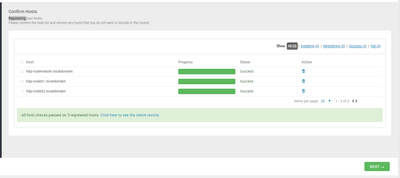
it is strange, I relaunched again Registering host, his passed !!?
would not it be a performance problem of memory (RAM) or network?