
Our Community is getting an upgrade! To get everything ready for the relaunch, we’ll be placing the site in read-only mode starting September 21st.
We really appreciate your understanding while we get things set up behind the scenes. Catch up on all the exciting details about the move here.
Need help or have questions? Drop us a line at [email protected]

Archives of Support Questions (Read Only)
- Cloudera Community
- Board Archive
- Archives of Support Questions (Read Only)
- Cannot access AmbariUI after Cloudbreak installati...
- Subscribe to RSS Feed
- Mark Question as New
- Mark Question as Read
- Float this Question for Current User
- Bookmark
- Subscribe
- Mute
- Printer Friendly Page
- Subscribe to RSS Feed
- Mark Question as New
- Mark Question as Read
- Float this Question for Current User
- Bookmark
- Subscribe
- Mute
- Printer Friendly Page
Cannot access AmbariUI after Cloudbreak installation.
- Labels:
-
Apache Ambari
-
Hortonworks Cloudbreak


Created on 04-18-2018 09:19 PM - edited 08-17-2019 07:18 PM
- Mark as New
- Bookmark
- Subscribe
- Mute
- Subscribe to RSS Feed
- Permalink
- Report Inappropriate Content
ambariui1.jpgambaruui.jpgI have setup Cloudbreak in Azure. I deployed both HDP and HDF cluster. Cloudbreak UI is accessable but when trying to open Ambari UI for both HDP and HDF its not working. Getting the error message: "
Your connection is not private
Attackers might be trying to steal your information from <ip-address/ambari/> (for example, passwords, messages, or credit cards). Learn more
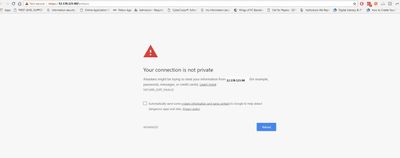
NET::ERR_CERT_INVALID"


Created 04-20-2018 10:07 AM
- Mark as New
- Bookmark
- Subscribe
- Mute
- Subscribe to RSS Feed
- Permalink
- Report Inappropriate Content
Hi @Marshal Tito,
Could you execute the following command as root, to regenerate and replace the certificate. In 2.5.0 the certificate generation has changed and I am wondering whether that is causing some problem for you. Please replace the PUBLIC_IP value with your ip:
rm -rf /etc/certs_new
export PUBLIC_IP=172.21.250.249
export CBD_CERT_ROOT_PATH=/etc/certs_new
mkdir -p ${CBD_CERT_ROOT_PATH}
# Generate new certificates
certm -d $CBD_CERT_ROOT_PATH ca generate -o=testgw --overwrite
certm -d $CBD_CERT_ROOT_PATH server generate -o=testgw --host hostname --host ${PUBLIC_IP}
mv $CBD_CERT_ROOT_PATH/server.pem $CBD_CERT_ROOT_PATH/cluster.pem
mv $CBD_CERT_ROOT_PATH/server-key.pem $CBD_CERT_ROOT_PATH/cluster-key.pem
# Replaces cert in line 4 and 5
sed -i '4s/certs\//certs_new\//' /etc/nginx/sites-enabled/ssl.conf
sed -i '5s/certs\//certs_new\//' /etc/nginx/sites-enabled/ssl.conf
#Reload nginx
pkill -HUP nginx
keytool -printcert -v -file /etc/certs_new/cluster.pem
Created 04-18-2018 09:50 PM
- Mark as New
- Bookmark
- Subscribe
- Mute
- Subscribe to RSS Feed
- Permalink
- Report Inappropriate Content
@ Dominika Bialek I followed all the steps you mentioned in your article: create-a-nifi-cluster-on-aws-azure-google-or-opens.html
Cloubreak installaition and cluster deployment both HDP and HDF are successful. But I am not able to access the AmbariUI through the URL mentioned in the cluster. Would you please help me out? Thank you.


Created 04-19-2018 06:15 PM
- Mark as New
- Bookmark
- Subscribe
- Mute
- Subscribe to RSS Feed
- Permalink
- Report Inappropriate Content
Hi @Marshal Tito,
The first time you access Cloudbreak UI, Cloudbreak will automatically generate a self-signed certificate, due to which your browser will warn you about an untrusted connection and will ask you to confirm a security exception. You need to click on ADVANCED and confirm the security exception. After that, you will be able to access the Cloudbreak web UI.
Created 04-19-2018 06:17 PM
- Mark as New
- Bookmark
- Subscribe
- Mute
- Subscribe to RSS Feed
- Permalink
- Report Inappropriate Content
Hmm, I just saw your screenshot and see that you do not have an option to confirm a security exception...
Can you try a different browser?
Any ideas @rdoktorics @rkovacs @khorvath? I remember others reported this issue before, but I do not remember the cause or solution.
Created 04-19-2018 06:36 PM
- Mark as New
- Bookmark
- Subscribe
- Mute
- Subscribe to RSS Feed
- Permalink
- Report Inappropriate Content
Hi @Marshal Tito,
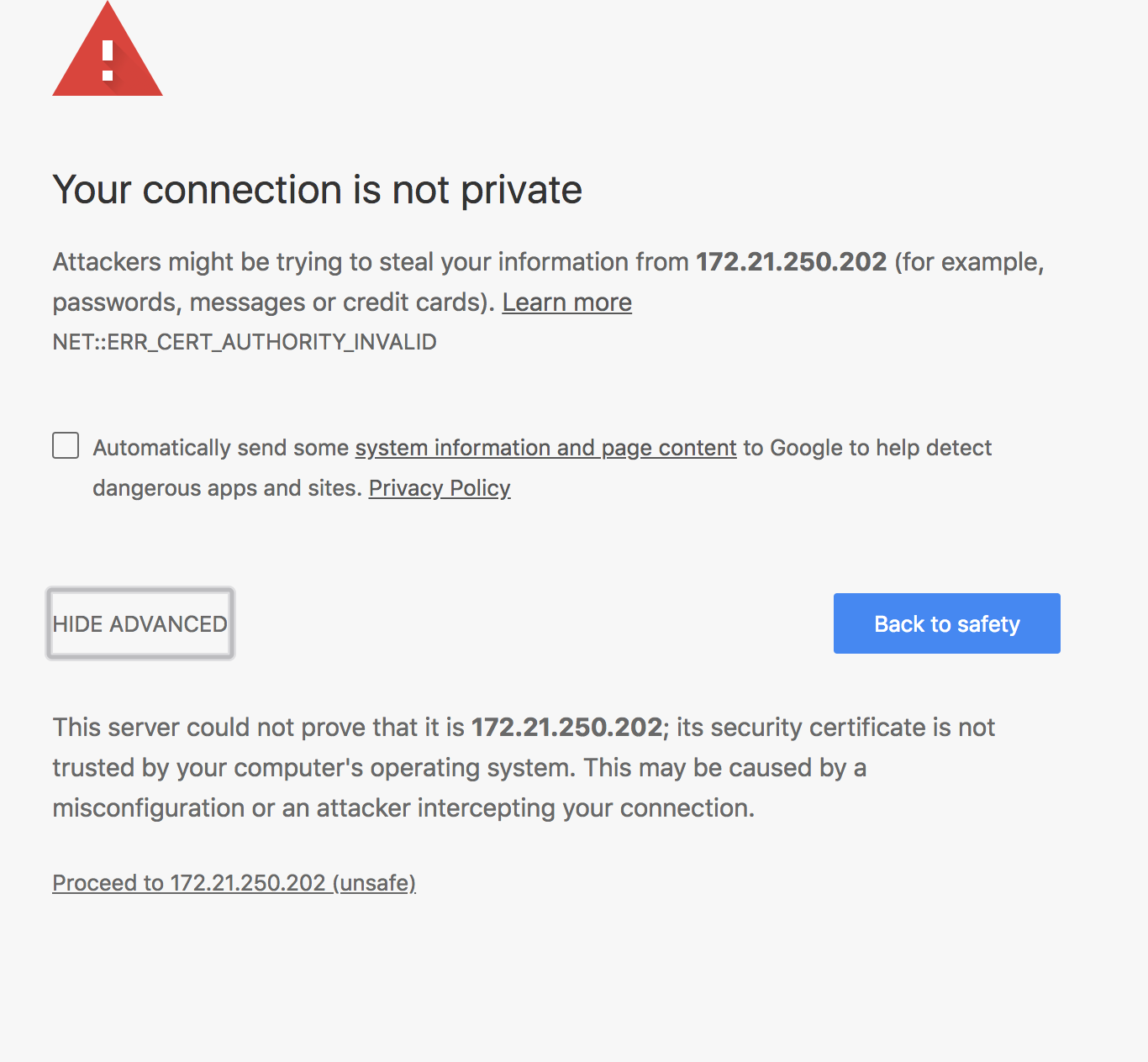
The warning is shown because of self-sign certificate is used. You can click on the "Advanced" link and after that click on "Proceed".

Created 04-19-2018 07:16 PM
- Mark as New
- Bookmark
- Subscribe
- Mute
- Subscribe to RSS Feed
- Permalink
- Report Inappropriate Content
Hi @Attila Kanto,
Thanks for reply. Please check my screen shots those I attached with question. In my browser I dont get the 2nd option to proceed after click on "Advanced".
Created 04-19-2018 07:22 PM
- Mark as New
- Bookmark
- Subscribe
- Mute
- Subscribe to RSS Feed
- Permalink
- Report Inappropriate Content
Hi @Dominika Bialek,
Thanks for your reply. I have tried with other browser too and got the same issue. CloudBreak UI is accessible from my browser. And i got the warning as you mentioned in the article and click on proceed and it worked. But in case of AmbariUI , its not working. I have modified property “run_as_user=root” as “run_as_user=ambari” in /etc/ambari-agent/conf/ ambari-agent.ini file , still no hope! Thank you.
Created 04-19-2018 07:31 PM
- Mark as New
- Bookmark
- Subscribe
- Mute
- Subscribe to RSS Feed
- Permalink
- Report Inappropriate Content
Sorry, I didn't see the 2nd screenshot. I think it might be related to your notebook's security settings.
Is it Cloudbreak 2.5 what you are using? Would you mind to export the certificate and attaching it, please?
With a quick Googling I run into such comments like this:
The workaround (typing "proceed" on the page) is working for me...are you sure your browser has focus when you're typing the letters?
I have doubt of the success of typing 'proceed', but might worth to try it out.
Created 04-19-2018 08:25 PM
- Mark as New
- Bookmark
- Subscribe
- Mute
- Subscribe to RSS Feed
- Permalink
- Report Inappropriate Content
Hi @Attila Kanto,
I am using cloudbreak 2.5.0. Which certificate should i share? please let me know. I can do. I saw 4 certificate in ~/certs/ folder. Which one should i share? Or how can i make my ambari server with ssl certified with my browser? thank you.

Created 04-23-2018 09:03 AM
- Mark as New
- Bookmark
- Subscribe
- Mute
- Subscribe to RSS Feed
- Permalink
- Report Inappropriate Content
Hi @Marshal Tito,
Could you attach all which does not contain "key"?
Please check if you are behind any proxy server.


