
Our Community is getting an upgrade! To get everything ready for the relaunch, we’ll be placing the site in read-only mode starting September 21st.
We really appreciate your understanding while we get things set up behind the scenes. Catch up on all the exciting details about the move here.
Need help or have questions? Drop us a line at [email protected]

Archives of Support Questions (Read Only)
- Cloudera Community
- Board Archive
- Archives of Support Questions (Read Only)
- Created Table with Hue is empty
- Subscribe to RSS Feed
- Mark Question as New
- Mark Question as Read
- Float this Question for Current User
- Bookmark
- Subscribe
- Mute
- Printer Friendly Page
- Subscribe to RSS Feed
- Mark Question as New
- Mark Question as Read
- Float this Question for Current User
- Bookmark
- Subscribe
- Mute
- Printer Friendly Page
Created Table with Hue is empty
- Labels:
-
Apache Hive
-
Cloudera Data Explorer
-
HDFS


Created on
12-13-2018
09:43 AM
- last edited on
04-21-2026
06:43 AM
by
 GrazittiAPI

- Mark as New
- Bookmark
- Subscribe
- Mute
- Subscribe to RSS Feed
- Permalink
- Report Inappropriate Content
Hello guys,
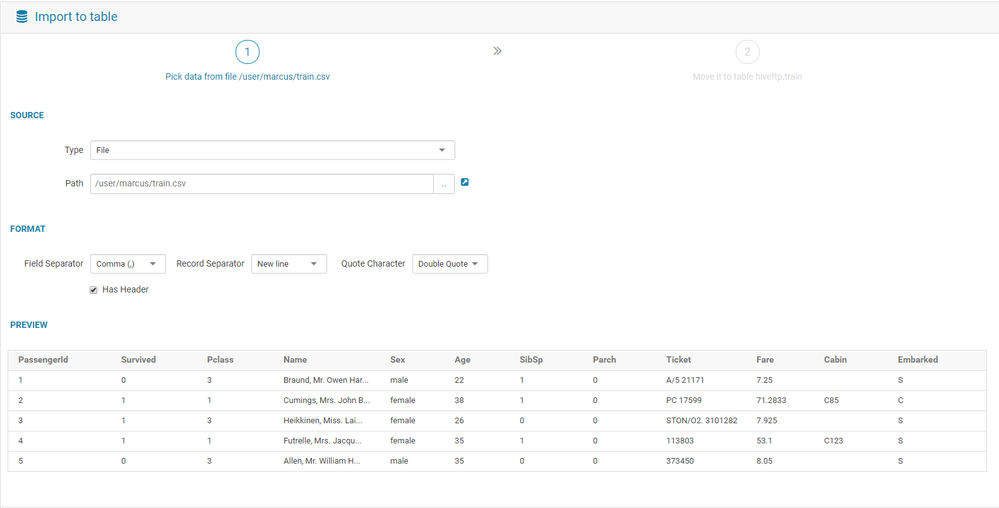
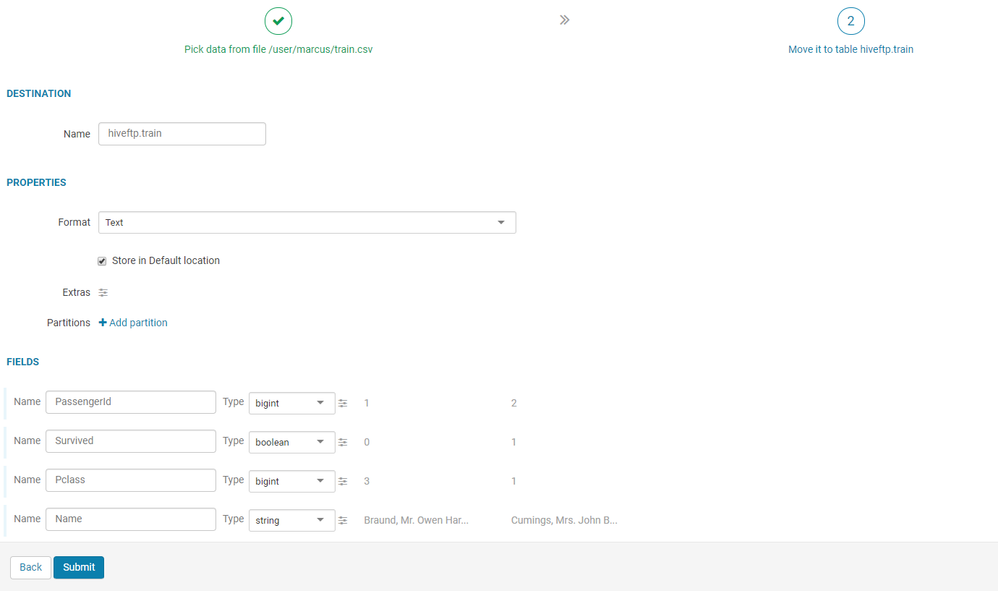
I face the following problem: Trying to create a hive table using Hue from a file in the HDFS and it appears to work fine, but the resulting table remains empty. Why isnt the data displayed in the table?
S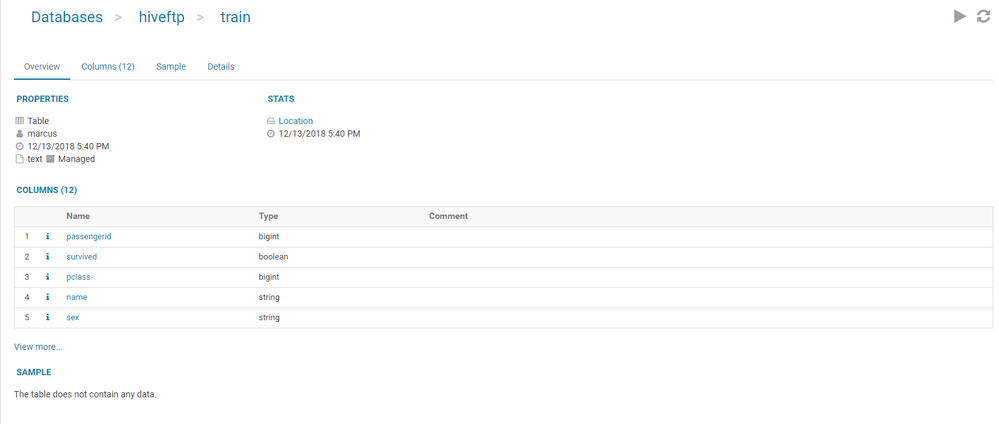
Thanks for any help.


Created 01-08-2019 02:25 PM
- Mark as New
- Bookmark
- Subscribe
- Mute
- Subscribe to RSS Feed
- Permalink
- Report Inappropriate Content
Hi Rockem,
The issue you are facing is due to hdfs permission. By default with "Store in default location" checked during hive table creation through Hue, we are trying to move the data to '/user/hive/warehouse' directory. The user you logged in don't have permission to move data to '/user/hive/warehouse', so table is created successful but no data.
You can either grant the user with write permission to '/user/hive/warehouse' or uncheck the "Store in default location" checkbox so it creates external table without moving the file to '/user/hive/warehouse'. Then you will be abl e to see the data.
Hope this helps!
Weixia


Created 12-30-2018 03:13 PM
- Mark as New
- Bookmark
- Subscribe
- Mute
- Subscribe to RSS Feed
- Permalink
- Report Inappropriate Content
Can you please confirm which version of CDH are you using? I can test and confirm the same from my lab.
Thanks
Created 01-08-2019 02:25 PM
- Mark as New
- Bookmark
- Subscribe
- Mute
- Subscribe to RSS Feed
- Permalink
- Report Inappropriate Content
Hi Rockem,
The issue you are facing is due to hdfs permission. By default with "Store in default location" checked during hive table creation through Hue, we are trying to move the data to '/user/hive/warehouse' directory. The user you logged in don't have permission to move data to '/user/hive/warehouse', so table is created successful but no data.
You can either grant the user with write permission to '/user/hive/warehouse' or uncheck the "Store in default location" checkbox so it creates external table without moving the file to '/user/hive/warehouse'. Then you will be abl e to see the data.
Hope this helps!
Weixia


