
Our Community is getting an upgrade! To get everything ready for the relaunch, we’ll be placing the site in read-only mode starting September 21st.
We really appreciate your understanding while we get things set up behind the scenes. Catch up on all the exciting details about the move here.
Need help or have questions? Drop us a line at [email protected]

Archives of Support Questions (Read Only)
- Cloudera Community
- Board Archive
- Archives of Support Questions (Read Only)
- Custom service check process status failed(show re...
- Subscribe to RSS Feed
- Mark Question as New
- Mark Question as Read
- Float this Question for Current User
- Bookmark
- Subscribe
- Mute
- Printer Friendly Page
- Subscribe to RSS Feed
- Mark Question as New
- Mark Question as Read
- Float this Question for Current User
- Bookmark
- Subscribe
- Mute
- Printer Friendly Page
Custom service check process status failed(show red icon) on ambari 2.2.1 and HDP 2.4


Created 07-04-2016 07:10 AM
- Mark as New
- Bookmark
- Subscribe
- Mute
- Subscribe to RSS Feed
- Permalink
- Report Inappropriate Content
I refer to Defining a Custom Stack and Services. (https://cwiki.apache.org/confluence/display/AMBARI/Defining+a+Custom+Stack+and+Services)
My custom service directory structure is as follows:
SAMPLESRV/
├── configuration
│   └── test-config.xml
├── metainfo.xml
└── package
    ├── archive.zip
    └── scripts
        ├── master.py
        ├── sample_client.py
        └── slave.py
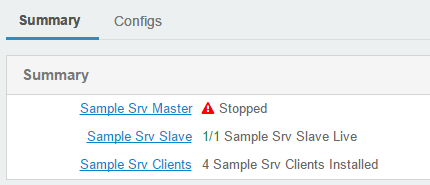
When I add check_process_status method in master.py and restart ambari server, the service status will show red icon. But the service is running. add-check-process-status.png add-check-process-status2.png
  def status(self, env):
    print 'Status of the Sample Srv Master';
    my_test_pid = "/var/run/mytest/mytest_server.pid"
    check_process_status(my_test_pid)
When I comment check_process_status method in master.py and restart ambari server, the service status will show green icon.
Do I miss something?
About my source code of custom service , please refer to attachment file my-custom-service.tar.gz
Thanks.



Created 07-06-2016 09:05 PM
- Mark as New
- Bookmark
- Subscribe
- Mute
- Subscribe to RSS Feed
- Permalink
- Report Inappropriate Content
Hi @Ian Li,
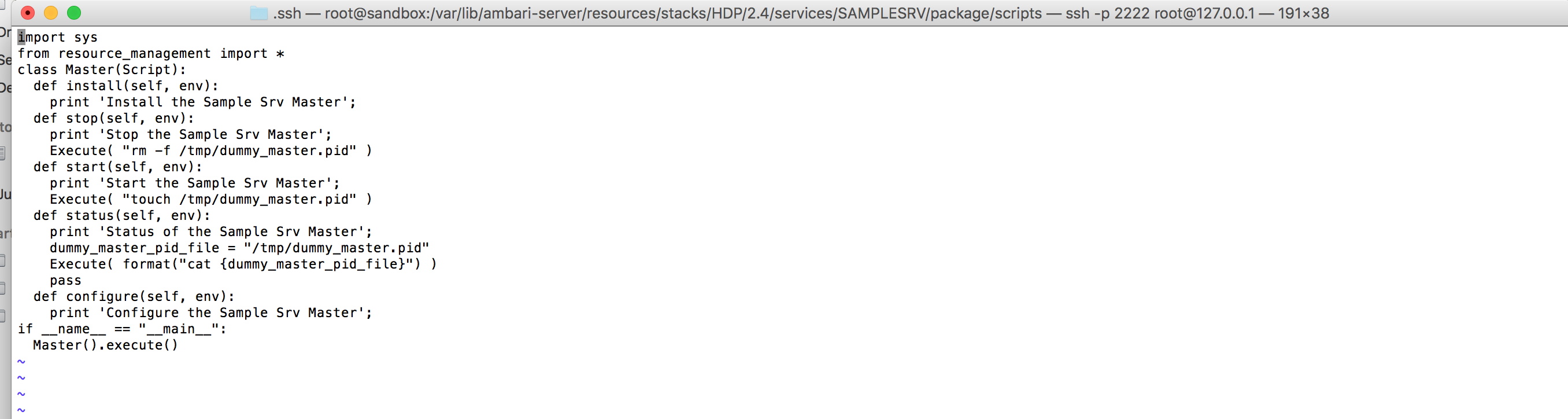
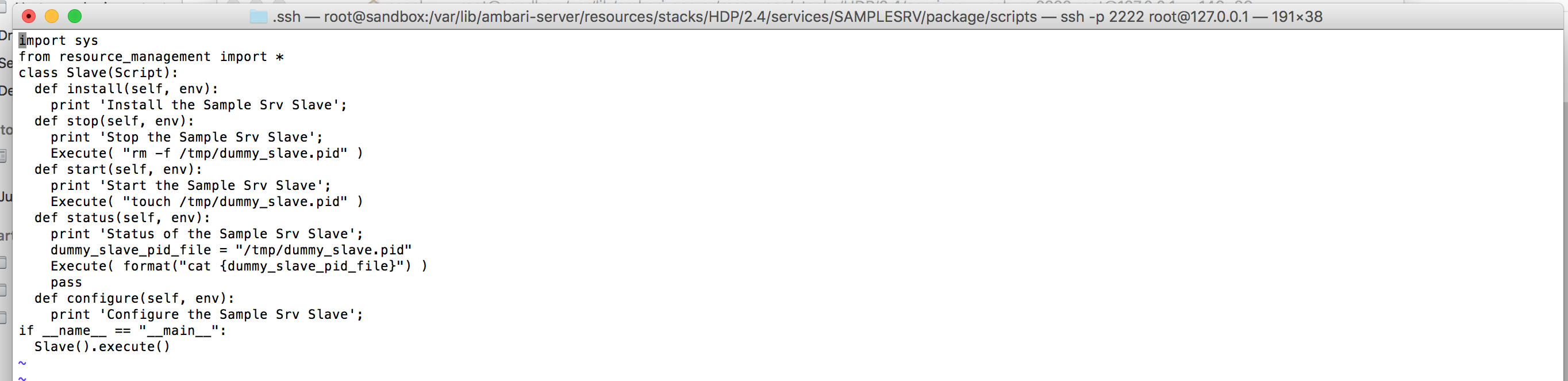
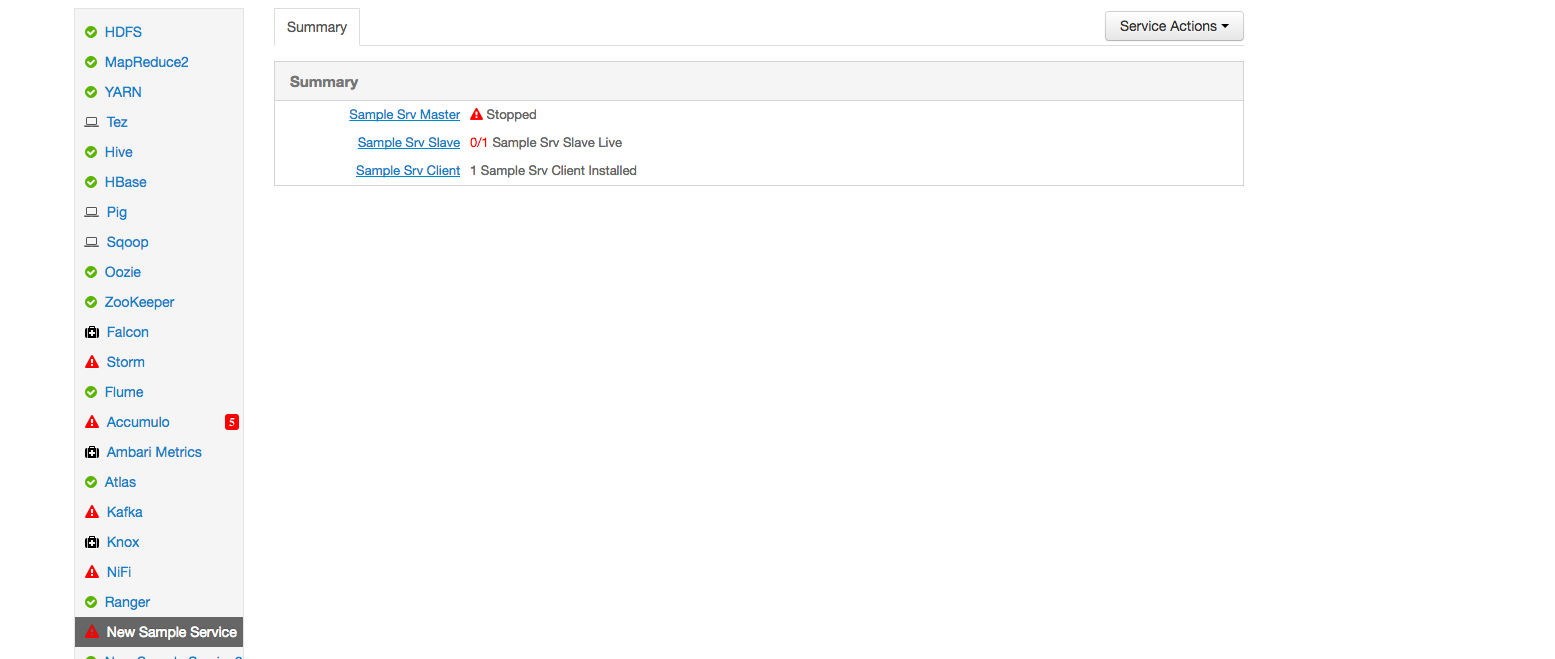
I was able to get this to stop and start by adding these lines in the master.py and slave.py
I added a dummy PID, Since we have not installed a real service, there is no PID file created by it.Therefore we are going to artificially create the PID,remove the PIDand check the process status of the dummy pid.
screen-shot-2016-07-06-at-20304-pm.png
screen-shot-2016-07-06-at-20322-pm.png
screen-shot-2016-07-06-at-20340-pm.png
Hope this helps. Let me know in case of any other issues.
Thanks,
Sujitha
Created 07-06-2016 01:23 AM
- Mark as New
- Bookmark
- Subscribe
- Mute
- Subscribe to RSS Feed
- Permalink
- Report Inappropriate Content
Hi @Ian Li,
I followed the steps from https://cwiki.apache.org/confluence/display/AMBARI/Defining+a+Custom+Stack+and+Services,
I was able to launch the service and it shows green . Please find the attached.
My assumption is within the documentation I see the steps for applicable for HDP 2.0.6 -> 2.1.
Can you try the steps in
/var/lib/ambari-server/resources/stacks/HDP/2.4/services
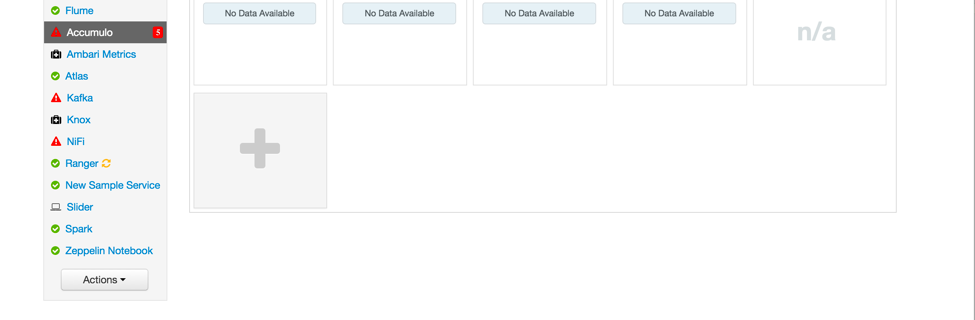
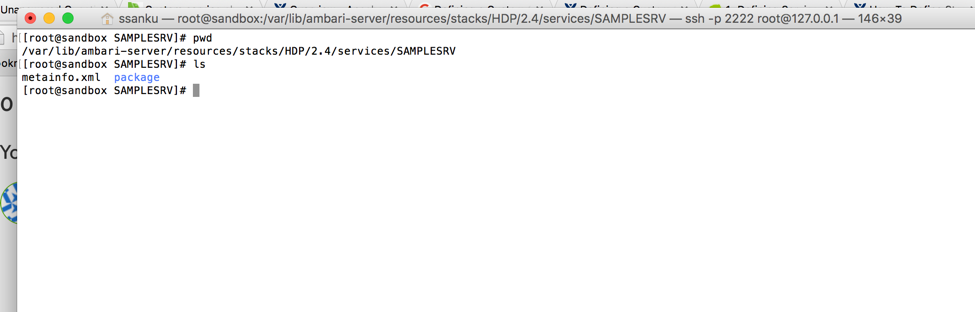
Hope that helps. Let me know in case of issues.
Thanks,
Sujitha
Created 07-06-2016 03:42 AM
- Mark as New
- Bookmark
- Subscribe
- Mute
- Subscribe to RSS Feed
- Permalink
- Report Inappropriate Content
Hi @sujitha sanku,
Thank you for the information.
I use Hortonworks Sandbox HDP 2.4 and try the steps in "/var/lib/ambari-server/resources/stacks/HDP/2.4/services"
The service status shows green. When I stop service, it will show red a while and turn green. It doesn't make sense.
After I add check_process_status(my_test_pid) in status method, the service status show red.
I have already refer to some information. For example: How to deploy Zeppelin(http://hortonworks.com/apache/zeppelin/#section_3) and Jupyter(https://github.com/randerzander/jupyter-service) on ambari
But I still don't know why the check_process_status doesn't work.
Thanks.
Created 07-06-2016 09:05 PM
- Mark as New
- Bookmark
- Subscribe
- Mute
- Subscribe to RSS Feed
- Permalink
- Report Inappropriate Content
Hi @Ian Li,
I was able to get this to stop and start by adding these lines in the master.py and slave.py
I added a dummy PID, Since we have not installed a real service, there is no PID file created by it.Therefore we are going to artificially create the PID,remove the PIDand check the process status of the dummy pid.
screen-shot-2016-07-06-at-20304-pm.png
screen-shot-2016-07-06-at-20322-pm.png
screen-shot-2016-07-06-at-20340-pm.png
Hope this helps. Let me know in case of any other issues.
Thanks,
Sujitha
Created 07-12-2016 05:54 PM
- Mark as New
- Bookmark
- Subscribe
- Mute
- Subscribe to RSS Feed
- Permalink
- Report Inappropriate Content
Hi @Ian Li,
If this issue was resolved can you pick the best answer and we can think this as resolved.
Thanks,
Sujitha
Created 07-14-2016 01:06 AM
- Mark as New
- Bookmark
- Subscribe
- Mute
- Subscribe to RSS Feed
- Permalink
- Report Inappropriate Content


